
3dconverter
Free online 3D model converterConvert STL, OBJ, FBX, GLB in browser
Highlights
What you can do with it
- 3D printing: convert OBJ models to STL and send them to a printer.
- Model editing: convert FBX to OBJ for further work in modeling software.
- Product display: convert 3MF to GLB for interactive previews on e-commerce pages.
How to use it
- 1 Select your source format and the target format on the page.
- 2 Choose a local file by clicking or dragging it in; a file size limit applies.
- 3 Preview the model to check scale, visible parts, direction, and surface quality.
- 4 Read the conversion guide if you want to know the rules and cautions for that format pair.
- 5 Click convert and wait for the local process to finish.
- 6 Download the result and verify it in your target application.
Who it is for
Pros
- Completely free with no account or registration.
- Local browser processing means no uploads and better privacy.
- Preview plus format guidance reduces failed conversions.
- Covers common formats and adds GLB compression and STL repair.
Limitations
- Free status and format support may change; check the site for current capabilities.
- A file size limit applies, so very large models may not convert.
- Not every format pair preserves all data; the site itself documents readable and writable differences per format.
- Browser-based conversion speed depends on your device.
What 3dconverter is
3dconverter is a free online 3D model conversion tool that works inside your browser. It converts between common formats such as 3MF, FBX, GLB, OBJ, and STL, which covers the everyday needs of 3D design, printing, and product display. Because everything runs locally, your files are never uploaded to a server, and you do not need to register an account. Before converting, the tool previews the model so you can check scale, visible parts, direction, and surface quality, and each conversion path comes with a guide that explains what data carries over and what does not. It is completely free and built to make format exchange safe and quick.
What you can do with it
- Convert models between 3MF, FBX, GLB, OBJ, and STL in the browser.
- Preview a model before conversion to catch scale or orientation problems.
- Compress GLB files and repair STL files beyond plain conversion.
- Follow dedicated conversion guides that spell out each format's readable and writable data.
Who it is for
- 3D designers who move models between different design applications.
- 3D printing enthusiasts who need STL or 3MF files for slicing and printing.
- E-commerce practitioners preparing GLB previews for product pages.
- Educators who need models in classroom-friendly formats.
What to watch out for
The free, no-account model is the current setup and could change, so confirm terms on the site before you depend on it. A file size limit applies, which means very large models may be rejected; check the current maximum before planning a batch. Not every conversion preserves all data: the site itself documents the differences between what each source format can read and what each target format can write, so read the guide for the pair you plan to use. Browser performance also depends on your device, and complex models take longer to process locally.
FAQ
Is 3dconverter free?
Yes. It is completely free, needs no account, and runs entirely in your browser.
Which formats are supported?
Common formats including 3MF, FBX, GLB, OBJ, and STL, with mutual conversion between them.
Are my files uploaded?
No. All conversion happens locally in your browser, so files are not sent to a server.
Can I check the model before converting?
Yes. The tool previews the model so you can inspect scale, visible parts, direction, and surface quality first.
Does it do anything besides conversion?
It also offers GLB file compression and STL file repair, along with guides for each conversion path.
Why it is free
What the official page says: completely free
Free limits, trial length and features are decided by the official site and can change at any time.
Product preview
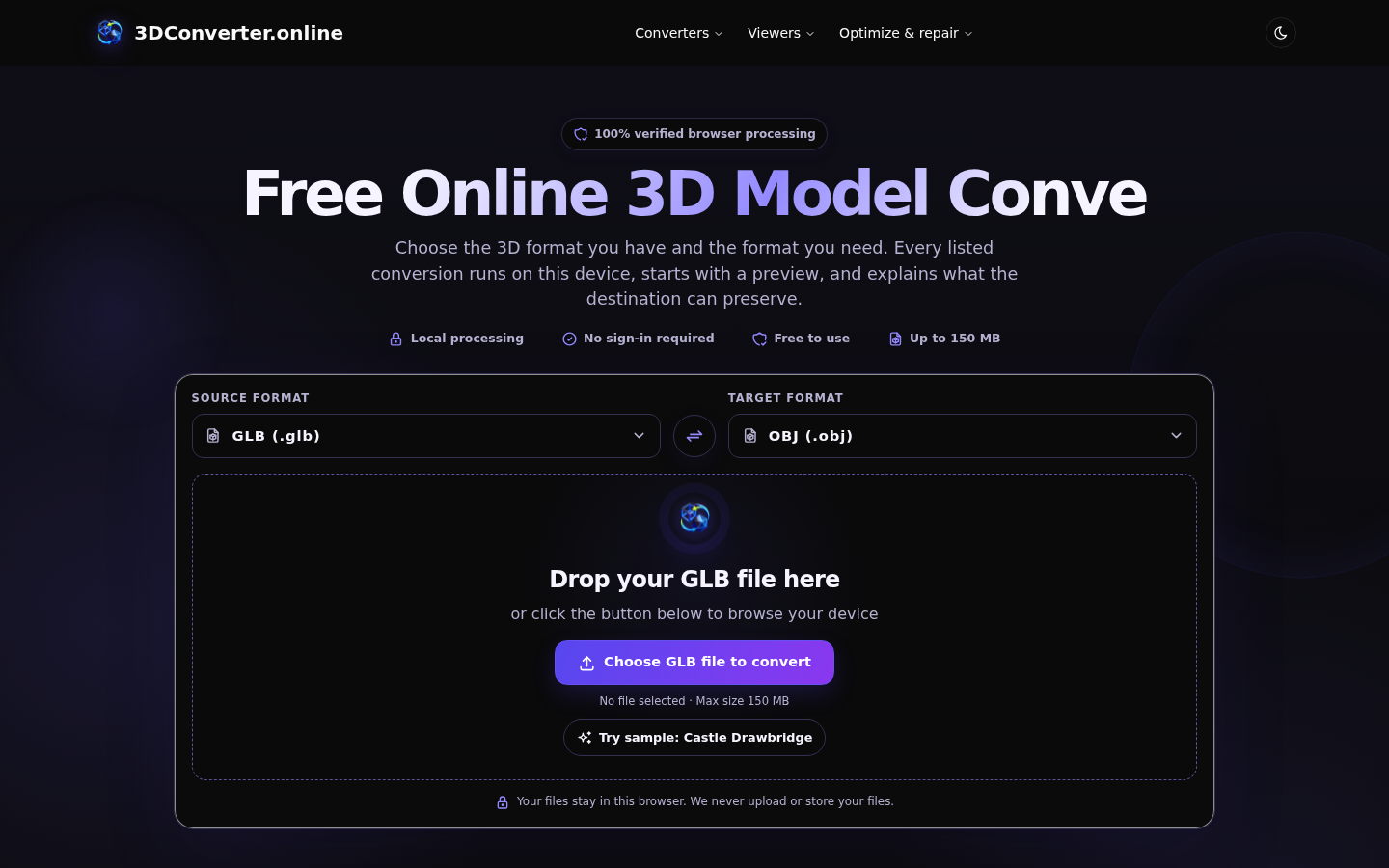
Screenshot archived from the listing page, for preview only.











