Agentkit
Build and embed custom AI support agentsTrain a chatbot on your site, publish anywhere
Highlights
What you can do with it
- An online store answers shipping, stock, and price questions around the clock
- A school answers course, enrollment, and tuition questions without staffing a desk
- A SaaS team triages common support tickets before they reach a human
How to use it
- 1 Create an account at agentkit.ai and add your knowledge sources.
- 2 Paste a site URL to crawl it, or upload PDFs, Word files, and text.
- 3 Set the tone, welcome message, colors, and suggested prompts.
- 4 Copy the script tag and paste it into your site or platform.
- 5 Review conversations, find gaps in the knowledge base, and export leads.
Who it is for
Pros
- Free version is available for testing before you commit
- Works on most website platforms through a single script tag
- Wide language coverage with automatic detection
Limitations
- Free plan limits are not detailed in the listing, so you may hit a wall early
- Answer quality depends entirely on the material you feed it
- Pricing is tiered by team size and usage, so costs grow as traffic grows
What Agentkit is
Agentkit is a platform for building custom AI chatbots and agents, then embedding them on your own website. You teach the agent by pasting site URLs, uploading documents, adding plain text, or writing exact question and answer pairs. Once it is trained, one script tag puts it on WordPress, Shopify, Webflow, Wix, or any plain HTML page. The listing describes it as a way to run all-day customer service and cut repetitive support work, with lead capture built into the conversation. A free version is available for testing, and paid plans cover larger teams. Model choice sits with you: GPT, Claude, and Gemini are all listed.
What you can do with it
- Train an agent on your site content, PDFs, and hand-written answers.
- Embed the same bot on almost any website platform with one line of code.
- Answer visitors in more than 95 languages with automatic detection.
- Collect emails and contact details during the chat instead of a separate form.
- Read conversation logs to see which questions your knowledge base cannot answer.
Who it is for
- E-commerce and retail sites with constant questions about price, stock, and shipping.
- Schools and training providers that need answers outside office hours.
- Solo creators and growing teams that want a testable free tier before scaling.
What to watch out for
A chatbot is only as good as the material you give it. If your documentation is thin or out of date, the agent will sound confident and still be wrong, so plan on a regular review cycle. The free version is a testing tier, and the listing does not detail its message caps, so budget for an upgrade once real traffic arrives. Pricing scales with team size and usage, which means cost climbs alongside the success of the bot. Sensitive data in uploaded documents should be reviewed before it goes in, and every agent still needs a clear path to a human when the question goes off script.
FAQ
Is there a free version?
Yes. The listing says the free version can be used for testing, with paid Hobby, Standard, and Pro plans above it.
What can the chatbot learn from?
Website URLs, uploaded PDFs and files, pasted text, and manually written question and answer pairs.
Which AI models can I use?
OpenAI GPT, Anthropic Claude, and Google Gemini are listed, and you can switch the model for each chatbot.
Why it is free
What the official page says: free version
Free limits, trial length and features are decided by the official site and can change at any time.
Product preview
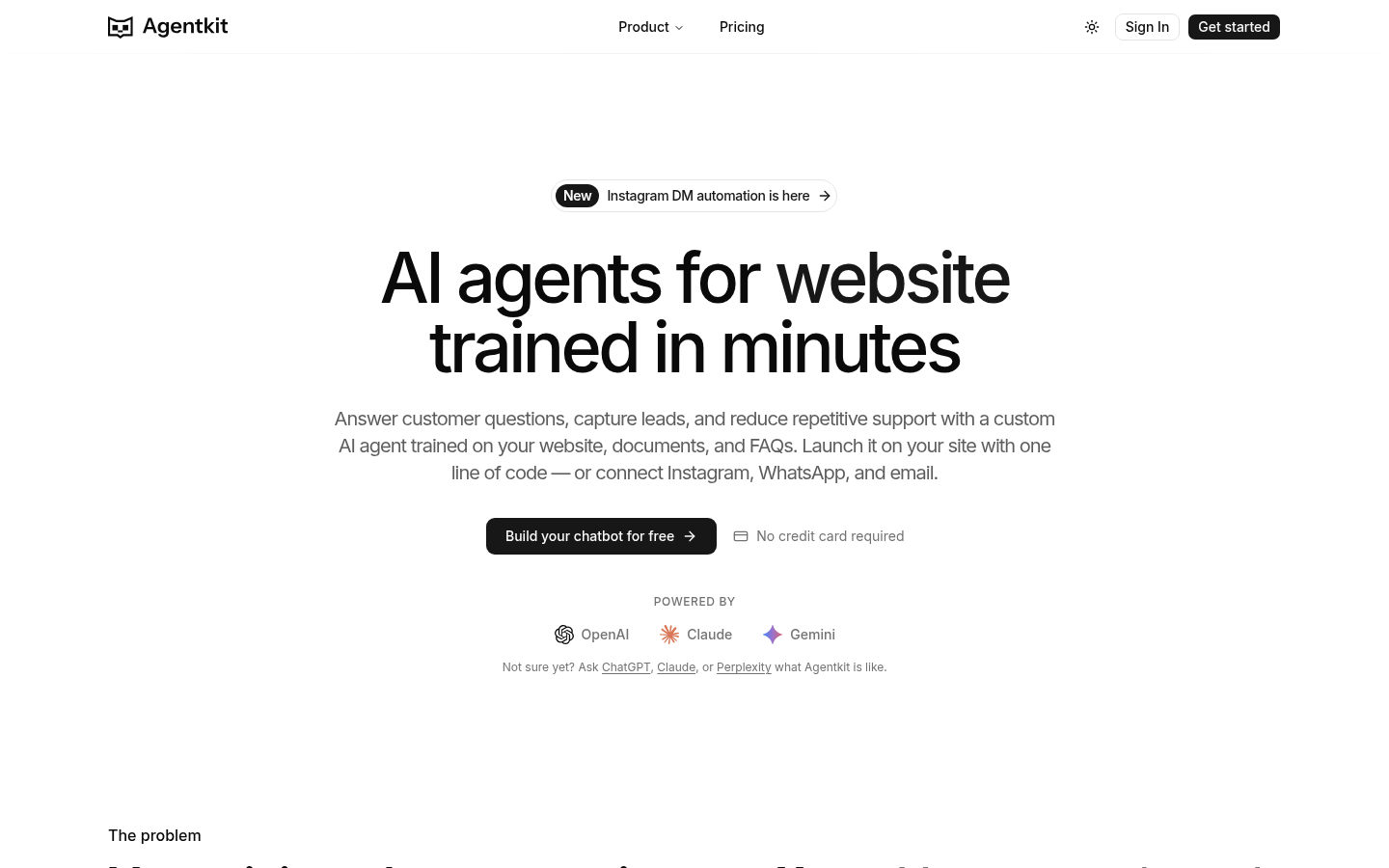
Screenshot archived from the listing page, for preview only.