
AI 3D Model
Free AI 3D model makerText and images to 3D models
Highlights
What you can do with it
- Turn product photos into an interactive 3D catalog.
- Build game props and character models fast.
- Create printable 3D models from text or images.
How to use it
- 1 Open the AI 3D Model site.
- 2 Pick text to 3D, image to 3D, or multi view mode.
- 3 Enter a description or upload images.
- 4 Set options like resolution and face count, then generate.
- 5 Export the model in the format you need.
Who it is for
Pros
- Completely free with no credit card.
- Supports text, single image, and multi view input.
- Exports all common industry formats.
- Low polygon optimization for real time use.
Limitations
- Generation can take roughly four to six minutes per model.
- Free access and limits can change over time.
- Complex subjects may need clean multi angle photos for good results.
- Uploads are capped by size and format, so very large files may not work.
What AI 3D Model is
AI 3D Model is a free generator that turns text or images into 3D models. You can type a short description, upload a single photo, sketch, or illustration, or supply photos of an object from several angles for higher fidelity results. It runs across Web, Windows, macOS, Linux, iOS, and Android, so you are not tied to one system. The tool adds features aimed at real work, like low polygon optimization for game engines and clean white base meshes for printing or manual texturing. Once a model is ready you can export it in industry standard formats such as GLB, OBJ, STL, FBX, GLTF, and USD. It is described as completely free and needs no credit card, though each generation can take a few minutes.
What you can do with it
- Turn a text description into a detailed 3D asset.
- Convert a photo, sketch, or illustration into a 3D model.
- Use multi angle uploads to build higher fidelity reconstructions.
- Export to common formats for games, design, or printing.
Who it is for
- 3D artists who want to move from idea to model quickly.
- Game developers creating props, characters, and environments.
- Product designers visualizing concepts from photos or sketches.
- 3D printing enthusiasts who need printable models.
What to watch out for
Each generation can take roughly four to six minutes, so it is not instant, and busy sessions need patience. Free access and any usage limits can change over time, so confirm the current terms before a big batch. Complex or organic subjects usually need clean, well lit multi angle photos to come out well, and simple inputs may give rougher results. Uploads are capped by size and format, so very large source files may be rejected.
FAQ
Is AI 3D Model free?
Yes. It is described as completely free and needs no credit card.
What can I convert into a 3D model?
You can use text descriptions, single images, sketches, or multi angle photo sets.
Which formats can I export?
It exports industry standard formats such as GLB, OBJ, STL, FBX, GLTF, and USD.
How long does generation take?
The product estimates about four to six minutes per model.
Why it is free
What the official page says: completely free
Free limits, trial length and features are decided by the official site and can change at any time.
Product preview
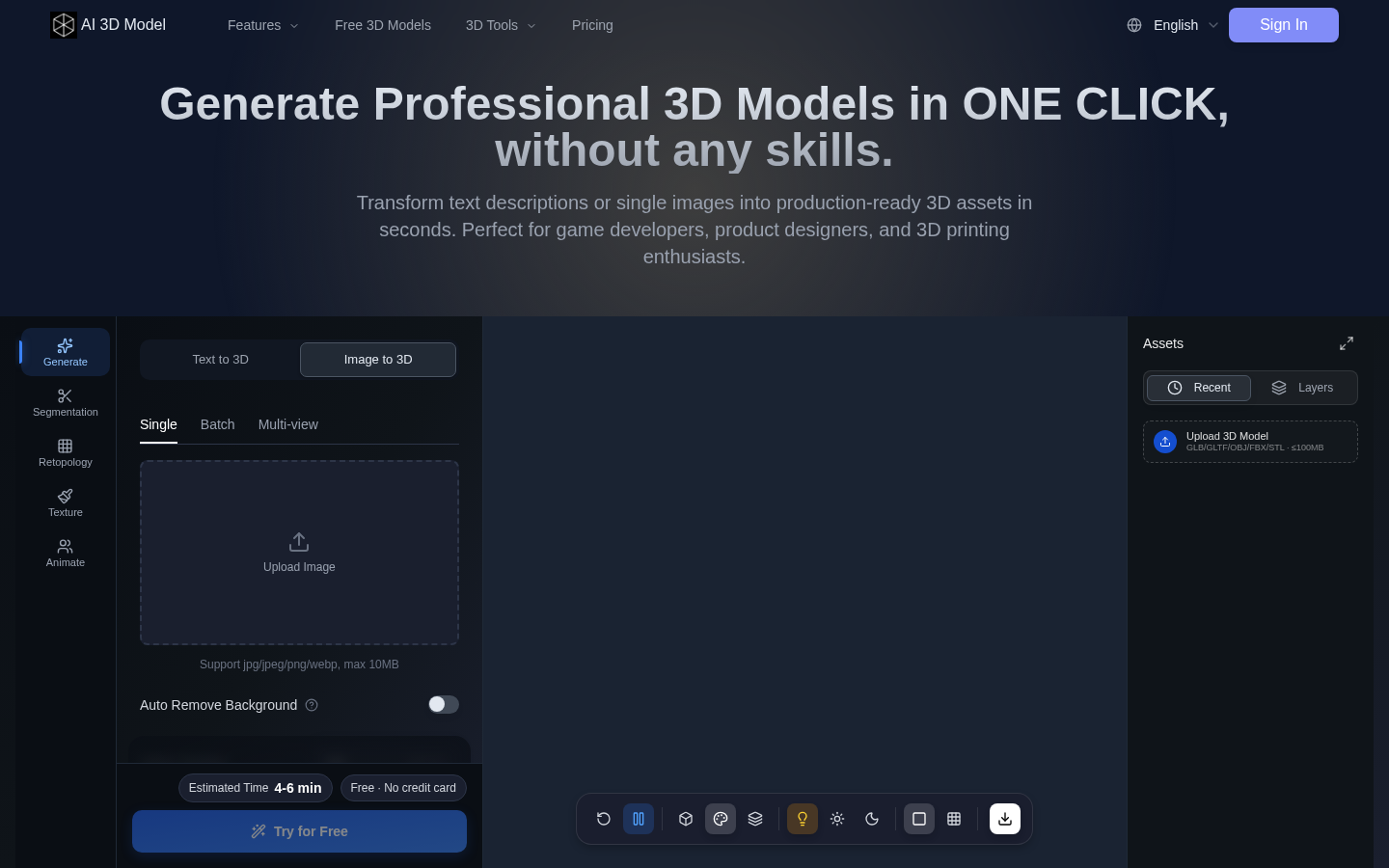
Screenshot archived from the listing page, for preview only.











