
AI-FFmpeg
Free online video processing toolCompress, convert, and trim video online
Highlights
What you can do with it
- Compress a large video for easier online sharing
- Extract background music from a video as an audio file
- Trim a course video to the right length for students
How to use it
- 1 Visit the AI-FFmpeg website.
- 2 Drag in a video file or browse to upload it.
- 3 Choose a task such as transcoding or compression.
- 4 Adjust settings like format, bitrate, and resolution.
- 5 Start processing, then download or preview the result.
Who it is for
Pros
- Free access to common video processing tools
- No software install needed, runs in the browser
- Covers transcoding, compression, audio, trimming, and rotation
Limitations
- Online processing may have file size or length limits
- Only basic effects are available, not full editing
- Speed and access depend on your internet and the service
What AI-FFmpeg is
AI-FFmpeg is a free online video processing tool built on FFmpeg. It gives you a simple interface for common video tasks such as transcoding between formats like MP4 and WebM, compressing files by adjusting bitrate and resolution, extracting audio, trimming length and frame size, rotating video, and adjusting basic effects like brightness and contrast. It suits both amateur and professional video users who need quick edits without installing software, and access is free.
What you can do with it
- Convert video between formats such as MP4 and WebM
- Compress files by lowering bitrate and resolution
- Extract audio, trim clips, and rotate footage
- Make basic brightness and contrast adjustments
Who it is for
- Video bloggers who need quick format conversions
- Education platforms trimming and compressing course video
- Everyday users handling simple video tasks without an editor
What to watch out for
Because processing happens online, there may be file size or length limits, and speed depends on your internet connection. It only offers basic effects, so it is not a full video editor for complex projects. The service is free now, but free access and limits can change. For large or sensitive files, keep a local copy rather than relying only on the online tool. Name and archive exported files consistently so you can find and reuse them, and keep a backup copy of key data. When quality matters, export a small draft first to confirm the result before producing the final file. When quality matters, export a small draft first to confirm the result before producing the final file. Generated suggestions are for reference only, so verify anything that affects professional judgment or important data.
FAQ
What can AI-FFmpeg do?
It can transcode, compress, extract audio, trim, rotate, and adjust basic video effects.
Is it free?
Yes. It is a free online video processing tool.
Do I need to install anything?
No. It runs in the browser, so you upload, process, and download without installing software.
Why it is free
What the official page says: 免费
Free limits, trial length and features are decided by the official site and can change at any time.
Product preview
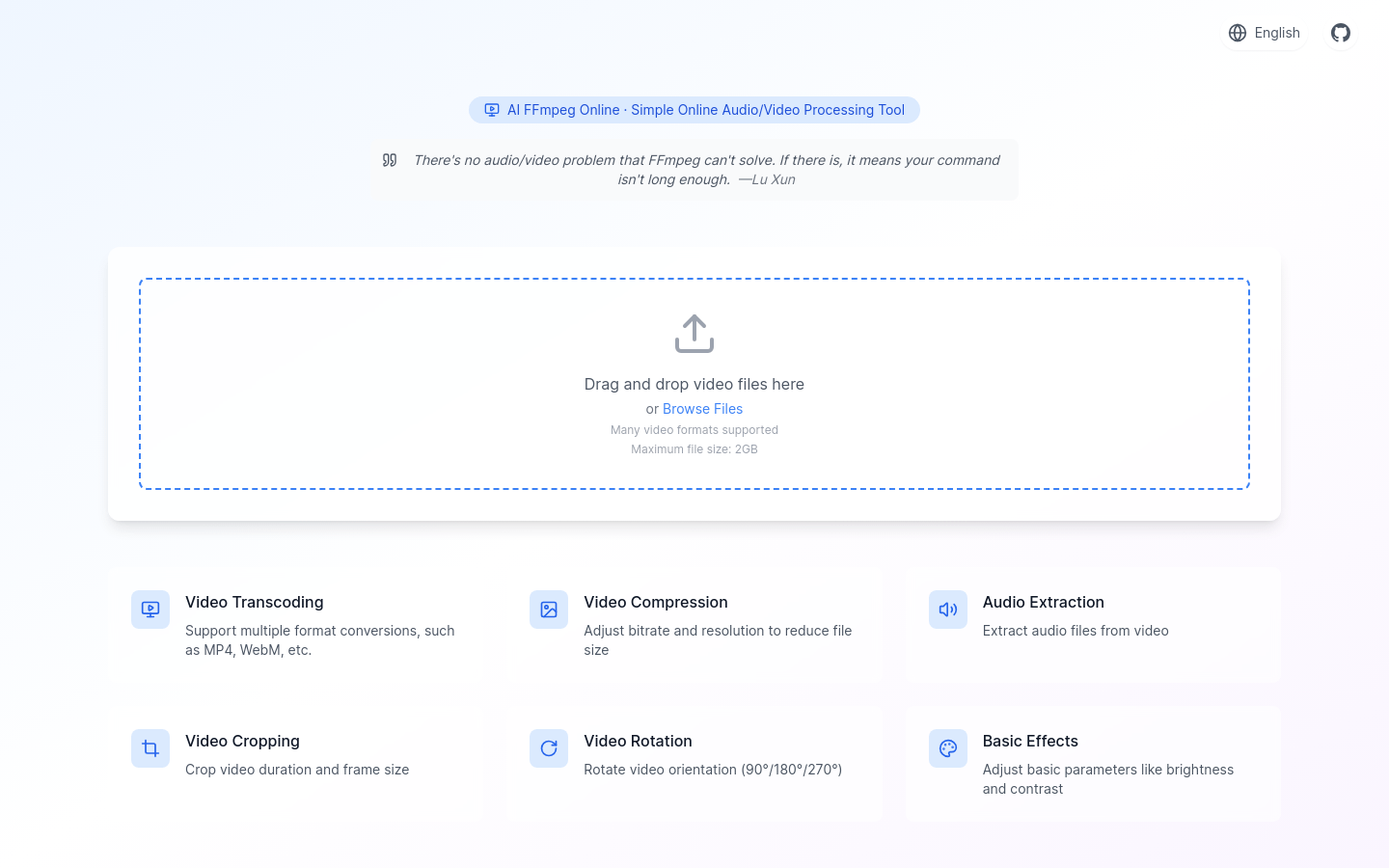
Screenshot archived from the listing page, for preview only.











