
Highlights
What you can do with it
- Rewrite mechanical AI sentences into natural language
- Adjust the tone and readability of a draft
- Edit long AI text before publishing
How to use it
- 1 Paste the AI-generated text
- 2 Choose the style and language
- 3 Run the humanizing pass
- 4 Review and copy the natural result
Who it is for
Pros
- Free with no registration
- Handles long documents
- Customizable style
- Includes a detection feature
Limitations
- Using it to pass AI text as human may violate school or platform rules, and the user carries the consequences
- Free rules can change
- Detection results are not a guarantee
- Text still needs a human review
What AI Humanizer is
AI Humanizer is a free online tool that rewrites AI-generated text into natural human language. You paste in text and it adjusts clarity, tone, and readability so the result sounds less mechanical. The service says it can handle very long documents, offers unlimited free transformation with no registration, lets you customize the human writing style, supports multiple languages, and includes a built-in AI detection feature. It is aimed at students, content creators, freelancers, and business professionals who work with AI drafts and want the output to read more smoothly.
Because one stated purpose is to make AI text pass as human, the tool sits in a sensitive area. Using it to disguise AI-written work may break the rules of a school, a publisher, or an online platform, and any consequences fall on the person who submits the text.
What you can do with it
- Rewrite stiff AI sentences into natural prose.
- Adjust tone and readability for a specific audience.
- Process long documents in one pass.
- Use the built-in detection feature to review a draft.
Who it is for
Content creators polishing AI drafts, freelancers editing AI-assisted copy, and business professionals cleaning up AI output are the main audience. The tool's own description also lists students, but the same caution applies: rewriting text to avoid detection may violate academic rules, and the user carries that risk.
What to watch out for
The free, unlimited model is the headline, but free rules can change, and the service depends on an upstream model and website it does not control. The built-in detection feature is not a guarantee, so do not treat a pass as proof that text will read as human everywhere. Humanized text still needs a human review for facts, tone, and accuracy. Most importantly, using it to bypass AI detection may breach school or platform rules, and the person who submits the output is responsible for what happens next.
FAQ
Is it free and unlimited?
The service says transformation is unlimited and completely free with no registration, though free rules can change.
Does it handle long text?
It states it can process very long documents.
Does it have a detector?
It includes a built-in AI detection feature alongside the rewriting.
Is it okay to use for school?
Be careful. Making AI text pass as human may break academic or platform rules, and the user carries the consequences.
Why it is free
What the official page says: 免费使用完全免费免费无需注册
Free limits, trial length and features are decided by the official site and can change at any time.
Product preview
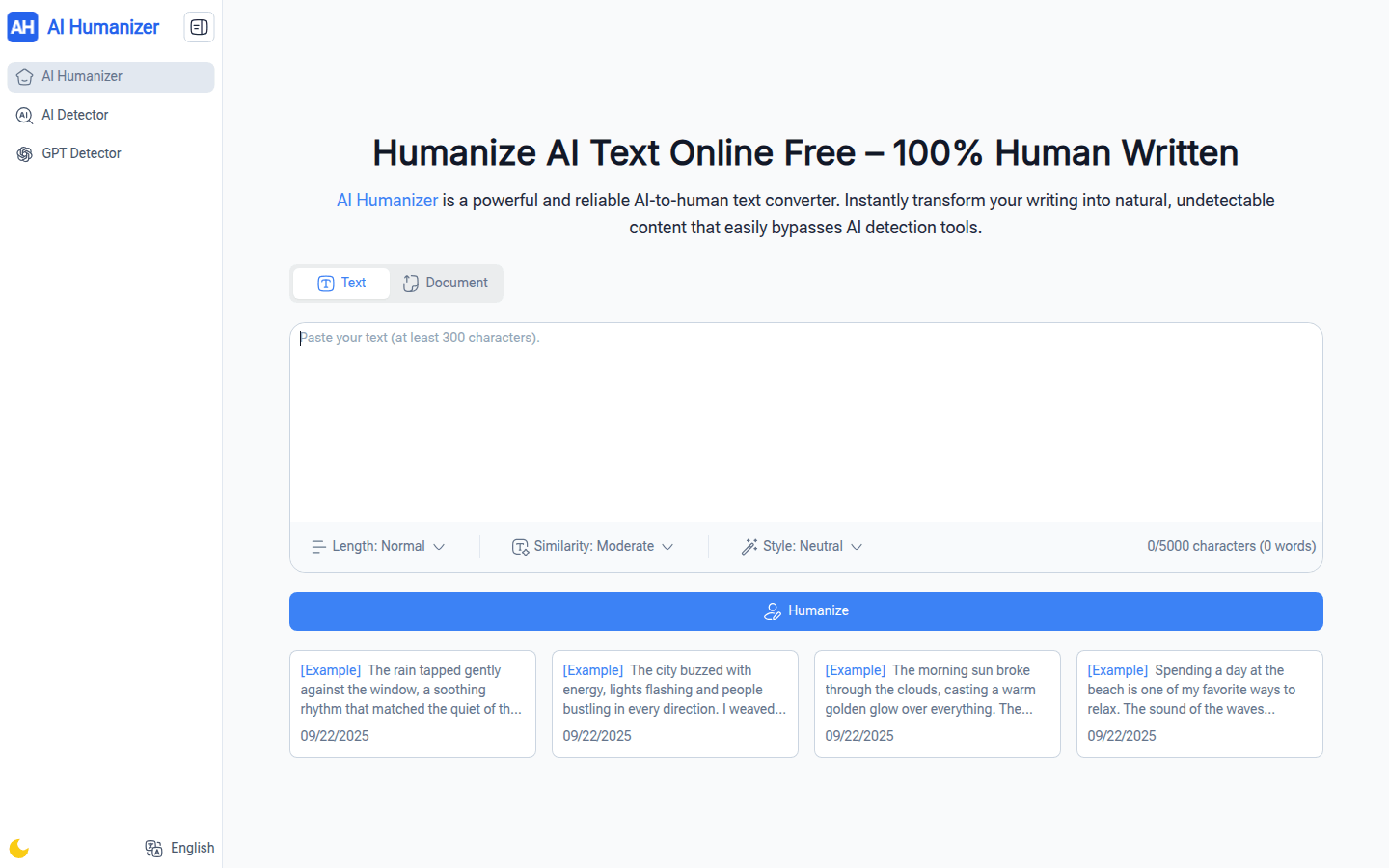
Screenshot archived from the listing page, for preview only.