
AI Image to Video
Turn images into videos with AIStatic pictures, moving stories
Highlights
What you can do with it
- Turn product photos into short advertisement clips
- Build a travel story video for social media
- Add motion to artwork for a presentation
How to use it
- 1 Upload the image you want to animate
- 2 Enter a text description or leave it blank
- 3 Set duration and resolution
- 4 Generate and preview the video
- 5 Adjust if needed, then export
Who it is for
Pros
- Free to use
- Watermark-free HD output
- Simple three-field workflow
- Preview before export
Limitations
- Motion quality depends on the source image
- Free limits and availability can change
- Short clips rather than long edits
- Complex scenes may need several attempts
What AI Image to Video is
AI Image to Video is a free online platform that converts static images into short videos. You upload an image in JPG, PNG, or WEBP format, optionally add a text description to steer the result, and set options such as duration and resolution. The AI generates a watermark-free HD video that you can preview and adjust before exporting. It suits product promotions, travel stories, art presentations, and social content where a still image is not enough. The tool is free to use and aimed at brands and creators who want motion without learning an editing suite.
What you can do with it
- Upload an image in JPG, PNG, or WEBP format.
- Guide the result with a text description.
- Control video duration and resolution.
- Preview the generated clip before exporting.
- Produce dynamic ads, presentations, and travel stories.
Who it is for
- E-commerce sellers turning product photos into clips.
- Social media creators who need motion quickly.
- Artists and designers presenting work with movement.
What to watch out for
Motion quality depends heavily on the source image, so a low-resolution or busy photo limits the result. Complex scenes often need several attempts before the movement looks right. The tool produces short clips rather than long edits, and because it is free, its limits and availability can change. Check the preview carefully before you export a file you plan to publish. Run one full task end to end first, then expand once you are comfortable with the workflow and the result quality. Behavior may vary across browsers and devices, so test before production use and consult the help docs if errors appear.
FAQ
Is it free?
Yes, the platform is free to use.
What formats can I upload?
JPG, PNG, and WEBP.
Is there a watermark?
No, output is described as watermark-free HD.
Why it is free
What the official page says: free to use
Free limits, trial length and features are decided by the official site and can change at any time.
Product preview
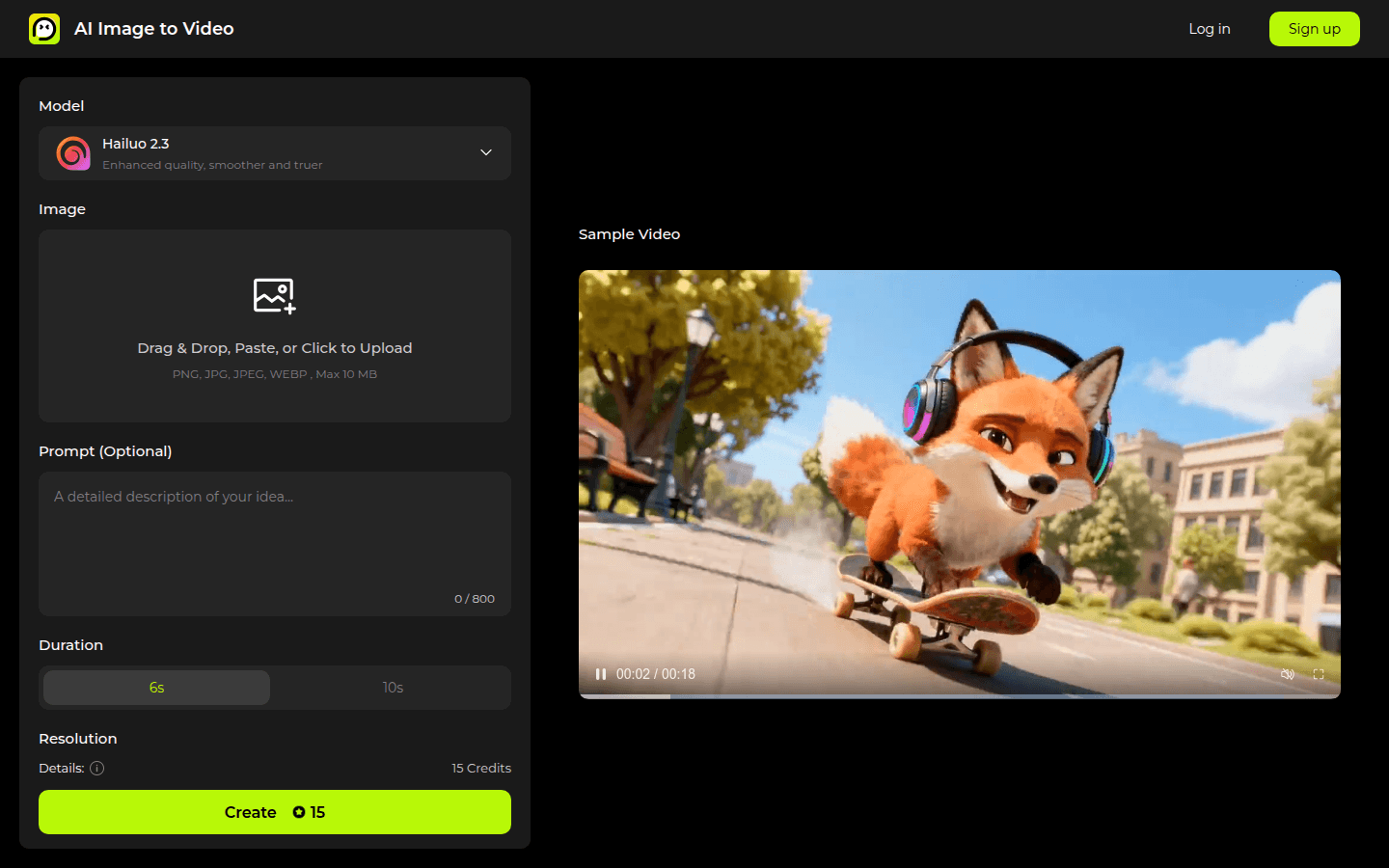
Screenshot archived from the listing page, for preview only.











