
AI Input
Prompt and sketch to website UIDescribe or draw it, get a site
Highlights
What you can do with it
- A quick landing page for a project
- Turning a wireframe sketch into a working layout
- Prototyping a UI idea before building it properly
How to use it
- 1 Register for a free account on AI Input
- 2 Enter a prompt or upload a sketch
- 3 Review the generated layout and code
- 4 Adjust the design to fit your needs
- 5 Export or deploy the result
Who it is for
Pros
- Free to register
- Two input modes, prompt and sketch
- Multilingual interface
Limitations
- A young project, so stability and support are uncertain
- Generated code needs a developer's review before it goes live
- Advanced features and resources sit behind payment
What AI Input is
AI Input is a platform that uses AI to help create websites and UI elements. The primary path is prompt based: you type simple instructions and it generates the website code, layout, and content. A second path uses a visual API, where a sketch you draw yourself becomes a website design, which is useful when you can see what you want but cannot describe it. The interface supports English, Chinese, and Japanese. Registration is free, with paid upgrades available for more features and resources. It is positioned as an innovative tool for building a site quickly without deep technical knowledge.
What you can do with it
- Generate website code, layout, and content from a prompt
- Turn a hand-drawn sketch into a design through the visual API
- Work in English, Chinese, or Japanese
- Prototype a site idea before committing to a build
- Export or deploy the generated result
Who it is for
- Non-developers who need a website without writing code
- Designers prototyping an interface quickly
- Developers scaffolding a project to save time
What to watch out for
This is a young project, so expect rough edges, occasional instability, and thin support. Generated code is a starting point, not production output: accessibility, performance, security, and responsive behaviour all need a developer's review before anything goes live, and nobody should ship generated markup unchecked. The free tier covers the basics while more features and resources sit behind payment, so check the limits against your project. Sketch recognition also depends on how clean your drawing is, so a tidy wireframe works far better than a rough scribble. Run one full task end to end first, then expand once you are comfortable with the workflow and the result quality.
FAQ
Is AI Input free?
You can register and use it for free, with paid upgrades for more features and resources.
What can it generate?
Website code, layout, and content from a prompt, or a design from a hand-drawn sketch via the visual API.
Which languages does it support?
English, Chinese, and Japanese.
Why it is free
What the official page says: for free
Free limits, trial length and features are decided by the official site and can change at any time.
Product preview
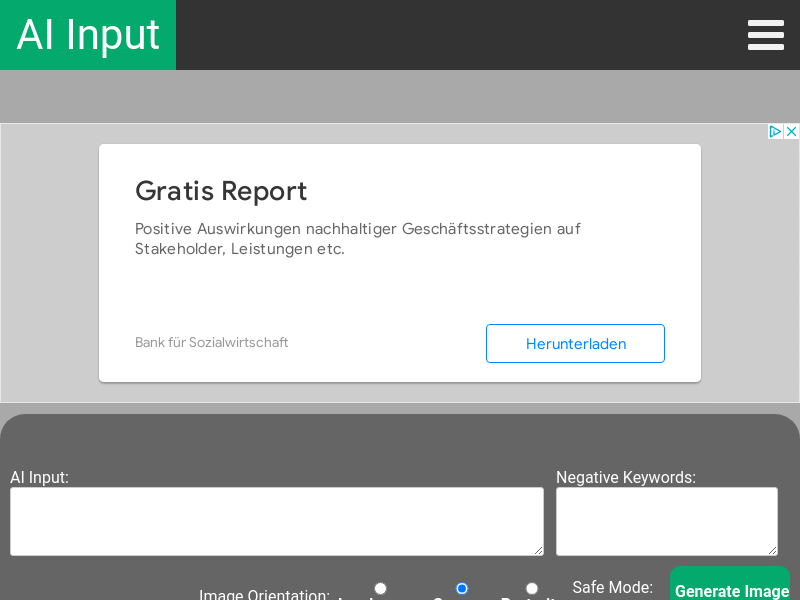
Screenshot archived from the listing page, for preview only.











