AI Mind Map
Text to mind map converterPaste text, get a structured mind map
Highlights
What you can do with it
- Students turning class notes into a knowledge structure
- Teams capturing meeting points as a visual
- Product managers breaking requirements into a map
How to use it
- 1 Open the AI Mind Map website
- 2 Paste the text you want to convert
- 3 Click generate
- 4 Review and edit the resulting mind map
- 5 Copy it or download it as Markdown
- 6 Log in with WeChat to see past maps
Who it is for
Pros
- Removes manual diagram drawing
- Markdown export fits note-taking workflows
- Works across devices and browsers
- History keeps past maps accessible
Limitations
- Free trial limits and pricing can change
- Automatic structure may need manual reordering
- History depends on WeChat login
- Scope is mind maps, not full note management
What AI Mind Map is
AI Mind Map is an online tool that converts text into mind map images. You paste content into the box, click generate, and the system recognises the key information and arranges it into a structured diagram, which removes the drawing step that makes mind mapping tedious. From there you can copy the content, download it as a Markdown file, or log in with WeChat to review earlier maps. The interface is described as user-friendly and compatible with various devices and browsers, and a free trial is offered. The value is in the first thirty seconds: unstructured text becomes something you can actually look at and argue with.
What you can do with it
- Convert pasted text into a structured mind map
- Edit the generated layout before exporting
- Copy content or download it as Markdown
- Revisit past mind maps through WeChat login
Who it is for
- Students organising notes and revision material
- Teams capturing meeting points in real time
- Product managers breaking requirements into structure
What to watch out for
Free trial limits and pricing can change, and the listing does not detail them, so check the site before you rely on regular use. Automatic structuring is a starting point; dense or badly organised text produces a messy map, and reordering branches by hand is normal. History depends on WeChat login, which is a specific requirement and may not suit everyone. Scope is mind map generation; it is not a full note-taking system, and it will not manage your documents, tasks, or collaboration. Processing speed depends on file size and network conditions, so retry later if a task stalls during peak hours.
FAQ
Is there a free trial?
Yes, the listing mentions a free trial, with pricing details to check on the site.
What can I export?
You can copy the content or download the mind map as a Markdown file.
How do I see past mind maps?
By logging in through WeChat, according to the listed steps.
What is it good for?
Organising notes, capturing meeting points, and breaking requirements into structure.
Why it is free
What the official page says: free trial
Free limits, trial length and features are decided by the official site and can change at any time.
Product preview
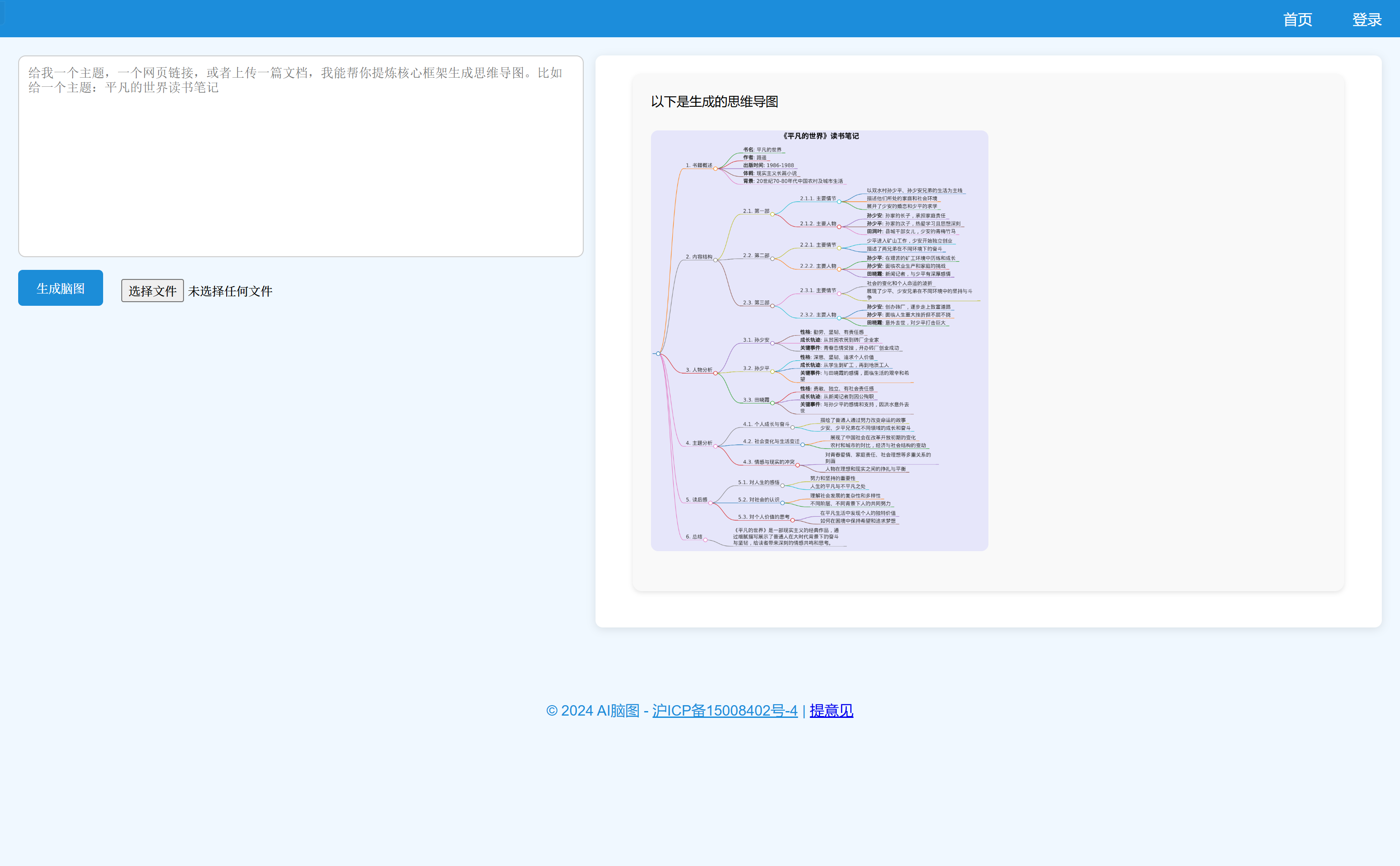
Screenshot archived from the listing page, for preview only.