
AI Share Card
Webpage to share card pluginOne-click share cards for any page
Highlights
What you can do with it
- Social media users generate share cards for pages they want to post.
- Content creators turn articles into visual cards to lift read and share rates.
- Marketers build product share cards for e-commerce listings.
How to use it
- 1 Install the plugin from your browser app store or download the installation package.
- 2 Open the browser and navigate to the webpage you want to share.
- 3 Click the AI Share Card icon in the plugin bar to activate it.
- 4 Preview the generated card and copy, then edit if needed.
- 5 Share with one click to the platform you want.
Who it is for
Pros
- One-click card generation with automatic recommended copy.
- Covers a wide range of platforms, including e-commerce detail pages.
- Basic features are described as completely free.
Limitations
- It depends on the GLM AI API, so changes upstream could affect what the tool does.
- The listed compatibility centers on platforms such as WeChat, Weibo, Bilibili, and Zhihu, so results elsewhere may vary.
- It runs as a browser extension, so it only works where you install it.
What AI Share Card is
AI Share Card is a browser plugin that turns ordinary webpages into visual share cards. You install it from an app store or an installation package, then browse to any page you want to pass along. Clicking the plugin icon makes the extension analyze the page, build a card, and write recommended copy for you. The tool is described as fully compatible with mainstream text, image, and video platforms, including WeChat Official Account, Bilibili, Weibo, and Zhihu, and it also covers e-commerce detail pages and product websites. Basic features are completely free, and the plugin is built on the free AI API provided by GLM, so there is no cost to try it on a few pages.
What you can do with it
- Convert a webpage into a share card with one click.
- Get AI-written recommended copy without writing it yourself.
- Share content from text, image, and video platforms as well as product pages.
- Preview and edit the card before posting it.
Who it is for
- Social media users who share links every day and want better-looking posts.
- Content creators who turn articles into cards to lift read and share rates.
- Marketers who build product share cards for e-commerce listings.
What to watch out for
Because the plugin relies on an external AI API, its copy generation depends on that service staying available and free; changes upstream would affect what the tool can do. The listed platform compatibility centers on Chinese platforms, so results on other sites may vary. It runs as a browser extension, which means it is only available on the browsers where you install it, and you should review the generated copy before publishing since automatic wording may not always match your intent or the tone of the thread.
FAQ
Is AI Share Card free?
The basic features are described as completely free, using the free AI API provided by GLM.
Where do I install it?
Follow the guide to install from your browser app store, or download the installation package directly.
Can I edit the generated card?
Yes, you can preview the card and the recommended copy and adjust them before sharing.
Why it is free
What the official page says: 完全免费免费
Free limits, trial length and features are decided by the official site and can change at any time.
Product preview
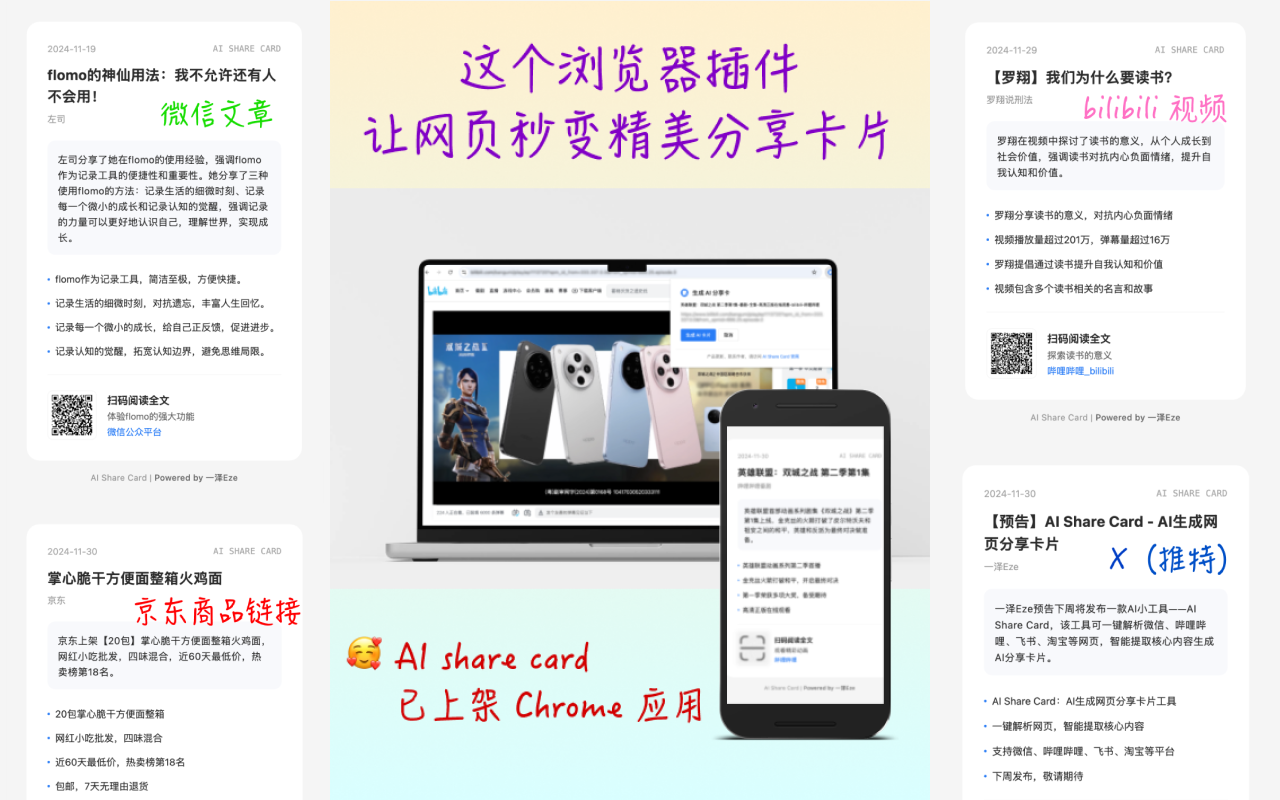
Screenshot archived from the listing page, for preview only.











