
AIHumanizer.work
Rewrite AI text into natural human like languageFree, unlimited AI text humanizing, no sign up
Highlights
What you can do with it
- Smooth out a paper draft so it reads naturally
- Turn a stiff AI draft into a clear, natural blog article
- Make a marketing email sound friendly and approachable
How to use it
- 1 Paste your text into AIHumanizer or upload a file
- 2 Choose the conversion style, such as light editing or a deep rewrite
- 3 Pick the tone you want, like academic, casual, or creative
- 4 Copy the output or download it as TXT, PDF, or DOCX
Who it is for
Pros
- Free and unlimited with no registration required
- Handles long drafts and offers tone and depth control
- Built in AI detection helps you check the output
Limitations
- Rewriting text to avoid AI detectors may break school or platform rules, and any consequences fall on you
- Free, unlimited, no registration terms can change at any time
- Heavy rewriting can shift your original meaning, so review the output
What AIHumanizer.work is
AIHumanizer.work is a free online tool that rewrites AI generated text into more natural, human sounding language. You paste or upload text, choose how light or deep the rewrite should be, and pick a tone such as academic, casual, or creative. It handles very long drafts and supports multiple languages, and it includes a built in AI detection feature so you can see how the output reads. Use is described as free and unlimited with no registration required, so you can start immediately. It is aimed at students, writers, freelancers, and business people who want AI drafts to sound smoother and less robotic.
What you can do with it
- Rewrite AI text into natural, fluent language
- Choose light editing or a deep rewrite and set the tone
- Handle very long drafts and multiple language styles
- Check the output with the built in AI detection and export as TXT, PDF, or DOCX
Who it is for
- Students and researchers polishing AI generated drafts
- Bloggers, content creators, and freelance writers
- Business people and marketers writing emails and copy
What to watch out for
Rewriting text to make it read as human can raise real concerns. Using this to pass AI writing off as your own may violate academic integrity policies or platform rules, and any consequences are your responsibility, so use it carefully and within the rules that apply to you. The tool advertises free, unlimited use with no registration, but free terms can change at any time. Also, a deep rewrite can shift your original meaning, so always review the output rather than trusting it blindly. Generated suggestions are for reference only, so verify anything that affects professional judgment or important data.
FAQ
Is AIHumanizer.work really free?
The tool is described as 100 percent free and unlimited with no registration. Free terms can change, so check the site for the current offer.
Do I need to sign up?
No registration is required. You paste your text and start processing right away.
Can it change how much it rewrites?
Yes. You can choose light editing or a deeper rewrite and pick the tone, so you control how much the text changes.
Why it is free
What the official page says: no registration
Free limits, trial length and features are decided by the official site and can change at any time.
Product preview
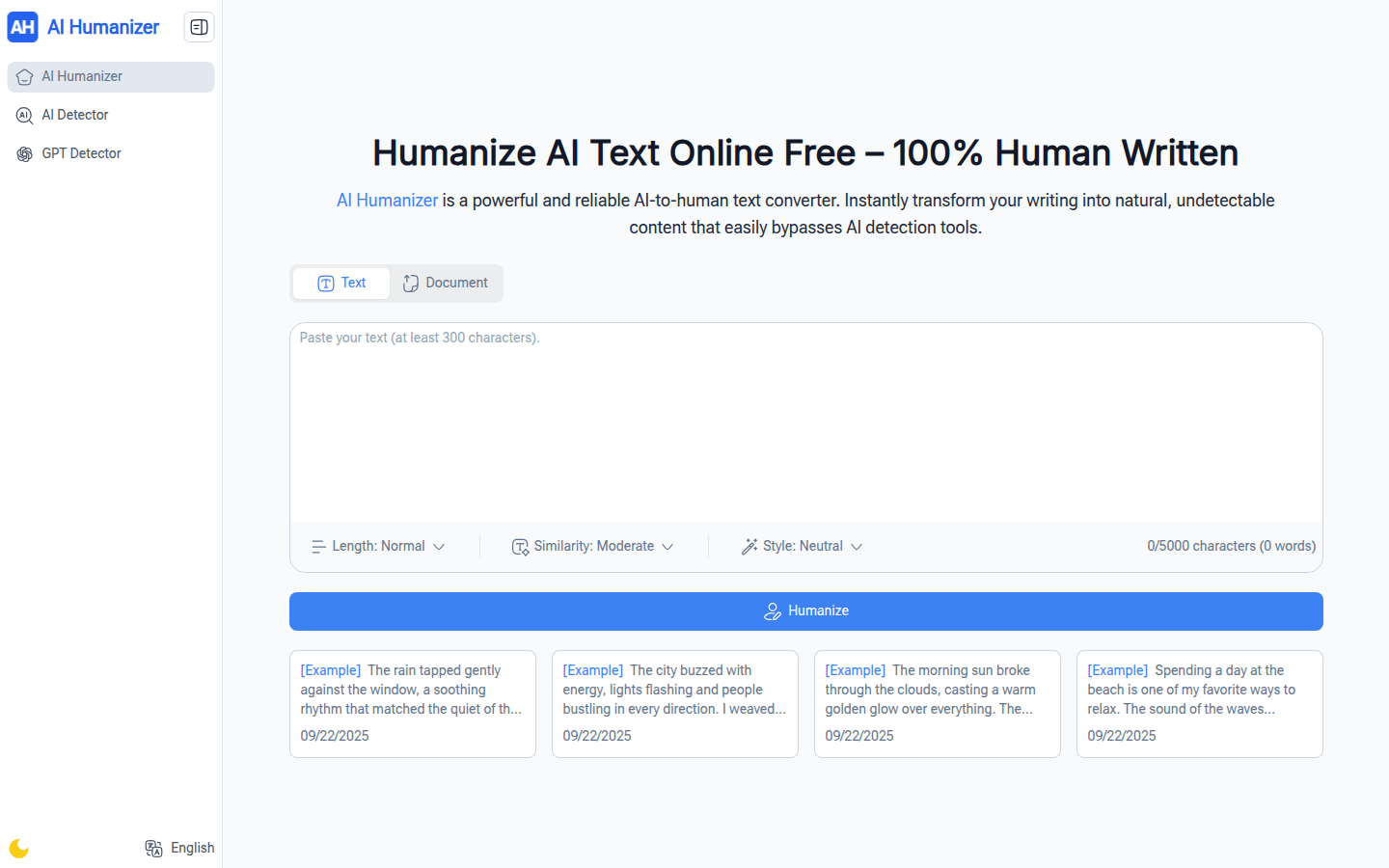
Screenshot archived from the listing page, for preview only.











