Amie
AI meeting recorder and summarizerMeetings recorded, summarized, and turned into actions
Highlights
What you can do with it
- Recording a meeting and getting a summary with action items
- Syncing meeting notes to Hubspot or Pipedrive
- Asking questions about what was decided in a past meeting
- Drafting follow-up emails straight from a meeting
How to use it
- 1 Register an account at amie.so
- 2 Join a meeting through Amie so recording starts automatically
- 3 Add private notes before or after the meeting as summary focus
- 4 Read the AI summary and the action items it produces
- 5 Connect calendar, email, Slack, Notion, or CRM tools to sync notes
- 6 Ask Amie questions or have it draft follow-ups
Who it is for
Pros
- No bot joining the call, which is less intrusive
- Summaries are framed around business context and next steps
- Wide integration list including CRM tools
Limitations
- Free access is a trial and later pricing is not spelled out
- Recording calls requires consent from everyone on the call
- Transcription quality drops with noise and crosstalk
- Automations depend on integrations staying connected
What Amie is
Amie is an AI meeting recording tool that turns meeting notes into automated workflows. It records the meeting, then produces a summary that is meant to understand the business context rather than just transcribe words, and it converts the meeting into clear next-step actions. One design choice stands out: no bot joins the call. Recording starts when you join through Amie, and if you join a meeting some other way the app reminds you to start recording. Language coverage is broad, with 17 languages handled well and more than 82 handled without marking speakers. It syncs meeting information across a team through a simple overlay or floating interface, and it integrates with Google and Apple Calendar, Gmail, Slack, Notion, Hubspot, and Pipedrive. You can also ask it questions or have it draft emails, create mind maps, and rewrite summaries. A free trial is available.
What you can do with it
- Record a meeting and get a summary with action items
- Add private notes before or after to steer the summary
- Sync notes into calendar, email, Slack, Notion, or CRM tools
- Ask questions about a past meeting or draft follow-ups
- Customize summary titles and key numbers
Who it is for
- Team members sitting in back-to-back meetings
- Salespeople who need meetings synced into a CRM
- Engineers and teams working across multiple languages
- Founders who want follow-up work handled automatically
- Anyone who takes notes during calls and loses them later
What to watch out for
Free access is a trial, and pricing after the trial is not spelled out, so confirm current terms before your team depends on it. Recording calls also carries a responsibility: you need consent from everyone on the call, and following the rules in your country and company is on you. Transcription quality is the other practical limit. Background noise, crosstalk, and heavy accents will degrade the output, so review summaries before they are treated as the record of what was agreed. Finally, the automations depend on integrations staying connected, and a broken connection can quietly stop notes from syncing without anyone noticing for a week.
FAQ
Does a bot join my meeting?
No. Amie records when you join through Amie, and it can remind you to start recording if you join another way.
Which languages does it support?
It handles 17 languages well and can handle more than 82 languages without marking speakers.
What tools does it connect to?
Google and Apple Calendar, Gmail, Slack, Notion, Hubspot, and Pipedrive, among others.
Can it write my follow-up email?
You can ask it to draft emails, create or update meetings, rewrite summaries, and build mind maps.
Why it is free
What the official page says: free trial
Free limits, trial length and features are decided by the official site and can change at any time.
Product preview
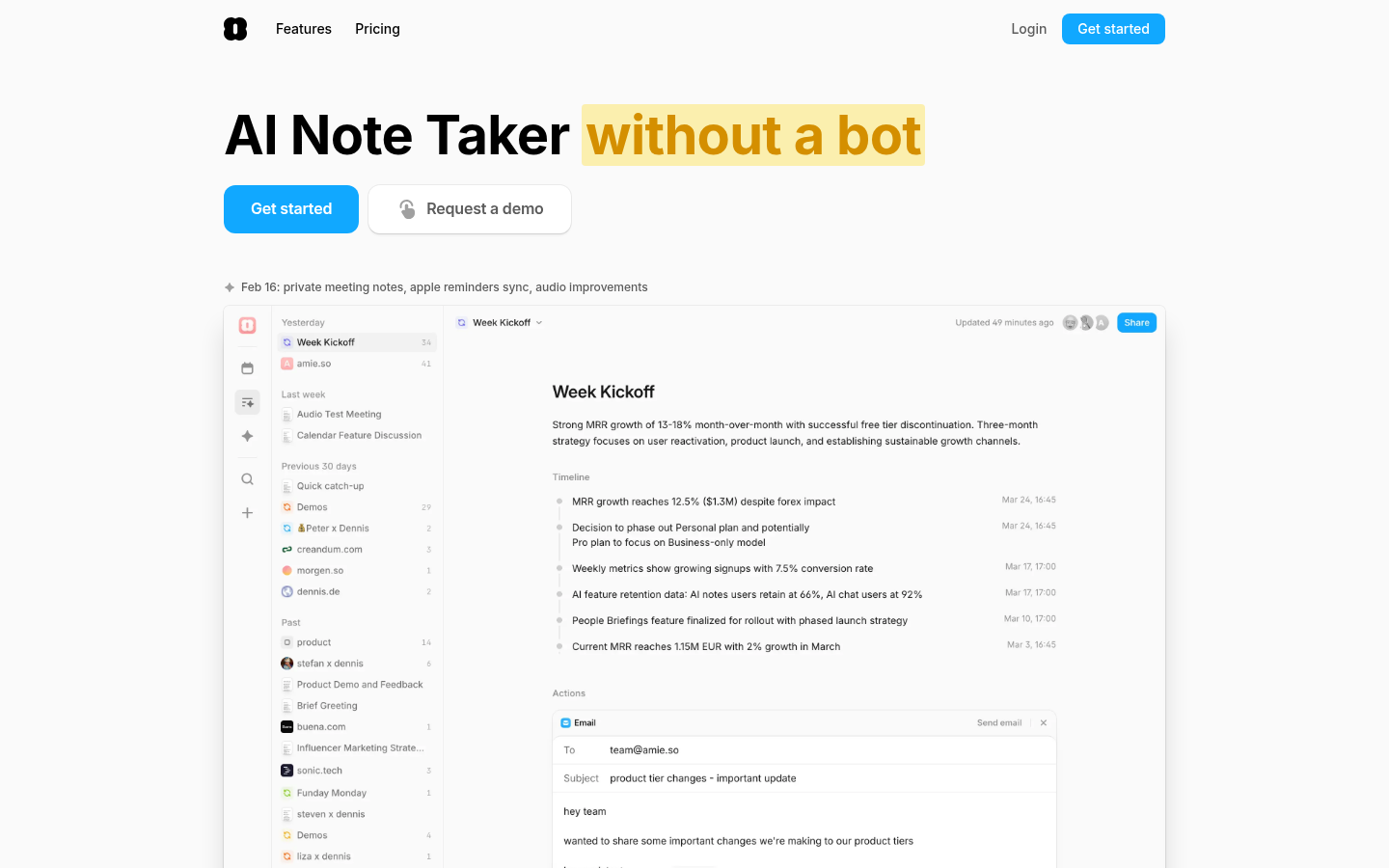
Screenshot archived from the listing page, for preview only.