
Anymelo
AI music creation platformDescribe a style, get a full track
Highlights
What you can do with it
- Creating background music for videos and podcasts
- Making an opening theme for a show
- Reinterpreting a track as an AI cover
How to use it
- 1 Visit anymelo.ai and sign in if needed
- 2 Pick the function you need, such as generate or extend
- 3 Describe the style or upload your audio
- 4 Generate, listen, adjust, then download as MP3 or WAV
Who it is for
Pros
- No professional music skills required
- Multiple functions in one platform
- Generated music is described as royalty-free with commercial rights
Limitations
- A free trial leads into paid use
- AI output can sound generic without careful prompting
- Check licensing terms before commercial release
What Anymelo is
Anymelo is an AI music creation platform designed to lower the barrier to making music. The core function turns a description or a set of lyrics into a complete track including instruments, vocals, and harmonies, so someone with no production background can still end up with a finished song. Beyond generation, it can extend an uploaded track with new sections, create AI covers by converting existing audio into a new vocal version, add instrument, vocal, or percussion layers to a track you already have, and separate vocals from instruments for karaoke or clean backing tracks. The generated music is described as royalty-free with commercial usage rights, and output can be downloaded in formats such as MP3 and WAV. The pricing description points to a free trial or paid use, so check the site for current terms.
What you can do with it
- Turn a style description or lyrics into a full track
- Extend a short idea into a longer piece
- Create an AI cover of an existing recording
- Add layers or strip vocals from a track
Who it is for
- Video and podcast creators who need background music
- Music enthusiasts without formal production skills
- Musicians who want a fast sketch for an idea
What to watch out for
The trial is a sample, and regular use becomes a paid service, so budget for it if you create at volume. AI music can drift toward a generic sound when prompts are vague, so expect to iterate several times to get something that feels distinct. Licensing matters: the description mentions commercial usage rights, but rights can depend on the plan and on what you upload, so read the terms before releasing anything commercially, especially covers of songs you do not own. Finally, treat generated tracks as raw material; mixing, mastering, and human arrangement still make a real difference to the final result.
FAQ
Do I need music skills to use Anymelo?
No. The platform is built so that describing a style or entering lyrics is enough to create a track.
Can I use the music commercially?
The description says the generated music has commercial usage rights. Read the current terms on the site before you publish.
Is there a free trial?
The description points to a free trial or paid-use model, so check the official site for current terms.
Why it is free
What the official page says: free trial
Free limits, trial length and features are decided by the official site and can change at any time.
Product preview
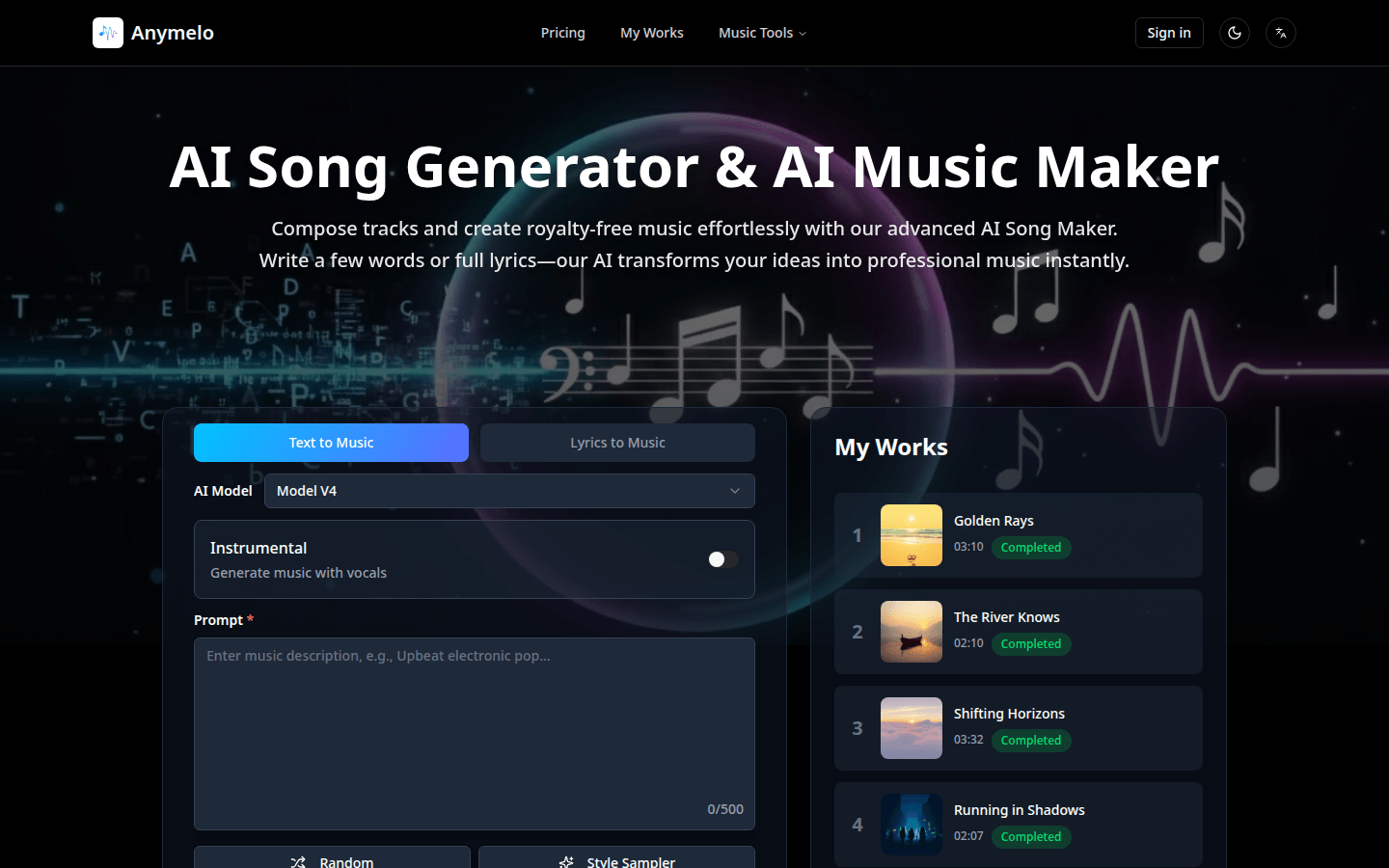
Screenshot archived from the listing page, for preview only.











