
Artbreeder
AI tool for mixing and breeding imagesMix, stitch, and edit image genes
Highlights
What you can do with it
- Create character designs by mixing reference images
- Generate artwork variants from a single starting image
- Expand an existing image into a larger composition
How to use it
- 1 Create an account
- 2 Start from an existing image or upload your own
- 3 Mix, stitch, or edit genes to change the result
- 4 Save or download the image you like
Who it is for
Pros
- Gene-style controls make changes easy to steer
- A large existing library to remix from
- Free trial to explore the workflow
Limitations
- Free usage is limited; full features need a paid plan
- Results can drift in unexpected directions
- Site availability has been inconsistent in our checks
- Consider what you upload, since images are stored in your account
What Artbreeder is
Artbreeder is a collaborative AI-assisted creative tool for making characters, artwork, and other images. What separates it from a plain text-to-image generator is the control model. Instead of only writing prompts, you work by mixing images, stitching them together, and editing genes, which are slider-like parameters that push a result in a chosen direction. You can mix images and text, build from simple shapes, images, and text, adjust genes to fine-tune a face or a landscape, and expand any existing Artbreeder image. The site states it has 10 million users and 250 million images, which gives a large pool of starting material to remix. Free trials and paid services are both offered.
What you can do with it
- Mix images and text to produce new combinations
- Create images from simple shapes, existing pictures, and text
- Edit genes to steer specific attributes of a result
- Expand an existing image into a larger composition
Who it is for
- Artists and illustrators exploring variations of an idea
- Writers and game designers building character references
- Hobbyists experimenting with AI-assisted art
- Anyone who wants slider-level control rather than prompt-only control
What to watch out for
Free usage is limited, and the fuller feature set sits behind paid plans, so decide how much you need before committing. Gene editing gives real control but results still drift, which means you will iterate more than you expect. The site has shown restricted responses in our checks, so availability is not guaranteed. Since images are stored in your account, think about what you upload, especially anything personal or confidential. Finally, the community figures are the site's own claims and should be read as marketing rather than verified data.
FAQ
What is Artbreeder used for?
Creating characters, artwork, and other images through mixing, stitching, and gene editing.
How large is the community?
The site states 10 million users and 250 million images.
Can I control the output precisely?
Gene editing gives real control, but results still drift, so expect iteration.
Why it is free
What the official page says: free trial
Free limits, trial length and features are decided by the official site and can change at any time.
Product preview
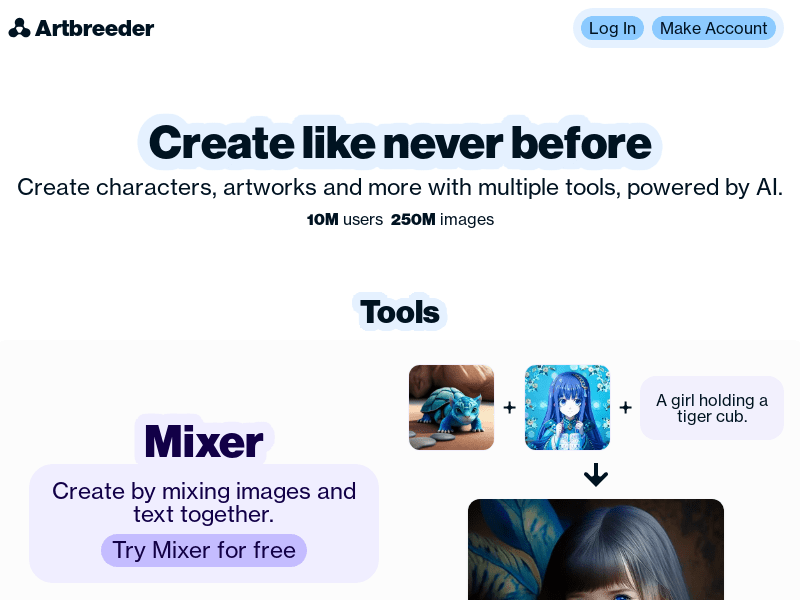
Screenshot archived from the listing page, for preview only.











