
ArtCraft
Free open-source creative suiteFree, open, local-first creative tools
Highlights
What you can do with it
- Independent designers use VectorCraft for brand logos, lay out portfolios in DesignCraft, and export PDFs for print at zero cost.
- Video studios use FilmCraft to edit corporate promos and EffectCraft for title sequences, then export versions for TV and web.
- Photographers use LightCraft to cull and grade RAW photos, then PhotoCraft for fine retouching and compositing.
- Office staff use PdfCraft to merge contracts, add digital signatures and passwords, and archive documents.
How to use it
- 1 Visit getartcraft.com/apps to browse descriptions and the current status of all seven apps.
- 2 Download the installer for macOS, Windows, or Linux, or open the Web version in your browser.
- 3 Install and launch an app; the interface, toolbar, and shortcuts follow mainstream professional software, so the learning curve is gentle.
- 4 Create a new file or import one: grade images in PhotoCraft, start a vector artboard in VectorCraft, set up an editing project in FilmCraft, and so on.
- 5 For automation, call the apps through the CLI, JSON control channel, or MCP server for batch processing, script integration, or AI agent workflows.
- 6 Save or export your work in common image, video, PDF, and print formats; visit GitHub to view source code, submit issues, or join Discord.
Who it is for
Pros
- Completely free: all seven apps cost nothing to download and use.
- Local-first processing keeps your files private and works offline.
- Open-source Rust codebase is auditable, modifiable, and redistributable.
- Familiar interface design shortens the switch from mainstream professional software.
- Broad coverage: image, vector, video, photo, PDF, motion graphics, and layout in one ecosystem.
Limitations
- Free and open-source status is a current positioning, not a permanent promise; license terms and availability may change.
- Performance depends on your own device since all processing is local.
- The apps follow mainstream layouts, but seven separate tools still take time to learn well.
- Feature sets are broad yet not infinite; highly specialized pipelines may still need additional software.
What ArtCraft is
ArtCraft is a suite of seven free and open-source creative apps built by the ArtCraft team in the Rust programming language: PhotoCraft, VectorCraft, FilmCraft, LightCraft, PdfCraft, EffectCraft, and DesignCraft. Together they cover image editing, vector illustration, video editing, photo management, PDF work, motion graphics, and page layout, forming one open creative ecosystem. Every app is completely free, and the code is publicly available on GitHub under permissive licenses, so you can review, modify, and redistribute it. Because the apps are written from scratch in Rust without Electron or web views, they start quickly, use few system resources, and deliver performance comparable to traditional professional software. Everything follows a local-first principle: your images, videos, and documents are processed on your own device, so nothing needs to be uploaded to a cloud and you can keep creating offline.
What you can do with it
- Retouch, composite, and paint in PhotoCraft with layers, masks, selections, brushes, filters, and color correction.
- Create logos, icons, and illustrations in VectorCraft using Bézier curves, path editing, boolean operations, and gradient fills.
- Edit multi-track video in FilmCraft with cutting, transitions, subtitles, keyframes, color grading, and audio mixing.
- Manage and grade large RAW photo libraries in LightCraft, handle PDFs in PdfCraft, build titles and VFX shots in EffectCraft, and lay out books, magazines, and posters in DesignCraft.
Who it is for
- Graphic designers and illustrators who want professional tools without subscription fees.
- Video creators and editors who need local rendering, effects, and strong privacy.
- Photographers and photography enthusiasts who cull, grade, and export RAW images in batches.
- Document-heavy office staff who merge, split, encrypt, sign, and fill PDFs in one place.
- Developers and technical teams who want auditable open-source code plus CLI, JSON control, and MCP server hooks.
What to watch out for
The free and open-source status is a current positioning rather than a permanent guarantee, so license terms and availability may change over time; check the project pages before building a workflow around them. Because all processing happens locally, speed and stability depend on your own hardware, and very large video or RAW projects will demand a capable machine. The seven apps cover many disciplines, but each is still being refined, so compare the current status listed on the site with your needs before switching from your existing tools. Finally, while the interfaces mirror mainstream software, learning seven separate applications still takes time and practice.
FAQ
Is ArtCraft really free?
Yes. All seven apps are completely free to download and use, and the source code is open on GitHub under permissive licenses.
Do my files get uploaded anywhere?
No. ArtCraft follows a local-first principle: images, videos, and documents are processed on your own device, which also allows offline work.
Which apps are included?
PhotoCraft for image editing, VectorCraft for vector illustration, FilmCraft for video, LightCraft for photo management and RAW, PdfCraft for PDF work, EffectCraft for motion graphics, and DesignCraft for layout and publishing.
Can I automate these apps?
Yes. They provide a CLI, a JSON control channel, and an MCP server, so developers can integrate them into scripts and AI agent workflows. Most apps can also compile to WebAssembly for browser use.
Will Photoshop or Premiere users feel at home?
The interfaces and shortcuts align with mainstream software, so users migrating from tools like Photoshop, Illustrator, or Premiere do not need to relearn the basics.
Why it is free
What the official page says: completely free
Free limits, trial length and features are decided by the official site and can change at any time.
Product preview
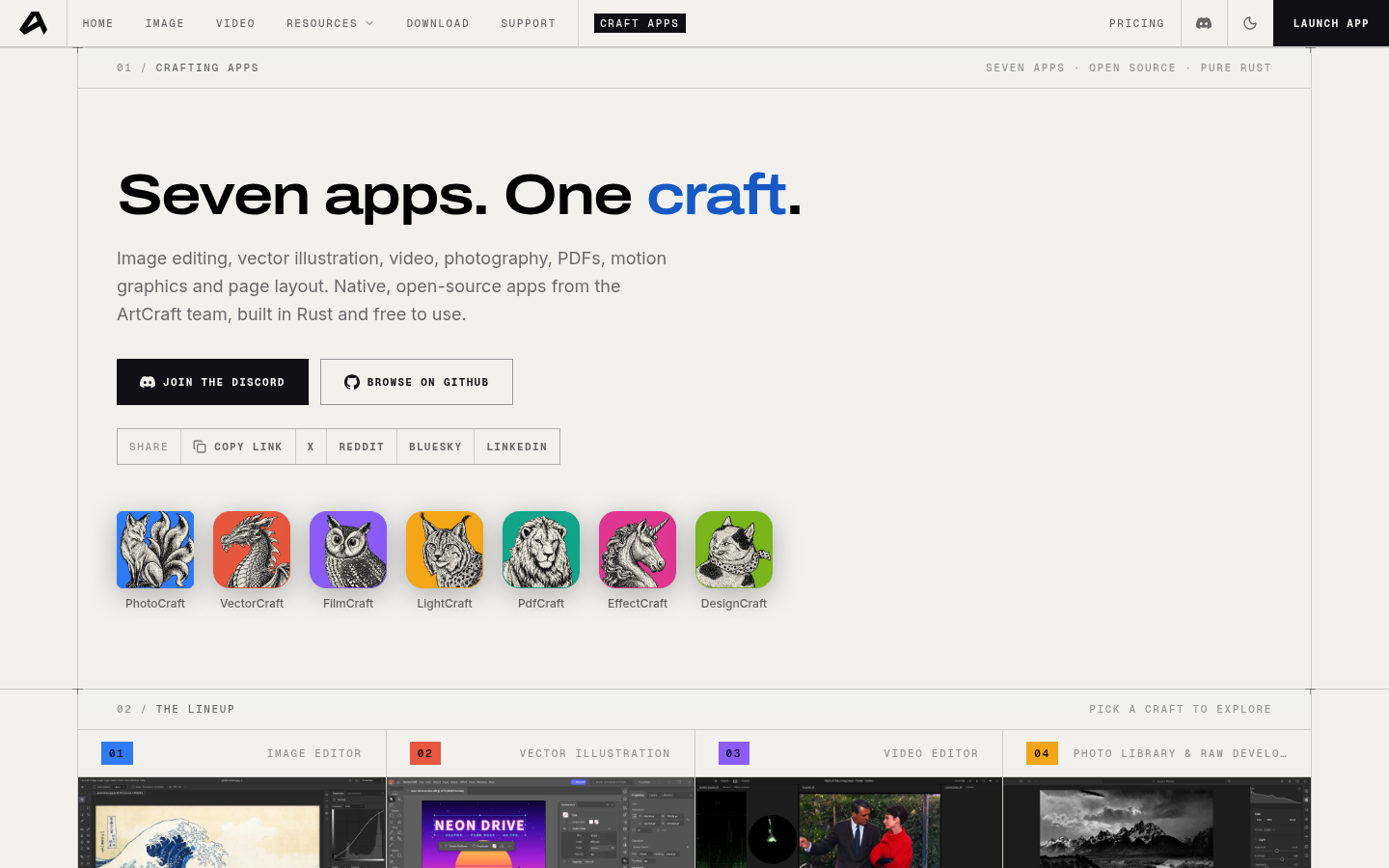
Screenshot archived from the listing page, for preview only.











