AutoMusic
AI song maker from text or lyricsTurn words into royalty-free songs
Highlights
What you can do with it
- A social creator makes background music for short videos
- A game developer builds adaptive soundtracks for a new game
- A teacher turns course material into a song to hold attention
How to use it
- 1 Decide whether to write lyrics, use the lyric helper, or go instrumental
- 2 Select the voice type and a genre such as pop, rap, acoustic, or EDM
- 3 Click generate and wait a few seconds for the track
- 4 Preview, edit, or expand the song as needed
- 5 Download the finished music for your project
Who it is for
Pros
- Fast generation with preview and download in seconds
- Genre and voice choices cover common project needs
- The site describes the output as royalty-free
Limitations
- Generating songs may require credits even though starting is free
- Free credit rules can change without notice
- Editing tools are basic compared with a full audio workstation
What AutoMusic is
AutoMusic is an AI song maker that converts written input into finished music. The starting point can be as small as a phrase or a short description of a mood, or as complete as a full set of lyrics. From there the model builds a track with vocals or without, depending on what you choose. The product exists to lower the barrier to making music, so people with no instrumental training and no studio can still end up with something they can play back and share. Getting started is free, though generating songs may draw on credits, and the site describes the resulting music as royalty-free.
What you can do with it
- Turn a phrase, a mood description, or full lyrics into a song.
- Rewrite lyrics and adjust the rhythm of a generated track.
- Switch the music style and re-generate parts, then merge them.
- Expand a short song into a longer one with new sections.
- Reinterpret an existing song as a cover in another genre.
- Pick male or female vocals, or keep the track instrumental.
- Choose a genre such as pop, rap, acoustic, or EDM.
Who it is for
- Social media creators who need original music for short videos.
- Game developers who want adaptive soundtracks that follow the action.
- Educators who turn lessons into songs to keep students engaged.
- Hobbyists and DIY creators making ringtones, gifts, or personal experiments.
What to watch out for
Starting is free, but generating songs may require credits, and credit rules can change without notice, so budget for that if you plan regular output. The editing tools are deliberately simple, which means fine control over arrangement and mix is limited compared with a full audio workstation. Treat a generated track as a draft that you still audition, trim, and adjust before it goes into anything public.
FAQ
Is AutoMusic free?
You can start for free. Generating songs may use credits, so check the current allowance.
Can I make a song without writing lyrics?
Yes. You can use the AI lyric helper or create instrumental music only.
What genres and voices are available?
Pop, rap, acoustic, and EDM, with male or female vocals or an instrumental mix.
Why it is free
What the official page says: for freecompletely free
Free limits, trial length and features are decided by the official site and can change at any time.
Product preview
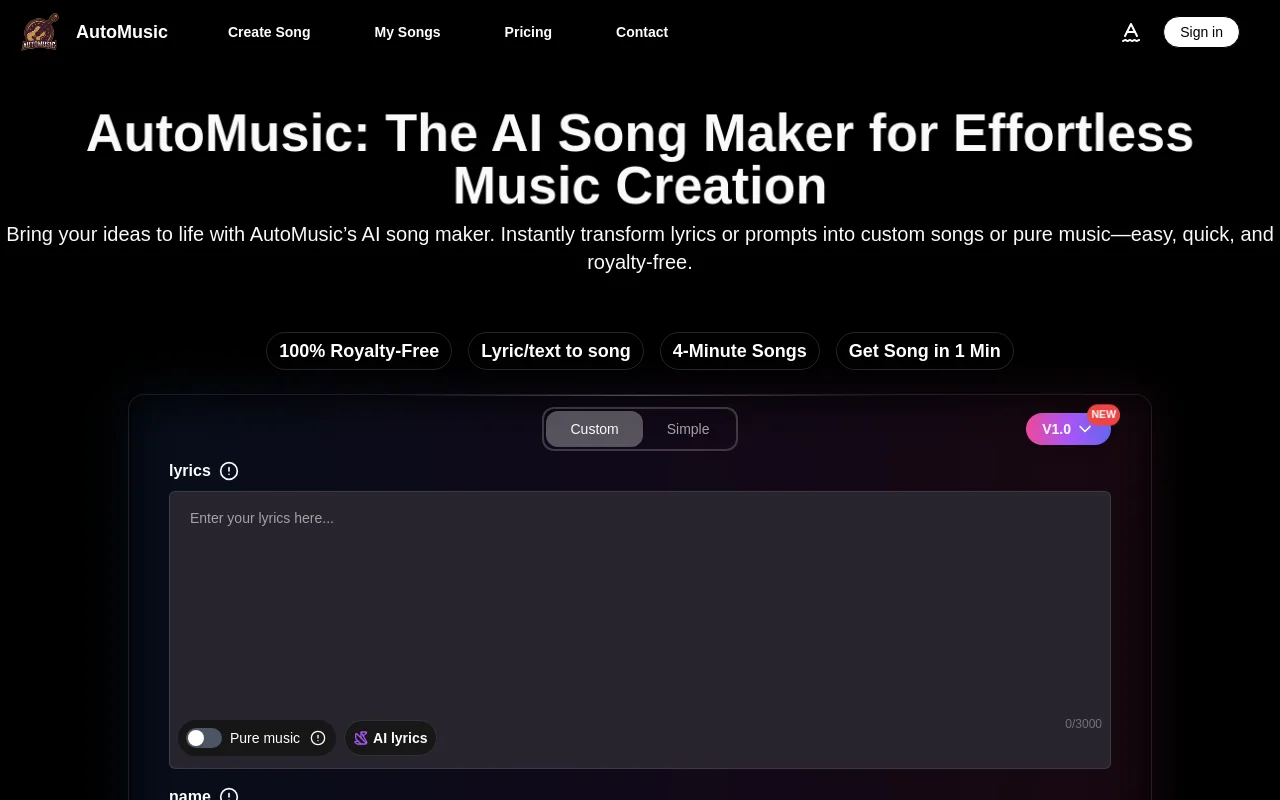
Screenshot archived from the listing page, for preview only.