
Baidu AI Search
AI search platform with creation and document toolsSearch, create, and read documents in one place
Highlights
What you can do with it
- A marketer generates holiday promotion content with smart creation
- A designer creates illustrations in a traditional Chinese style
- A researcher finds academic papers and material through intelligent search
- Office workers read uploaded PDF and Word documents in one place
How to use it
- 1 Visit the Baidu AI Search website
- 2 Choose the service you need, such as search, creation, or image processing
- 3 Follow the prompts to upload files or enter keywords
- 4 Let the system return results or generated content
- 5 Refine results or edit the created content
- 6 Use legal or programming assistance for more specialized questions
Who it is for
Pros
- Many tools behind one search box
- Document upload and reading support
- Free trial available for some features
- Built on Baidu's search engine and AI technology
Limitations
- Some features require payment, so the free part is trial-based and can change
- Legal and programming answers are general guidance, not professional advice
- Image results still need a designer's review before use
- Feature availability can shift as the platform updates
What Baidu AI Search is
Baidu AI Search is an AI platform that puts search, content creation, and document tools in one place. It draws on Baidu's search engine and AI technology to retrieve web pages, images, and news, and it adds writing help for summaries, greetings, and social posts. You can upload documents in formats like PDF and Word for reading, create or restore images, ask legal questions, and get programming help. Some features are available as a free trial while others may require payment, so the free part of the platform covers a sample rather than everything.
What you can do with it
- Search across web pages, images, and news in one box
- Draft work summaries, holiday greetings, and social media copy
- Upload and read PDF or Word documents
- Create or restore images, including traditional Chinese-style avatars
- Ask legal or programming questions for general guidance
Who it is for
- Marketers who need promo copy and social content fast
- Designers making illustrations or stylized avatars
- Researchers looking for papers and source material
- Office workers who read a lot of documents
- Developers and people with quick legal questions
What to watch out for
The free side of the platform is trial-based, and paid features sit behind it, so what you can use for free may change. Legal and programming answers are general information, not a substitute for a qualified lawyer or a senior engineer, and image creation results still need a designer's eye. Because the service runs online, availability and feature sets can shift over time. For best results, start with a small test file and review the output carefully before working on anything important.
FAQ
Is Baidu AI Search free?
Some features are available as a free trial, while others may require payment.
What can the image tools do?
They create and restore images, including traditional Chinese-style avatars and cartoon characters.
Can it read my documents?
Yes. It supports uploading and reading formats such as PDF and Word.
Who is it for?
Marketers, designers, researchers, office workers, and anyone needing quick legal or coding answers.
Why it is free
What the official page says: for freefree trial
Free limits, trial length and features are decided by the official site and can change at any time.
Product preview
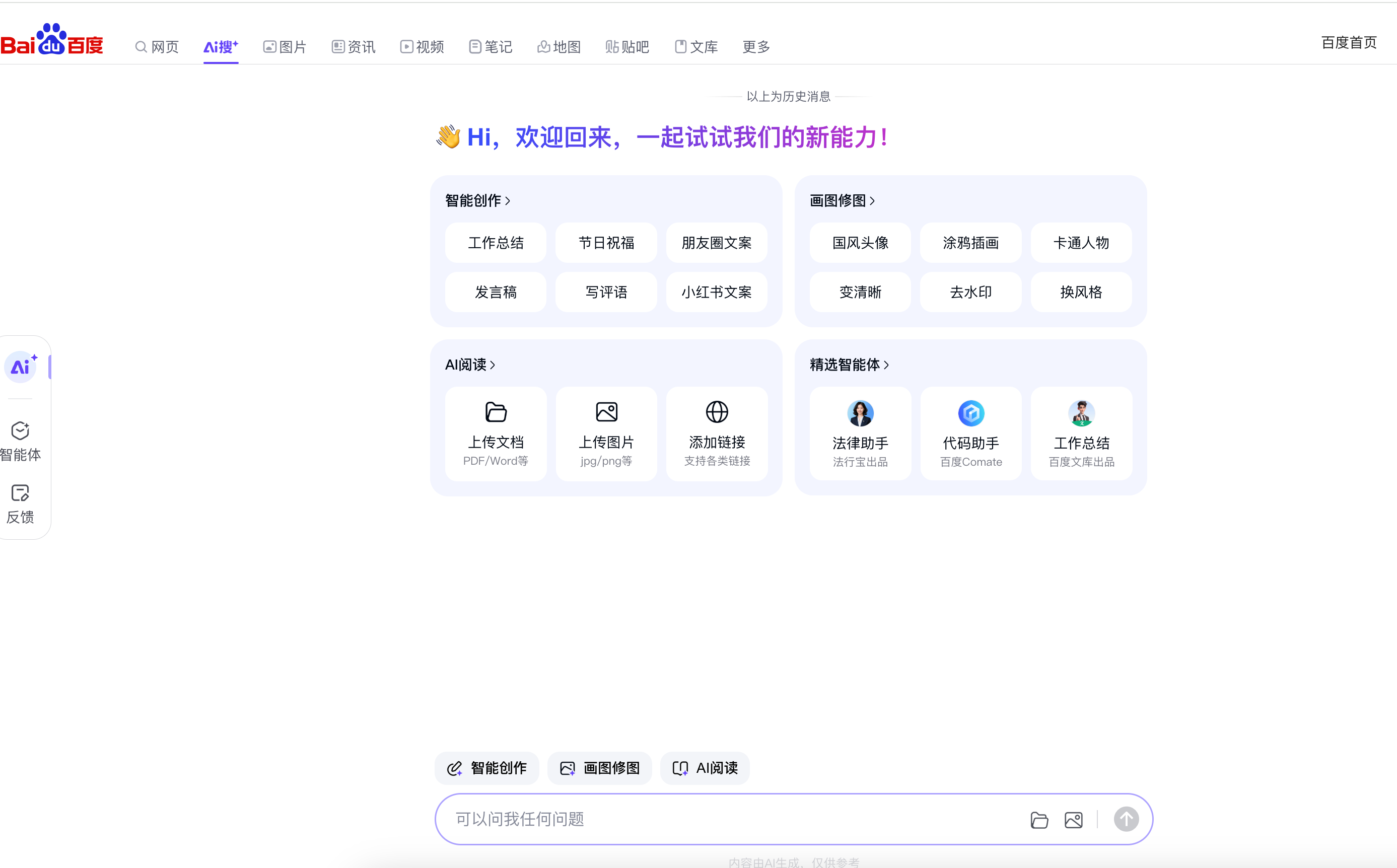
Screenshot archived from the listing page, for preview only.











