BeatMV is a Personal AI Music Video Generator & Music Creation All
AI music video generator with one-click creationTurn a song into a music video in one click
Highlights
What you can do with it
- A music creator uploads an original song, picks the anime style, and lets AI director mode build a full anime MV for social media
- A blogger promotes a track by generating a 9:16 vertical music video for TikTok and similar short-video apps
- An enterprise promoter builds a music event video in custom mode with company elements and a chosen visual style
How to use it
- 1 Upload music: add an MP3 file or paste a YouTube or SoundCloud link; all major audio formats and platforms are supported
- 2 Select style: choose a video mode such as story, dance, or singing MV, then set visual style, characters, and direction, or let the AI director handle it
- 3 Generate and optimize: the AI builds an image storyboard per scene and turns frames into video; review, swap effects, and regenerate
- 4 Publish and share: add synchronized lyrics and subtitles, export in 16:9, 9:16, or 1:1, then share to TikTok, Instagram, or YouTube
Who it is for
Pros
- No editing background needed: the AI handles storyboard, camera choices, and scene generation
- Style choice is broad, so the same song can produce very different visuals
- Custom mode keeps full control with your own scene descriptions and reference photos
- Output formats cover the common social aspect ratios, so no extra re-editing is needed
Limitations
- The free side is a trial, and paid plan details and the advertised discount can change at any time
- Results depend on the uploaded audio and prompt quality; lyrics or audio issues can affect the output
- Learning the custom mode, character settings, and reference photos takes some practice
- Lip-sync and animation quality may not match every song, so expect to regenerate scenes
What BeatMV is
BeatMV is an online AI music video generator that turns a song into a finished music video in one click. You give it an audio file or a link, choose a look, and it does the heavy lifting: reading lyrics, beat structure, and mood, then building a storyboard, selecting camera angles, and generating scene video. There is a free trial available, so you can test the workflow before deciding whether a paid plan is worth it. The tool is built for people who want a music video without hiring an editor or learning a timeline.
What you can do with it
- Upload MP3 files or paste YouTube and SoundCloud links, then let the AI director mode build the whole video
- Choose from around 20 visual styles, including anime, movie, and retro, to match the mood of the track
- Switch to custom mode to write your own scene descriptions, pick styles, and add reference photos
- Generate music as well as video, crop audio, add lip-sync characters, and export in 16:9, 9:16, or 1:1
Who it is for
- Music creators who need a visual version of a track for release or promotion
- Self-media bloggers and short-video creators posting music content regularly
- Video enthusiasts without professional editing skills who still want a polished result
- Enterprise promoters making videos for music events and campaigns
What to watch out for
The free offering is a trial, and the paid plan structure or discount may change without notice, so treat any pricing you see as temporary. Output quality depends heavily on the audio you supply and how clearly you describe the look you want, so expect to review and regenerate scenes. If you use music you did not create, check that you hold the rights before publishing anywhere. Custom mode gives more control but needs more setup time than letting the AI director run on its own.
FAQ
Is BeatMV free to use?
It offers a free trial so you can try music video generation first. The page also mentions a professional plan at a discount, so check current pricing on the site.
What audio sources can I upload?
You can upload MP3 files or paste links from YouTube and SoundCloud. The site says all major audio formats and music platforms are supported.
Can I control the look of the video?
Yes. In custom mode you write your own scene descriptions, select specific visual styles, and add reference photos for full creative control.
What formats can I export?
It supports 16:9, 9:16, and 1:1 output so videos fit platforms such as TikTok, Instagram, and YouTube.
Why it is free
What the official page says: 免费试用免费
Free limits, trial length and features are decided by the official site and can change at any time.
Product preview
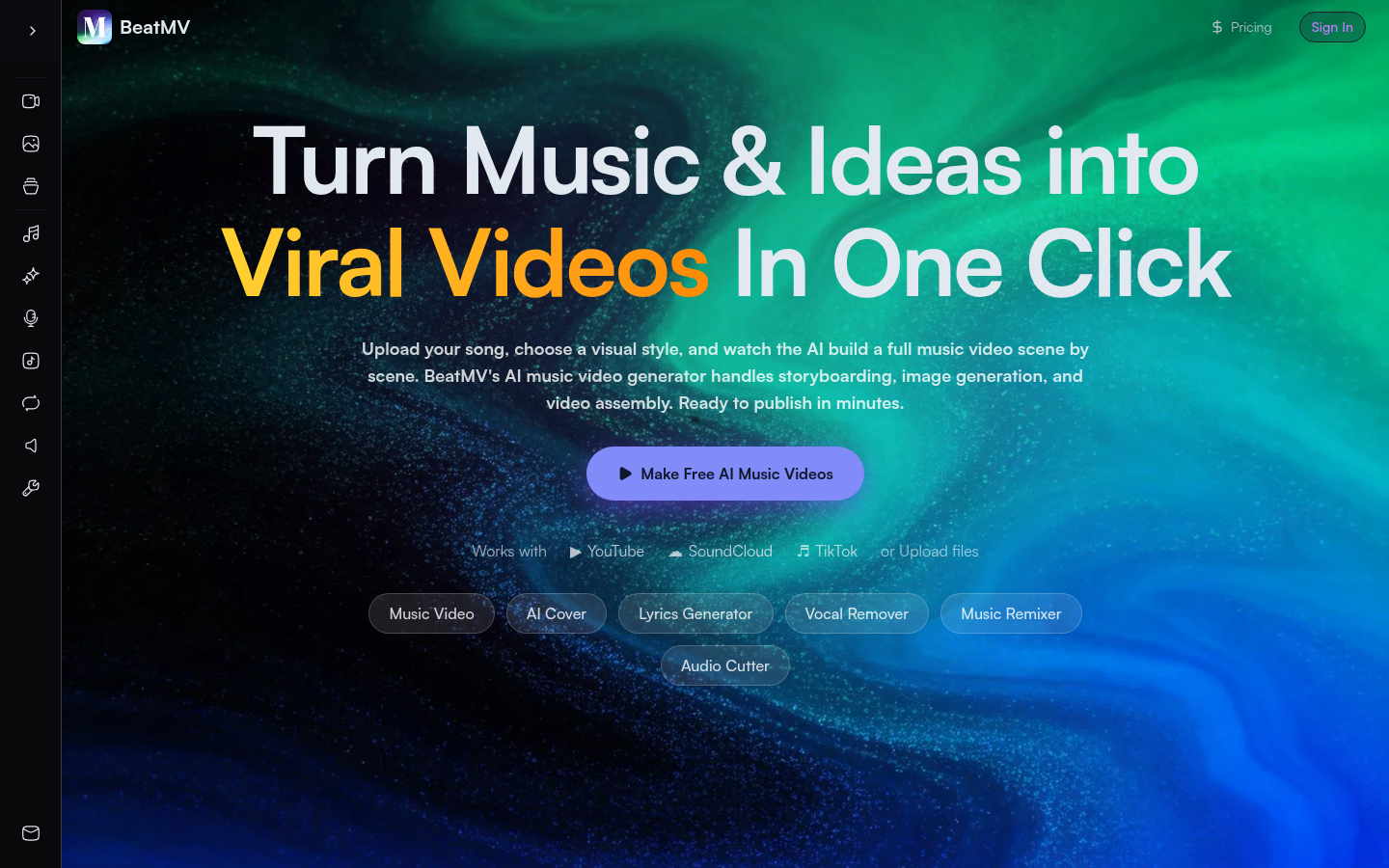
Screenshot archived from the listing page, for preview only.