BeMusic AI
Free AI music generator that turns text into songsRoyalty-free tracks in seconds, no music skills needed
Highlights
What you can do with it
- TikTok creators generate background music for travel and lifestyle videos
- Ad agencies produce infectious advertising music for promos
- Indie game developers score different scenes without hiring composers
- Podcast hosts add intro and background music to episodes
How to use it
- 1 Open bemusic.ai in your browser
- 2 Describe the music you want in simple English
- 3 Click generate and wait under 30 seconds
- 4 Listen, then download the track as WAV or MP3
Who it is for
Pros
- Free version available with no music skills required
- Very fast, a song is created, arranged, and mixed in under 30 seconds
- Royalty-free output can be used on major platforms
- Covers lyrics, instrumentals, and full songs in one tool
Limitations
- The free version has limits, and the Pro plan costs money; free rules can change
- AI music may not match a very specific brief on the first try
- Quality control still sits with you, results vary by prompt
- It is not a full DAW, so deep editing happens elsewhere
What BeMusic AI is
BeMusic AI is a free AI music generator. You type a description of the music you want, such as style, mood, or rhythm, and it produces a track. According to the site, no music skills are required, and each generated piece is royalty-free, so it can be used on platforms like YouTube, TikTok, podcasts, games, and advertisements. A song can be created, arranged, and mixed in under 30 seconds. There is a free version to start with, and a paid Pro plan for people who need more. The whole point is to lower the barrier so someone with an idea but no studio can still end up with usable audio.
What you can do with it
- Describe a style, mood, or rhythm in simple English and get matching music
- Generate complete songs with arrangement and mixing handled automatically
- Create lyrics, or turn existing lyrics into a sung track
- Generate instrumental tracks with different instrument combinations
- Download the result as WAV or MP3 for use anywhere
Who it is for
- Music creators who have ideas but lack production or instrument skills
- Marketers who need background music for ads and promotional videos
- Game developers who want scene music without hiring a composer
- Social media creators and podcast hosts who need unique audio
What to watch out for
The free version has limits, and continued heavy use means paying for Pro, so check current pricing and free terms before you commit. AI music is fast but not perfect: a vague prompt can give you a vague track, so expect to iterate until the mood fits. The output is described as royalty-free, but you are still responsible for how you use it and for checking that it fits your platform's rules. It is a generator, not a full digital audio workstation, so detailed editing, stems, and fine mixing happen in other software.
FAQ
Is BeMusic AI free?
There is a free version, and a paid Pro plan exists for upgrade.
Do I need music skills?
No. You describe what you want in plain text.
Can I use the music commercially?
The site says generated music is royalty-free and usable on YouTube, TikTok, podcasts, games, and ads.
How long does generation take?
The site says a song can be created, arranged, and mixed in under 30 seconds.
Why it is free
What the official page says: free version
Free limits, trial length and features are decided by the official site and can change at any time.
Product preview
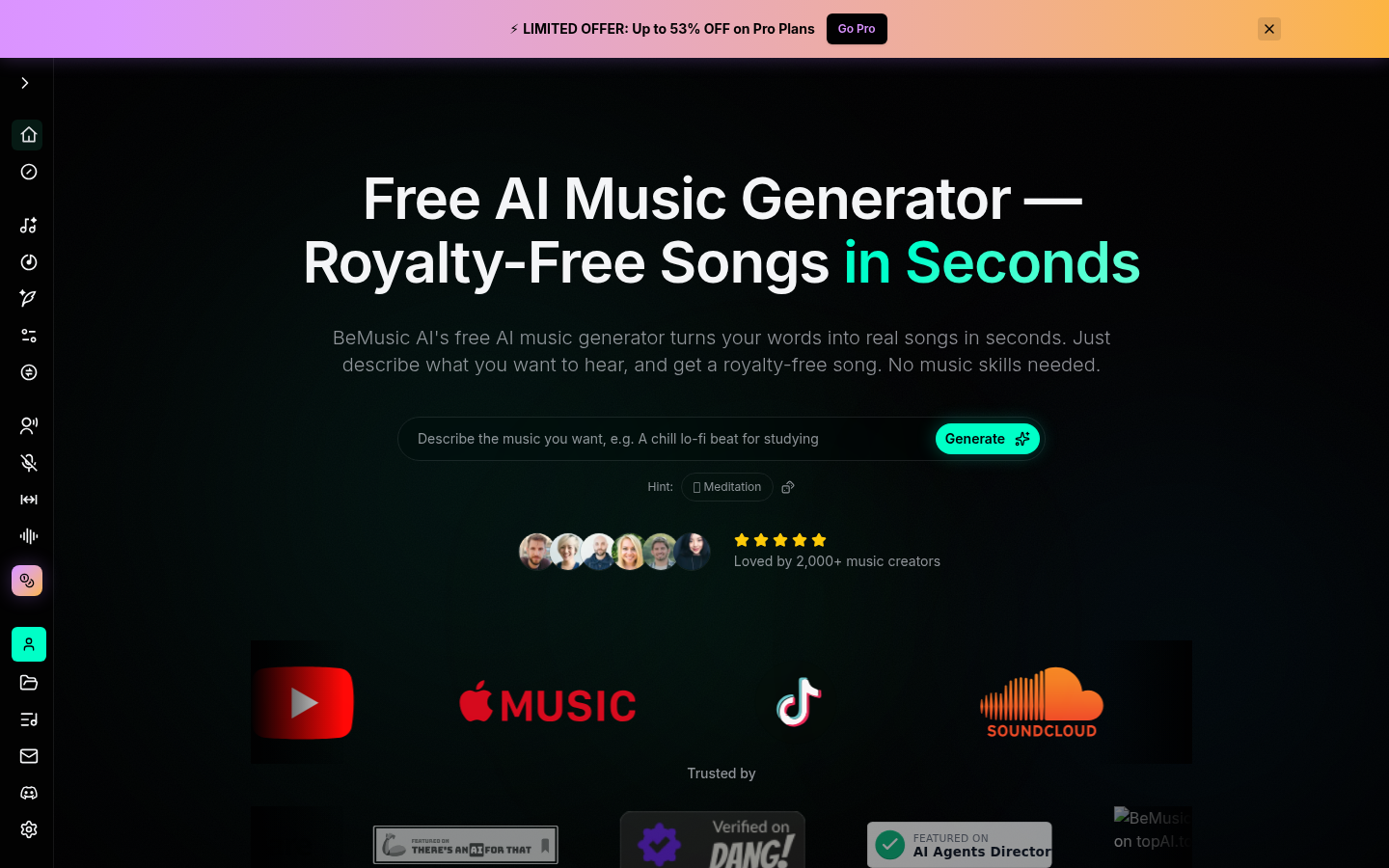
Screenshot archived from the listing page, for preview only.