
Berri AI
Protect and limit your OpenAI API keysGuard your OpenAI keys with spending limits.
Highlights
What you can do with it
- Cap spend on a key used in production
- Issue a short-lived key to a teammate or a demo
- Monitor key usage from a dashboard
How to use it
- 1 Sign up for the Berri AI free trial.
- 2 Add the OpenAI key you want to protect.
- 3 Set a consumption limit and email reminders.
- 4 Watch usage on the dashboard and pause when the limit is reached.
Who it is for
Pros
- Free trial to test the setup
- Automatic pause when a limit is reached
- Email alerts plus a dashboard
Limitations
- The free trial ends, then pricing applies
- It depends on the OpenAI ecosystem, so API changes matter
- Initial setup takes some time and care
What Berri AI is
Berri AI offers a one-stop solution for protecting OpenAI keys. The core idea is simple: a leaked or overspending key is a real risk, so you put a guardrail in front of it. With Berri AI you set a consumption limit for each key, and usage pauses automatically once the limit is reached. You can also create disposable keys for demos or teammates, receive email reminders, and follow everything on a monitoring dashboard. The listing positions the product for production environments and offers a free trial plus a scalable enterprise edition.
What you can do with it
- Set a hard spending limit on any OpenAI key.
- Pause usage automatically when the limit is reached.
- Create disposable keys for short-term or shared use.
- Watch consumption on a dashboard and get email reminders.
Who it is for
- Developers shipping products that call the OpenAI API.
- Teams that share keys across staging and production.
- Anyone who wants a firm cap on API spend.
What to watch out for
The free trial ends, after which pricing applies, so plan for that if the tool becomes part of your stack. Berri AI sits on top of the OpenAI ecosystem, so changes to OpenAI policies or the API surface can affect what the guardrails can do. Initial setup takes care: limits that are too tight will break production traffic, and limits that are too loose defeat the purpose. Start conservative and adjust. Run one full task end to end first, then expand once you are comfortable with the workflow and the result quality. Behavior may vary across browsers and devices, so test before production use and consult the help docs if errors appear.
FAQ
What does Berri AI do?
It protects OpenAI keys by letting you set consumption limits, create disposable keys, and monitor usage.
Is there a free version?
There is a free trial version, with a scalable enterprise edition beyond it.
Who is it for?
Developers and teams that need to keep OpenAI keys safe in production environments.
Why it is free
What the official page says: free trial
Free limits, trial length and features are decided by the official site and can change at any time.
Product preview
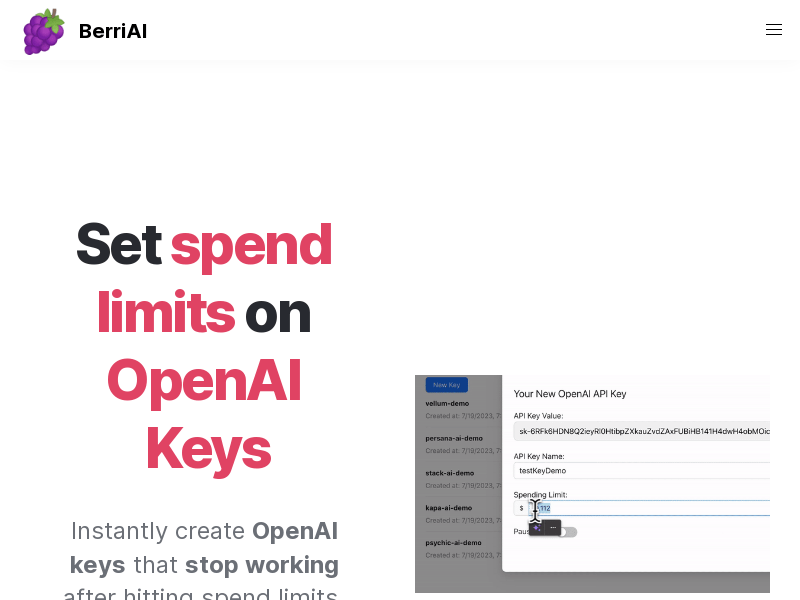
Screenshot archived from the listing page, for preview only.











