
BiFox AI
AI writing assistant for academic documentsDraft theses, proposals, and reviews fast
Highlights
What you can do with it
- Draft a thesis quickly
- Summarize literature for research
- Build a teaching presentation with AI PPT
How to use it
- 1 Register and log in to BiFox AI.
- 2 Pick the writing type, such as thesis or proposal.
- 3 Enter your requirements and click generate.
- 4 Review, edit, and download the document.
Who it is for
Pros
- Covers many academic document types
- Fast one-click drafts
- Includes slides and literature help
Limitations
- Free trial with pricing not clearly stated
- You are responsible for meeting academic integrity rules
- Drafts need review for accuracy and originality
What BiFox AI is
BiFox AI is a writing assistant focused on academic documents. It offers one-click generation across 12 subject categories and 820 types of documents such as theses, project proposals, and literature reviews. It can also summarize literature, generate presentation slides through an AI PPT feature, and handle both long and short form writing, including final papers, assignments, and exam questions, plus custom writing types you define yourself. It is aimed at university students and anyone who needs to write academic documents, and it is offered as a free trial, with specific pricing not clearly stated on the page.
What you can do with it
- Draft a thesis or paper with one click.
- Generate project proposals and literature summaries.
- Build presentation slides with the AI PPT feature.
- Create custom writing types for specific needs.
Who it is for
- University students working on papers and theses.
- Researchers summarizing literature in a field.
- Teachers preparing teaching presentations.
What to watch out for
Generated drafts are a starting point, not finished academic work, and you are responsible for meeting your school academic integrity rules, so review and rewrite before submitting anything. The free trial has limits and pricing is not clearly stated, so confirm costs before relying on it. Always verify facts and citations in the output rather than trusting them as is. Free tiers and usage limits can change, so check the current rules on the official page before relying on it long term. Processing speed depends on file size and network conditions, so retry later if a task stalls during peak hours. Run one full task end to end first, then expand once you are comfortable with the workflow and the result quality.
FAQ
What is BiFox AI?
It is an AI writing assistant for academic documents like theses and proposals.
Is it free?
It is offered as a free trial, with specific pricing not stated on the page.
Can I submit the output as my own?
Treat drafts as a starting point and follow your school academic integrity rules.
Why it is free
What the official page says: free trial
Free limits, trial length and features are decided by the official site and can change at any time.
Product preview
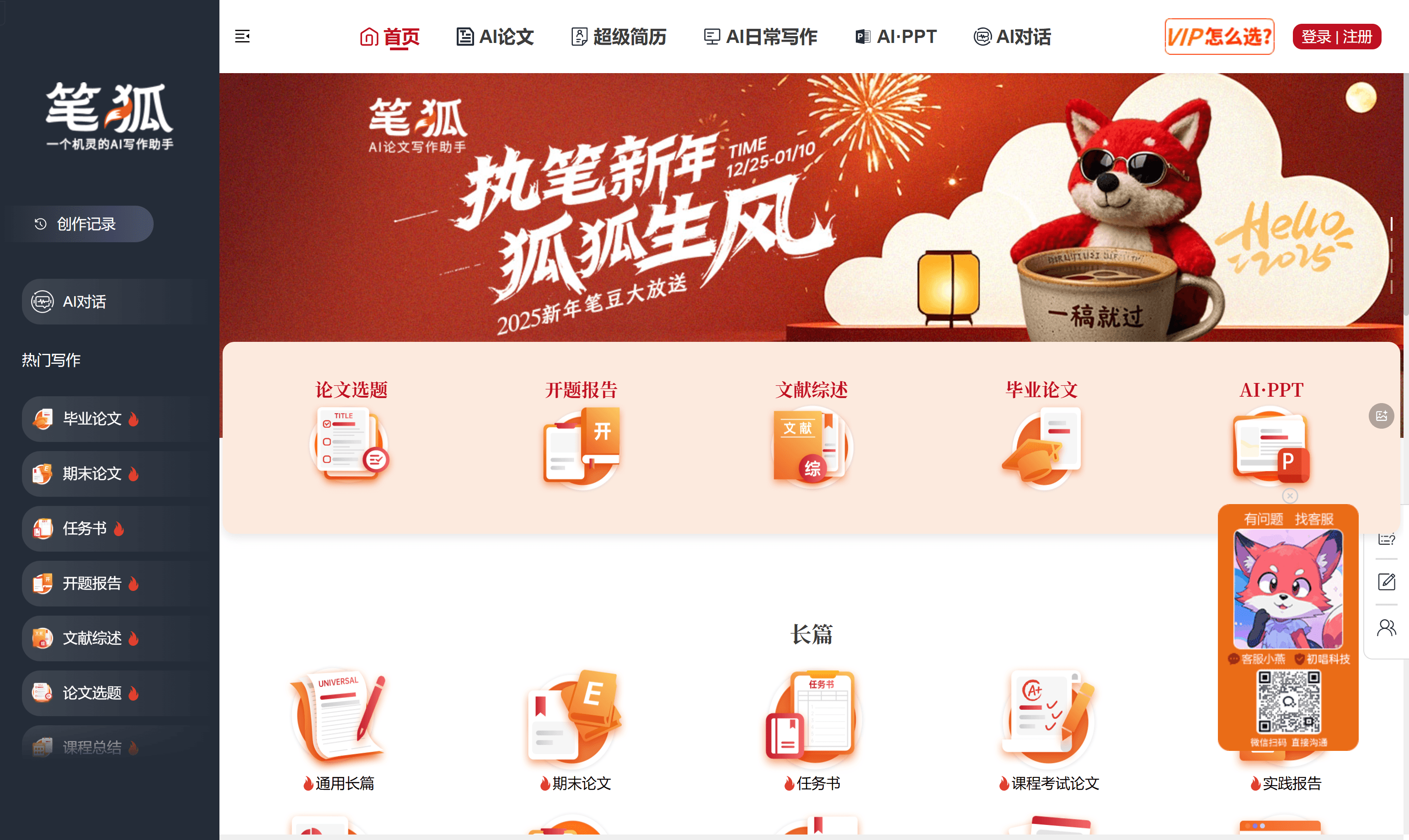
Screenshot archived from the listing page, for preview only.











