
BLENDERGPT
Turn text or images into 3D modelsGenerate textured 3D models in about 20 seconds
Highlights
What you can do with it
- A game developer quickly generates character models to speed up prototyping
- An animator creates 3D background elements without manual modeling
- An interior designer previews furniture models for a concept
How to use it
- 1 Visit the BLENDERGPT website and register an account
- 2 Start a new project after logging in
- 3 Enter a text or image prompt describing the model you want
- 4 Wait about 20 seconds for the model to generate
- 5 Review it, then import into Blender or download the source file
- 6 Refine the model further in Blender or other software
Who it is for
Pros
- Very fast generation, around 20 seconds per model
- Fully textured output saves post-processing time
- Direct Blender import and source file download
Limitations
- Only a free trial is offered, so continued use needs a paid plan
- Generated models likely still need cleanup for production use
- Complex or specific designs may not match the prompt exactly
What BLENDERGPT is
BLENDERGPT is an AI program that creates 3D models from text or image prompts in about 20 seconds. Instead of building a mesh by hand, you describe what you want and the tool returns a fully textured model you can use right away. You can import the result directly into Blender or download the source file for other compatible software, which makes it easy to fit into an existing pipeline. The interface is meant to be simple, and the focus is on speed so designers and developers can prototype faster. A free trial is available so you can judge the quality before paying.
What you can do with it
- Generate a textured 3D model from a text or image prompt in about 20 seconds
- Import the model straight into Blender for further work
- Download the source file for use in other compatible software
- Prototype characters, props, or furniture without manual modeling
Who it is for
- Game developers who need quick 3D assets
- Animators building background elements and props
- Interior and product designers previewing concepts
- Creators who want 3D output without deep modeling skills
What to watch out for
Only a free trial is offered, so continued use depends on a paid plan, and that pricing can change. Generated models are a starting point and likely still need cleanup, retopology, or adjustment before they are production ready. Very complex or highly specific designs may not match the prompt exactly, so expect to iterate. Treat the output as a fast first draft rather than a final asset, and check it carefully in Blender before you build a project around it.
FAQ
How long does generation take?
The tool creates a 3D model in about 20 seconds from a text or image prompt.
Can I use the models in Blender?
Yes. You can import them directly into Blender or download the source files for other software.
Is BLENDERGPT free?
It offers a free trial so you can test quality before choosing a paid option.
Why it is free
What the official page says: free trial
Free limits, trial length and features are decided by the official site and can change at any time.
Product preview
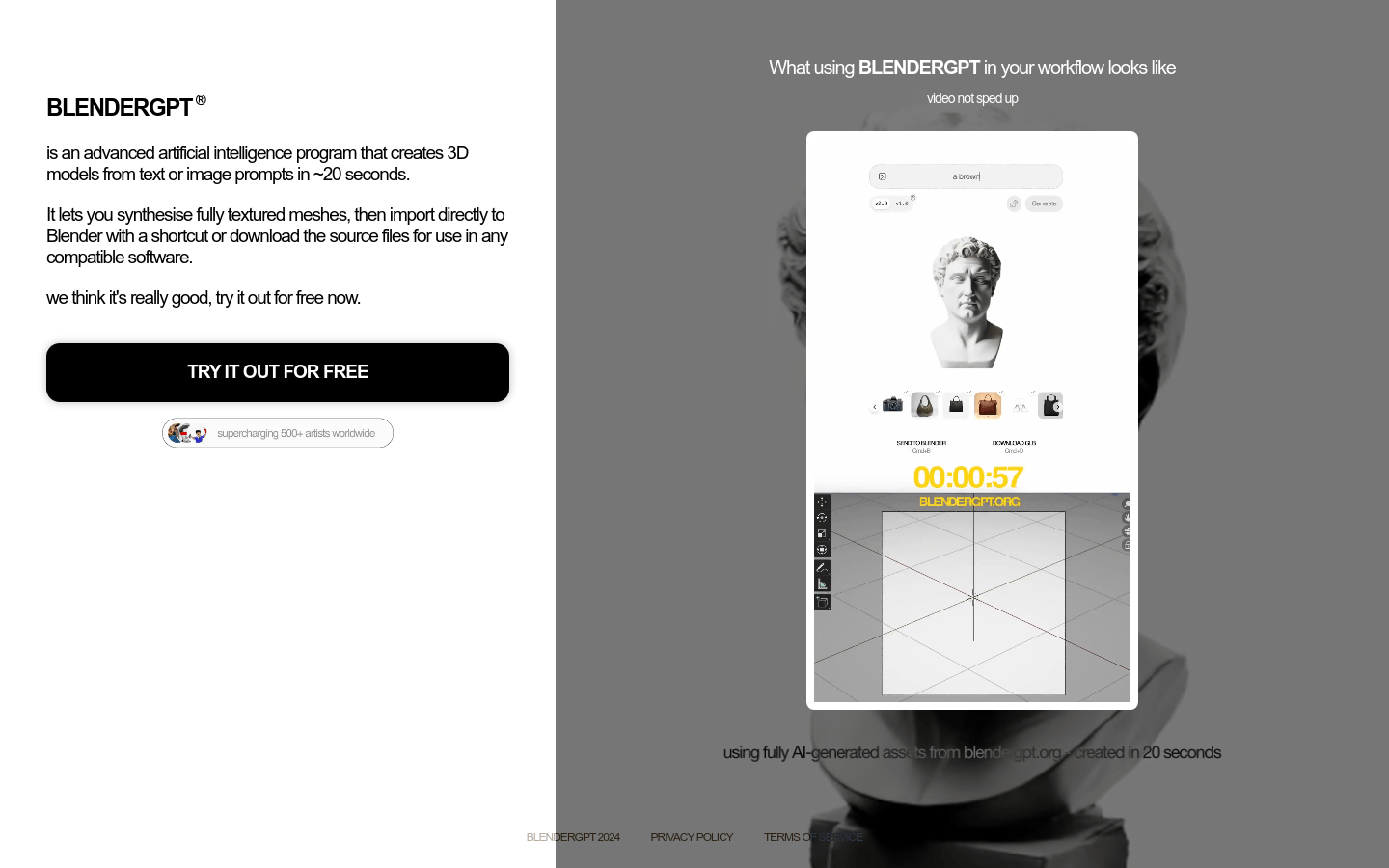
Screenshot archived from the listing page, for preview only.











