
ChatHub
Browser extension for multiple chatbotsUse several AI chatbots side by side
Highlights
What you can do with it
- Compare answers from two or more chatbots on the same question
- Switch between assistants without opening extra tabs
- Keep research and writing chats in one sidebar
How to use it
- 1 Install the ChatHub extension in a supported browser
- 2 Open the extension panel from the toolbar
- 3 Enable the chatbots you want to use
- 4 Type one prompt and read the replies side by side
- 5 Upgrade to Premium only if you need the locked features
Who it is for
Pros
- Most features work without paying
- Side-by-side answers make differences easy to spot
- One panel replaces a pile of open tabs
Limitations
- Each chatbot still depends on its own service, account, and rules
- Full functionality requires the paid Premium plan
- Browser extensions need permissions, so review them before installing
What ChatHub is
ChatHub is a browser extension that puts several AI chatbots into one panel so you can query them at the same time. It works with assistants such as ChatGPT, Bing, Google Bard, and Claude, and it also supports open-source chatbots. The extension is mostly free to use, and a Premium plan is available for the features that are locked behind it.
What you can do with it
- Ask the same question to two or more chatbots and read the answers side by side.
- Move between assistants without opening and closing separate tabs.
- Keep research, drafting, and coding chats inside one sidebar while you browse.
- Try open-source models next to the commercial ones in the same window.
Who it is for
- People who subscribe to more than one chatbot and want a single workspace.
- Writers and researchers who like to compare how models phrase answers.
- Anyone whose browser is crowded with chat tabs all day.
What to watch out for
ChatHub is a container, not the model provider. If a chatbot changes its access rules, adds a login wall, or blocks extension traffic, that part of ChatHub stops working until it is updated. The free tier covers most features, yet the Premium plan is needed for the rest, so treat the free offer as a starting point rather than a permanent full version. As with any extension, check the permissions it asks for before you install it. For team use, agree on naming and editing conventions in advance to avoid version conflicts or duplicated work. Name and archive exported files consistently so you can find and reuse them, and keep a backup copy of key data.
FAQ
Which chatbots does ChatHub support?
It supports ChatGPT, Bing, Google Bard, Claude, and more, including open-source chatbots.
Is ChatHub free?
Most features are free; a ChatHub Premium plan unlocks the premium features.
Do I need accounts for each chatbot?
That depends on each service. ChatHub brings them together, but access rules still come from each provider.
Why it is free
What the official page says: for free
Free limits, trial length and features are decided by the official site and can change at any time.
Product preview
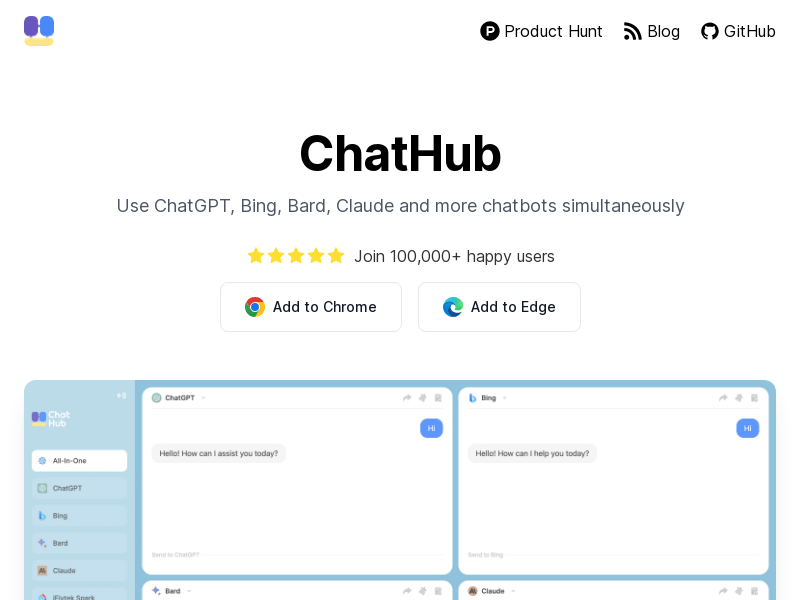
Screenshot archived from the listing page, for preview only.