Chatmind AI
AI mind mapping and brainstorming toolText in, mind map out, then turn it into slides
Highlights
What you can do with it
- Brainstorming a campaign with a team
- Structuring notes for a language course
- Building a knowledge map for a new subject
How to use it
- 1 Open Chatmind in the browser
- 2 Enter a topic or paste a link
- 3 Let AI generate the first map
- 4 Chat with it to add or move branches
- 5 Convert to slides or share the map
Who it is for
Pros
- Fast from raw text to a structured map
- Slide conversion saves reformatting work
- Free to start with cloud history
Limitations
- Summaries of long documents need checking against the source
- Free plan limits and pricing can change
- Layout control is more limited than in a manual tool
What Chatmind AI is
Chatmind is an AI mind mapping tool that runs in the browser. It is built by the Xmind team and uses ChatGPT style generation, so you can describe a topic in a sentence and get a structured map back within minutes. It goes further than a plain outline tool: it summarises documents or URL links into a map, lets you chat with the AI to add ideas as they come, generates images from a text description, and converts the finished map into a slideshow presentation. Files are saved automatically with a history you can reach from another device.
What you can do with it
- Generate a mind map from a short text description
- Summarise a document or link into a map
- Chat with the AI to add and rearrange ideas
- Convert the map into slides and share it in several formats
Who it is for
- Teams brainstorming a campaign, a product or a plan
- Students turning reading material into study notes
- Anyone who thinks more clearly in outlines than in paragraphs
What to watch out for
Automatic summaries compress, and compression loses detail. Anything important in a source document should be checked against the original before you rely on the map for a decision. The generated structure reflects the AI's interpretation of your prompt, so expect to reorder and reword branches to match how you actually think. Free plan limits and pricing can change, and layout control is more limited than in a manual mapping tool, which matters if you need a precise visual arrangement. Generated suggestions are for reference only, so verify anything that affects professional judgment or important data.
FAQ
Who makes Chatmind?
The listing says it is launched by the Xmind team.
Can it summarise a document?
Yes, it can quickly summarise documents or URL links into mind maps.
Is it free?
The listing describes it as a free online AI mind map tool.
Why it is free
What the official page says: 免费
Free limits, trial length and features are decided by the official site and can change at any time.
Product preview
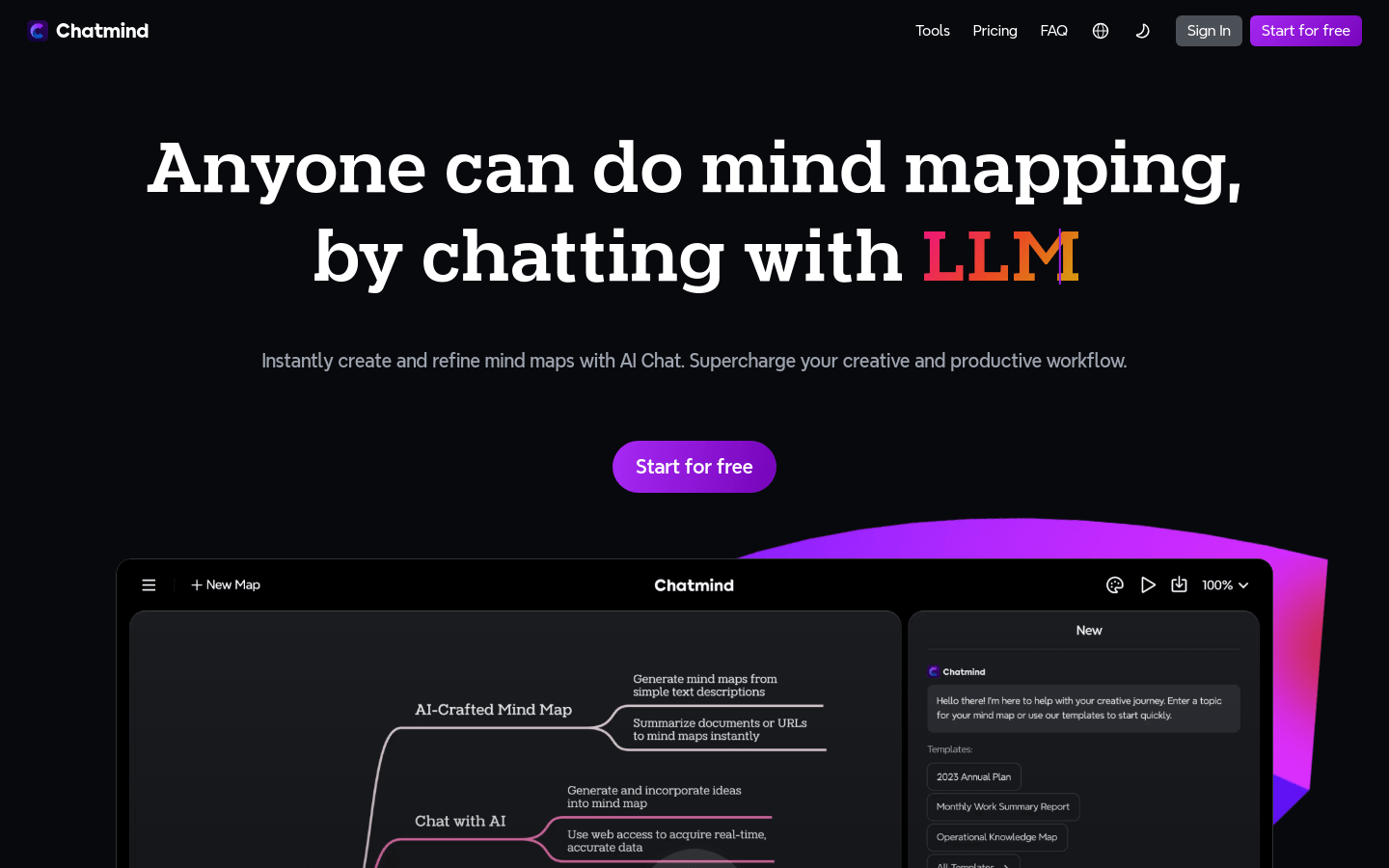
Screenshot archived from the listing page, for preview only.