
Cite Buddy
Free citation generatorCite sources from a URL in seconds
Highlights
What you can do with it
- Generate a citation from a webpage link for a paper.
- Export BibTeX entries for a research project.
- Pull an abstract and keywords to evaluate a source quickly.
How to use it
- 1 Open the Cite Buddy site in your browser.
- 2 Paste the URL of the source you want to cite.
- 3 Choose the citation format you need, such as APA or MLA.
- 4 Copy the generated citation or BibTeX entry.
- 5 Paste it into your paper or reference manager.
Who it is for
Pros
- Free to use and fast for online sources.
- Multiple citation formats plus BibTeX support.
- Abstract and keyword extraction helps source review.
Limitations
- The site was returning an error status at last check, so access may be unreliable.
- As a free tool, availability and features can change without notice.
- Generated citations should be checked against the latest style guide.
What Cite Buddy is
Cite Buddy is a free citation generator that builds references from URLs. Instead of typing out each source by hand, you paste a link and the tool returns a formatted citation. It supports several citation styles, such as APA, MLA, and Chicago, and it also provides BibTeX output that you can copy directly into a paper or research project. On top of citations, it can extract article abstracts and keywords, which is useful when you are scanning a stack of sources and need to judge them quickly. The tool is aimed at students, researchers, and anyone who writes with references and wants to cut down on formatting work. One thing to note: when this listing was recorded, the site was returning an error status, so availability can vary.
What you can do with it
- Generate a citation from a webpage URL.
- Choose the format you need, such as APA, MLA, or Chicago.
- Copy BibTeX entries for use in research writing.
- Extract abstracts and keywords to review a source faster.
Who it is for
- Students formatting references for assignments and papers.
- Researchers who need BibTeX entries for their writing.
- Writers who want quick citations without manual formatting.
What to watch out for
Availability is the first concern. The site was returning an error status at last check, so confirm the current state before you plan a writing session around it. As a free tool, availability and features can also change without notice. Even when it is working, treat generated citations as a starting point: styles are updated over time, and details like author names, dates, and page numbers should be checked against the latest guide for your field. The tool relies on being able to read the source page, so paywalled or unusual pages may not produce clean results. For important work, keep a manual check in your process, verify each reference before you submit, and copy citations into your own document as you go so a temporary outage does not interrupt your writing.
FAQ
Is Cite Buddy free?
It is described as a free citation generator that can create unlimited citations from URLs.
Which formats does it support?
It supports formats such as APA, MLA, and Chicago, and also provides BibTeX output.
Does it do anything besides citations?
Yes, it can extract article abstracts and keywords to help you review sources.
Why it is free
What the official page says: 免费
Free limits, trial length and features are decided by the official site and can change at any time.
Product preview
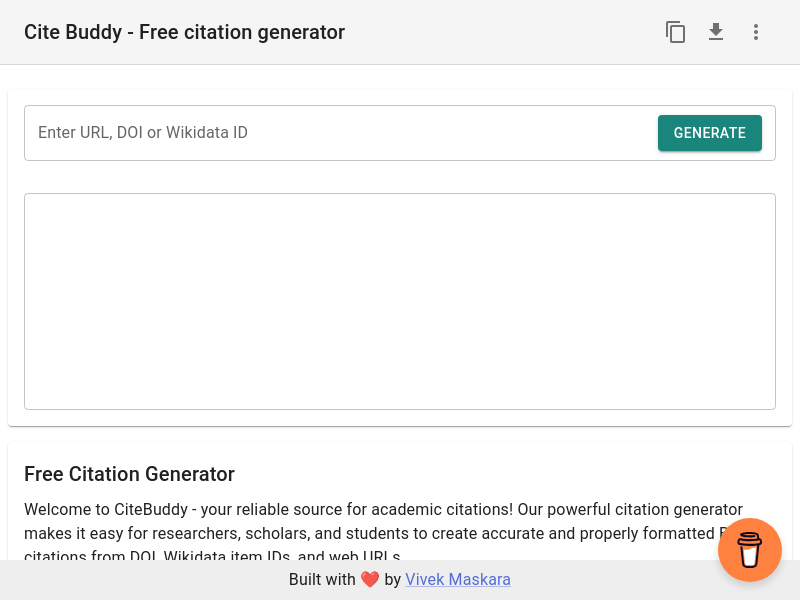
Screenshot archived from the listing page, for preview only.











