CodeCV Resume
Markdown resume builderMarkdown resumes, export as PDF
Highlights
What you can do with it
- A student builds a first resume for campus recruitment from a template
- An experienced hire updates an old resume and exports a clean PDF
- A bilingual applicant keeps Chinese and English versions of the same resume
How to use it
- 1 Visit the CodeCV Resume website and register an account.
- 2 Choose a resume template that fits the role you want.
- 3 Fill in your information in the WYSIWYG editor and refine it with AI help.
- 4 Pick the file format you want, then download, print, or send the resume.
Who it is for
Pros
- Free to use with no payment step described before you export
- Templates plus AI assistance shorten the time from blank page to finished resume
- PDF, Markdown, and PNG exports cover most application portals
Limitations
- Free status is advertised today, but free rules can change, so check before relying on it
- You must register an account before you can start editing
- AI suggestions are a starting point and need your own review for accuracy
What CodeCV Resume is
CodeCV Resume is a free online resume creation tool built around Markdown. You pick a template, fill in your details, and the AI-assisted writing features help refine the content so the final document reads cleanly. The editing view is WYSIWYG, which means the layout stays visible while you type instead of hiding behind markup syntax. Bilingual support covers Chinese and English, so the same resume can serve applications in more than one language. When you are finished, the file can be exported as PDF, Markdown, or PNG, then downloaded, printed, or sent straight to a recruiter. The tool is aimed at both campus recruitment and experienced applicants.
What you can do with it
- Start from a template instead of a blank page and fill in your history in the editor.
- Use AI-assisted writing to tighten wording and refine content automatically.
- Keep Chinese and English versions of a resume for international applications.
- Export to PDF, Markdown, or PNG and download, print, or send the result.
Who it is for
- Students and fresh graduates preparing their first resume for campus recruitment.
- Experienced job seekers who need a quick, tidy refresh of an old resume.
- Bilingual applicants who apply to companies in more than one language.
What to watch out for
The tool is advertised as free today, but free terms can change at any time, so confirm the current rules on the site before you depend on them. You need to register an account before editing, which means your resume content passes through the service. AI-written lines are a starting point: read everything yourself and correct anything that does not match your real experience. Template variety is finite, so if you need an unusual layout you may reach the limits of what the editor supports.
FAQ
Is CodeCV Resume free?
Yes, it is described as a free online resume creation tool. Free terms can change, so check the site for current details.
What formats can I export?
You can export PDF, Markdown, or PNG, then download, print, or send the file.
Do I need to know Markdown?
No. The editor is WYSIWYG, so you see the layout as you type, though the files are Markdown based.
Why it is free
What the official page says: 免费
Free limits, trial length and features are decided by the official site and can change at any time.
Product preview
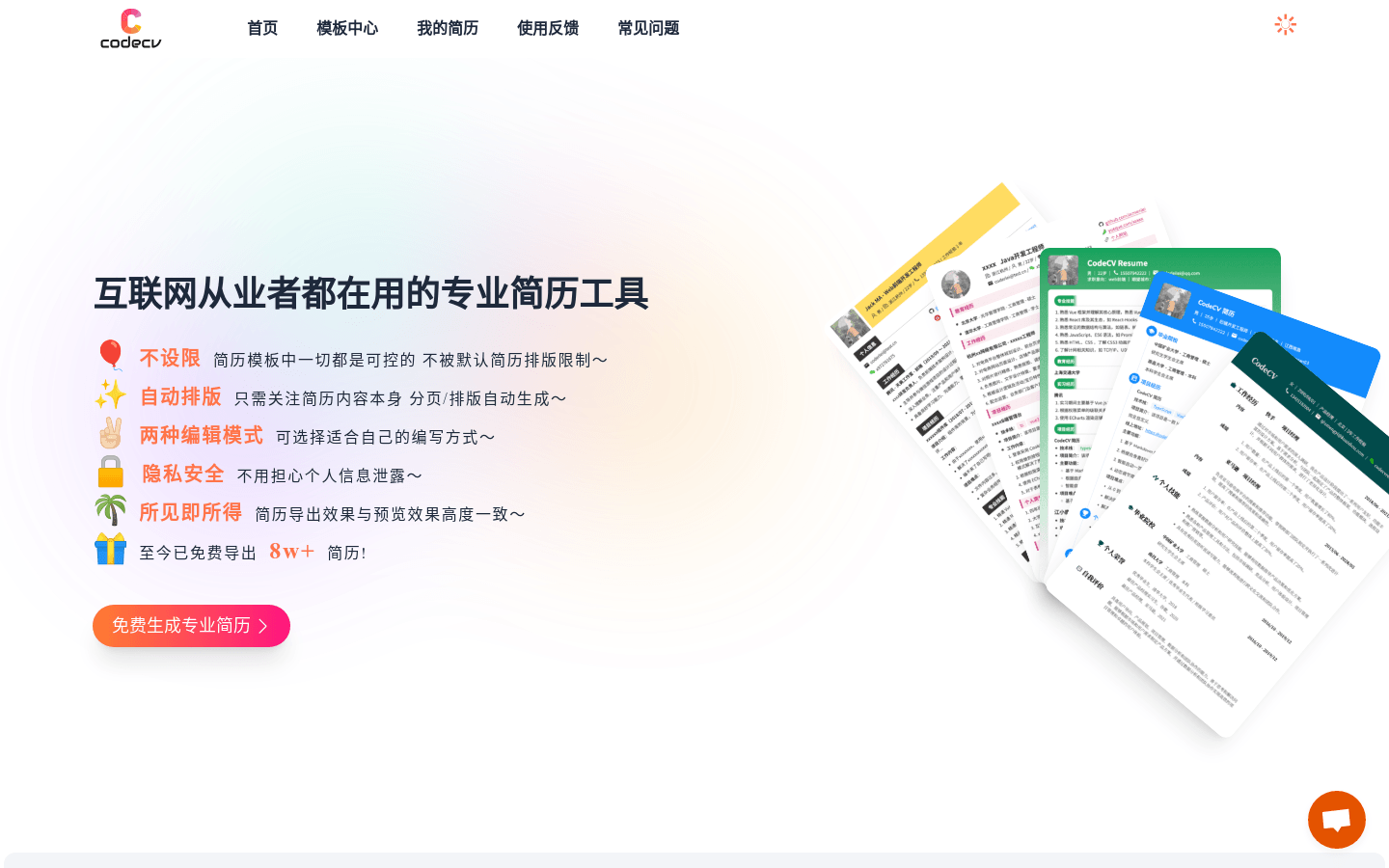
Screenshot archived from the listing page, for preview only.