
Collart AI
AI photo and video creatorPortraits, movie-grade video, one canvas
Highlights
What you can do with it
- Fashion bloggers create outfit videos to grow an audience.
- Film producers draft trailers with movie-grade templates.
- E-commerce sellers generate product display images for listings.
How to use it
- 1 Open collart.ai and log in or register an account.
- 2 Pick a module: AI video, AI image, or AI Canvas.
- 3 Choose the input route, then upload an image or type a description.
- 4 Edit the result, add effects, and adjust details.
- 5 Save or export the finished photo or video.
Who it is for
Pros
- Several creation routes cover most common ideas.
- Named models like GPT Image 2.0 and Flux 2 Pro suggest current capability.
- The canvas view helps combine steps into a longer workflow.
Limitations
- Pricing is not clearly stated on the page, so what is free is unclear.
- Free allowances and credit rules can change without notice.
- Template-driven output can look similar to other users' work.
What Collart AI is
Collart AI is a platform dedicated to AI photo and video creation. Its template library covers realistic AI portraits and movie-grade styles across a range of themes, and it supports four main creation routes: image-to-image, text-to-image, image-to-video, and text-to-video. On the model side, the page names Seedance 2.0 and GPT Image 2.0, with Flux 2 Pro also listed among the image models. Beyond single generations, there is an AI Canvas, a visual space where you can connect creative steps into a longer workflow, a motion sync feature that animates reference material, and an outfit generator aimed at fashion video. One honest caveat up front: the listing does not state pricing clearly, so it is not obvious from the outside which parts are free and which consume credits.
What you can do with it
- Generate AI portraits and images from text or from a reference photo.
- Turn a still image or a text prompt into a short AI video.
- Chain several steps on the AI Canvas for more complex creative work.
- Use motion sync and the outfit generator for fashion and styling content.
Who it is for
- Creative enthusiasts who want a low-friction way to try AI image and video work.
- Video bloggers, photographers, and designers who need quick visual material.
- E-commerce sellers producing product images and outfit demonstrations.
What to watch out for
Because pricing is not spelled out, you cannot tell in advance how many generations a free session buys you or which models cost credits. Free allowances, model availability, and template libraries change often on platforms like this, so check the current terms before you plan a project around it. Output quality also depends on the upstream models, which means the same prompt can give very different results from one model to another. Keep local copies of anything you publish, and read the usage terms before putting generated portraits of real people into commercial work.
FAQ
Is Collart AI free to use?
The listing does not clearly state the charging situation. It suggests there are free-to-use parts, but you should confirm current terms on the site.
Which models does it use?
The page names Seedance 2.0 and GPT Image 2.0, and Flux 2 Pro is also listed among the image models.
Can I make video as well as images?
Yes. It supports image-to-video, text-to-video, and reference-based video generation, plus motion sync and an outfit generator.
Why it is free
What the official page says: 免费使用免费
Free limits, trial length and features are decided by the official site and can change at any time.
Product preview
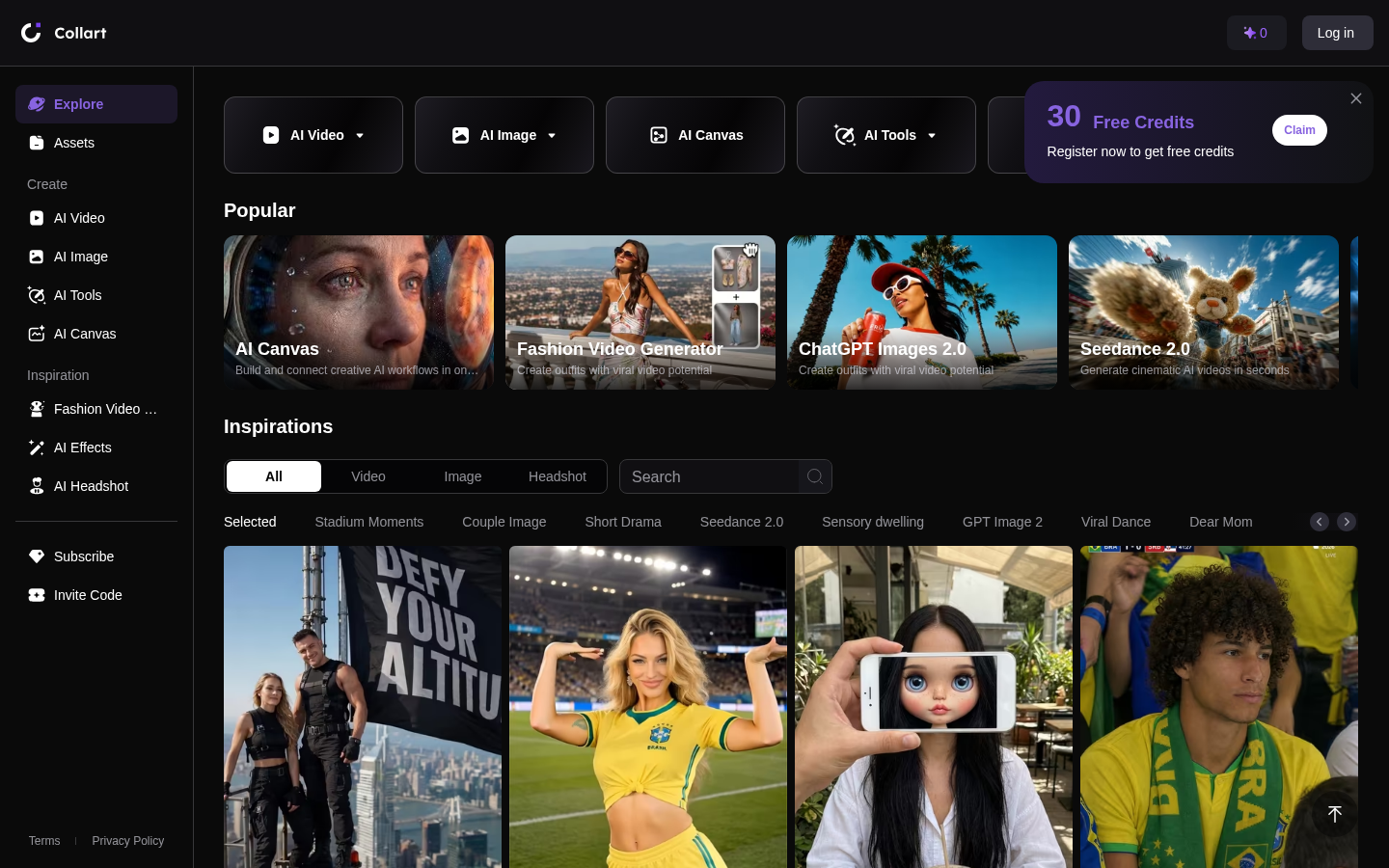
Screenshot archived from the listing page, for preview only.











