Data Annotation Platform
Data annotation platform for AI projectsUpload data, annotate, download results
Highlights
What you can do with it
- Annotating video data for engineering projects
- Drone data annotation in line with NATO standards
- Image annotation for drone navigation systems
How to use it
- 1 Create an annotation project on the platform.
- 2 Run the free task with 10 provided images or frames.
- 3 Upload the rest of your data.
- 4 Track annotation progress on the platform.
- 5 Download the completed annotations.
Who it is for
Pros
- Wide annotation type coverage
- Free task to test the platform and quality
- API integration and team access features
- States compliance with several data standards
Limitations
- The free task covers only 10 images or frames
- Real projects move to paid work
- Annotation quality still needs review on your side
- Complex types such as panoptic segmentation take longer and cost more
What the Data Annotation Platform is
The Data Annotation Platform is an end-to-end solution for managing data annotation projects. Users upload computer vision data, choose the annotation types they need, and download the results, with no minimum commitment. Supported types include bounding boxes, polygons, 3D cuboids, keypoints, semantic segmentation, instance segmentation, and panoptic segmentation. The platform also offers a cost calculator, an instruction generator with pre-built templates, free tasks covering 10 images or frames, API integration, and team access. As a data certification provider, it states compliance with standards including PCI DSS Level 1, ISO 27001, GDPR, and CCPA. The product targets AI project managers, machine learning engineers, AI startups, and research teams.
What you can do with it
- Create an annotation project and upload computer vision data.
- Choose from many annotation types, from bounding boxes to panoptic segmentation.
- Estimate project costs before starting with the cost calculator.
- Generate clear annotation instructions from templates.
- Run a free task with 10 images or frames to test quality, then download results.
Who it is for
- AI project managers who need to organize annotation work at scale.
- Machine learning engineers preparing training data.
- AI startups and research teams building annotated datasets.
- Teams that want to automate upload and download through API integration.
What to watch out for
The free task covers only 10 images or frames, so real projects move to paid work, and the cost calculator exists precisely because larger jobs carry real expense. Annotation quality still needs review on your side, and complex types such as panoptic segmentation take longer and cost more than simple boxes. Some use cases, including drone and defense data, may carry regulatory or compliance requirements that go beyond the platform's own certifications, so verify obligations for your specific project before uploading sensitive material.
FAQ
What annotation types are supported?
The site lists bounding boxes, polygons, 3D cuboids, keypoints, semantic segmentation, instance segmentation, and panoptic segmentation.
Is there a free way to test it?
Yes, the platform offers free tasks with 10 images or frames to test the platform and its annotation quality.
Is there a minimum commitment?
The site says users can upload data, choose annotation types, and download results without any minimum commitment.
What about data compliance?
As a data certification provider, the site states compliance with standards including PCI DSS Level 1, ISO 27001, GDPR, and CCPA.
Why it is free
What the official page says: 免费
Free limits, trial length and features are decided by the official site and can change at any time.
Product preview
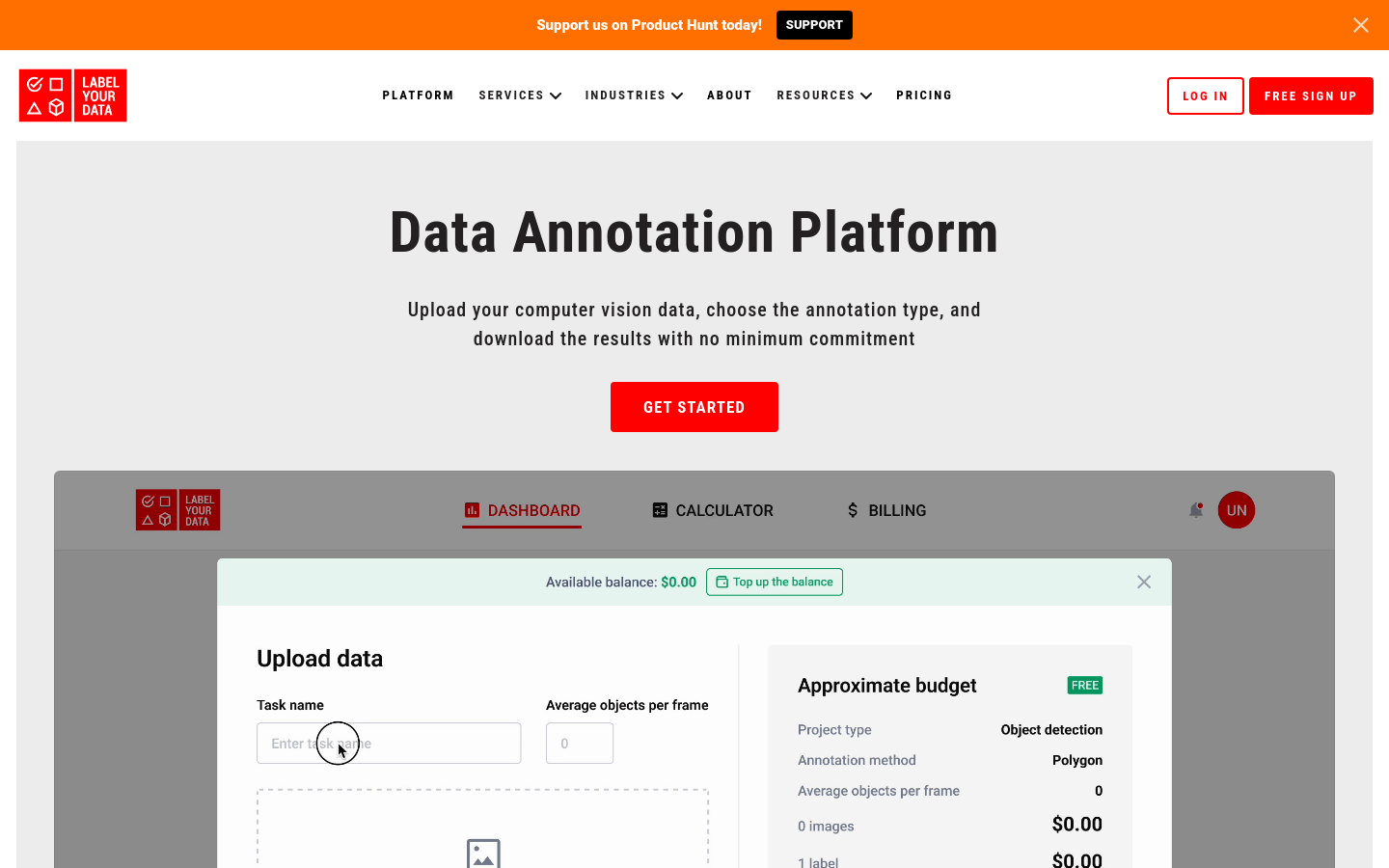
Screenshot archived from the listing page, for preview only.