
Debuggr
Free AI code debugging assistantPaste code, get debugging help
Highlights
What you can do with it
- Find the error behind a failing script
- Check syntax before running a snippet
- Compare execution time for a piece of code
How to use it
- 1 Open the Debuggr website.
- 2 Paste the code that is misbehaving.
- 3 Run the analysis and read the suggested fixes.
- 4 Use syntax checking or execution time tools if needed.
- 5 Apply the fix and retest your code.
Who it is for
Pros
- Free and simple to use
- Language agnostic approach
- Extra tools beyond pure debugging
- Fast paste and analyze workflow
Limitations
- Suggestions can be wrong or incomplete
- Context is limited to the code you paste
- The site has shown availability problems
- Do not paste secrets or proprietary code into a web tool
What Debuggr is
Debuggr is a free AI assistant for one specific frustration: code that does not work and no obvious reason why. You copy your code into the page, and it analyzes the problem and suggests a fix. It works across languages rather than targeting one stack, which makes it handy when you touch several. Two extra tools sit alongside the debugging: code execution time calculation and syntax checking, which are useful quick checks before you run anything.
What you can do with it
- Paste failing code and get suggested fixes.
- Check syntax on a snippet before running it.
- Measure execution time for a piece of code.
- Get a second opinion when you have been staring at a bug too long.
Who it is for
- Developers stuck on a bug they cannot see.
- Beginners learning to interpret errors.
- Anyone who wants a fast sanity check on a snippet.
What to watch out for
Suggestions are generated, so they can be wrong, incomplete or aimed at the wrong line, and you should verify any fix before trusting it. The assistant only sees the code you paste, so missing context like dependencies, data or configuration limits what it can conclude. The site has shown periods of unavailability, so it is not a reliable sole debugging tool. Most importantly, do not paste secrets, credentials or proprietary source code into a public web tool, because you lose control of that input once you send it. Generated suggestions are for reference only, so verify anything that affects professional judgment or important data. Start with a small sample to confirm the output meets your expectations before processing the full batch.
FAQ
What does Debuggr do?
It is a free AI assistant that helps you find and fix errors in code in any language.
What other tools does it offer?
Code execution time calculation and syntax checking.
Is it suitable for beginners?
Yes. The site says it suits both beginners and experienced developers.
How do I use it?
Copy and paste your code into Debuggr, and it analyzes it and gives debugging suggestions.
Why it is free
What the official page says: 免费
Free limits, trial length and features are decided by the official site and can change at any time.
Product preview
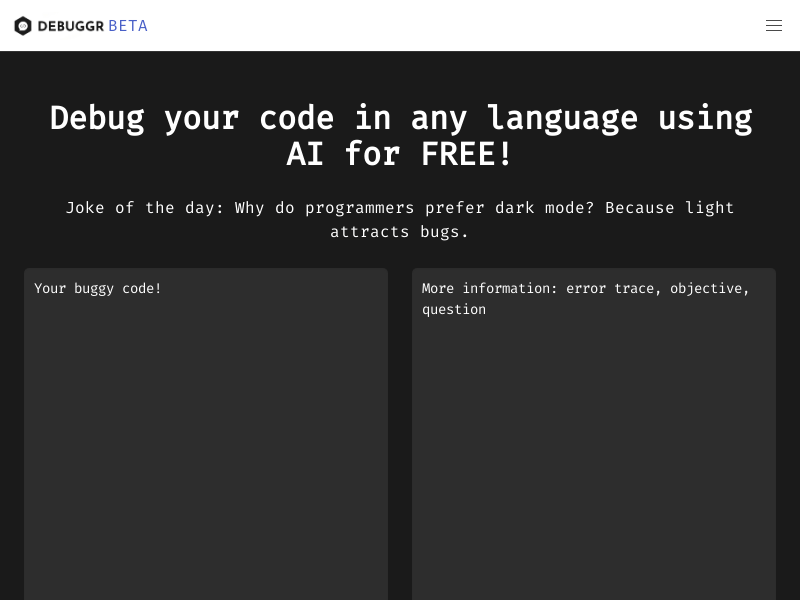
Screenshot archived from the listing page, for preview only.











