DeepTab
All-in-one AI toolkit for ChromeAI search, chat, and navigation in your browser
Highlights
What you can do with it
- Browsing the web with AI assistance in Chrome
- Switching quickly between search engines
- Using AI chat to boost work productivity
How to use it
- 1 Install DeepTab as a Chrome extension
- 2 Open a new tab to access the AI toolkit
- 3 Use the sidebar for AI chat or instant search
- 4 Browse the AI navigation directory for new tools
- 5 Customize your daily wallpaper
Who it is for
Pros
- Free to try
- Integrates directly into the browser
- Combines search, chat, and navigation in one place
Limitations
- Powered by GPT-3.5, an older model
- Free access terms may change
- Limited to Chrome browser users
What DeepTab is
DeepTab is an all-in-one AI productivity tool integrated directly into Chrome tabs and the sidebar. It brings GPT-3.5 powered features into everyday browsing so an AI assistant is always one click away. Users can access search engines like Perplexity, Bing, and You quickly, navigate an AI-centric website directory, and enjoy daily wallpaper updates. The tool is positioned as a way to revolutionize web browsing with a more intelligent experience. DeepTab is available to try for free, letting users explore its features before deciding whether it fits their workflow.
What you can do with it
- Browse the web with AI-enhanced assistance inside Chrome
- Chat with an AI assistant from the sidebar
- Switch quickly between search engines such as Perplexity and Bing
- Discover new AI tools through a built-in navigation directory
- Refresh your new tab with daily wallpaper updates
Who it is for
- Chrome users who want AI help without leaving the browser
- People who regularly switch between multiple search engines
- Anyone looking to raise productivity during web research
What to watch out for
DeepTab relies on GPT-3.5, which is an older model than newer options, so answers may be less current or nuanced. It only works in Chrome, leaving Firefox and Safari users out. Free access terms can change, and browser extensions can slow performance on machines with limited memory. Treat AI answers as a starting point and verify important facts from primary sources. When quality matters, export a small draft first to confirm the result before producing the final file. Generated suggestions are for reference only, so verify anything that affects professional judgment or important data.
FAQ
Is DeepTab free?
Yes, you can try DeepTab for free.
What search engines does it support?
It provides quick access to engines like Perplexity, Bing, You, and more.
Which browser does it work with?
DeepTab is built for the Chrome browser.
Why it is free
What the official page says: for free
Free limits, trial length and features are decided by the official site and can change at any time.
Product preview
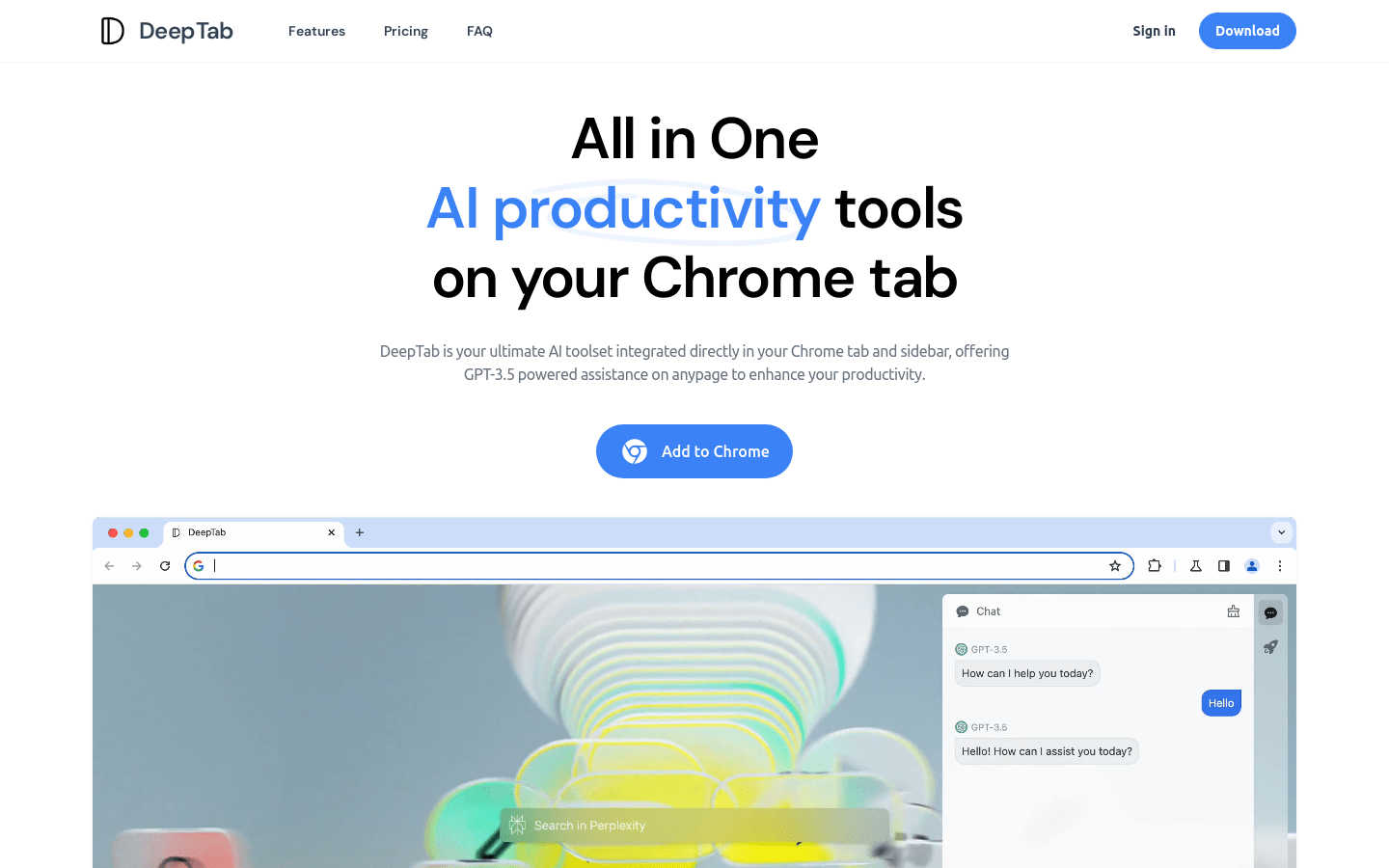
Screenshot archived from the listing page, for preview only.