
Deroom AI
AI room redesignPhoto to a new room in 30 seconds
Highlights
What you can do with it
- A homeowner previews a Nordic bedroom redesign before spending
- A designer produces several restaurant concepts for a client
- An agent virtually stages an old property to attract buyers
How to use it
- 1 Upload a well-lit photo showing the whole room
- 2 Choose one of 12 styles and one of 5 operation modes
- 3 Wait 30 to 60 seconds for the rendering
- 4 Download the result, regenerate with a new seed, or save it
- 5 Use 4K export and commercial rights if you are on a paid plan
Who it is for
Pros
- Fast results from a single photo
- Free credits let you test a full generation
- Room layout and perspective are preserved
- Commercial rights are available on paid plans
Limitations
- The 10 free credits cover one generation, then a plan is needed
- A well-lit, wide-angle photo is needed for a usable result
- 4K export and commercial use require the paid plan
- AI concepts still need a professional review before execution
What Deroom AI is
Deroom AI is a room design tool built on generative AI. The workflow is deliberately short: upload a photo, choose a style and an operation mode, and get a realistic rendering back in about 30 to 60 seconds. It covers up to 12 room types, including kitchens, bathrooms, bedrooms, and living rooms, plus a general option for anything else, and offers 12 curated styles and 5 operation modes such as full redevelopment, quick refresh, recoloring, and clutter organisation. What separates it from a generic image generator is the underlying model, which is tuned for architectural interiors and holds window position, ceiling height, and camera perspective so the output still describes your actual room. Free registration gives 10 credits for one complete watermark-free generation, and paid plans start at $9.99 per month with 4K export and commercial rights.
What you can do with it
- Upload one room photo and receive a realistic design in under a minute
- Try 12 styles across 12 room types without redrawing anything
- Choose an operation mode: full redevelopment, quick refresh, recoloring, or clutter organisation
- Keep the real layout, including windows, ceiling height, and viewpoint
- Download in 4K, regenerate with a new seed, or save designs to a collection
Who it is for
Homeowners and tenants who want to see a change before paying for it get a cheap preview instead of a mood board. Interior designers use it to produce several concept options quickly and let a client choose a direction before detailed work begins. Real estate agents use it as virtual staging, generating attractive photos of an outdated property. Renovation contractors use it to check that their reading of a client's brief lines up with what the client is picturing.
What to watch out for
The free 10 credits cover a single complete generation, so exploring several styles means buying credits or subscribing. Input quality matters: a well-lit photo taken from a corner that shows the whole room produces a far better result than a dark or tightly cropped one. The 4K export and commercial use rights sit behind the paid plan, so professional delivery requires a subscription. Most importantly, these are AI concepts, not construction documents; dimensions, materials, and feasibility still need professional review before anything is built or purchased.
FAQ
How many free credits do I get?
Free registration provides 10 credits, described as enough for one complete watermark-free generation.
Which room types are supported?
Up to 12 room types including kitchens, bathrooms, bedrooms, and living rooms, plus a general option.
Can I use the designs commercially?
Commercial use rights come with the paid plan, which starts at $9.99 per month and includes 4K export.
How long does a generation take?
Typically 30 to 60 seconds, with priority processing for professional subscribers.
Why it is free
What the official page says: free credits
Free limits, trial length and features are decided by the official site and can change at any time.
Product preview
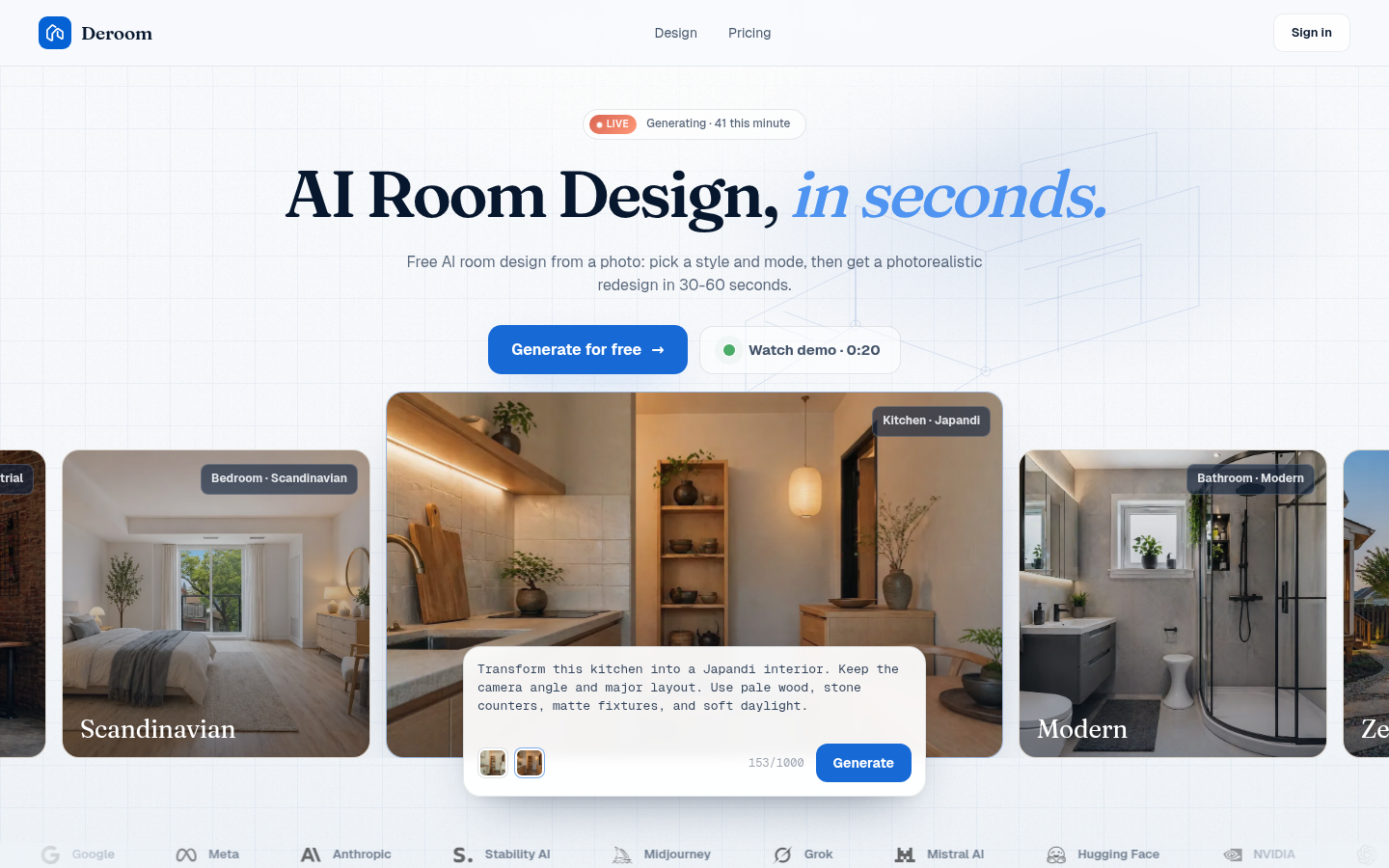
Screenshot archived from the listing page, for preview only.











