
Desync.art
Community gallery of AI-generated artShare and discover AI art inspiration
Highlights
What you can do with it
- Browse for design inspiration before a project
- Collect references in a personal library
- Generate and share your own AI artwork
How to use it
- 1 Open Desync.art in your browser
- 2 Browse the gallery by style
- 3 Log in to manage collections
- 4 Generate your own artwork with AI
- 5 Share pieces with other users
Who it is for
Pros
- Free to use
- Large variety of styles
- Both browsing and generating
- Collections for saving work
Limitations
- Quality varies across submissions
- Depends on an active community
- Free terms can change
- Generated art still needs curation for professional use
What Desync.art is
Desync.art is an online platform for sharing and discovering AI-generated art. It works as a gallery and a creation tool at the same time. You can browse works across styles such as landscapes, portraits, and science fiction, collect the pieces you like, and share them with other users. If you want to make something yourself, the platform also generates art with AI. The pieces carry a high level of detail and visual effect, which is why the site positions itself as a source of design inspiration. Use is free, and logging in lets you manage your own artworks and collections.
What you can do with it
- Browse AI-generated art across many styles.
- Collect favorite pieces into your own library.
- Generate new artwork with AI.
- Share pieces with other users on the platform.
- Use the gallery as inspiration for design work.
Who it is for
- Designers looking for visual inspiration.
- AI art enthusiasts who enjoy browsing.
- Creators building a personal reference library.
What to watch out for
Quality varies across submissions, because anyone can post. The value of the gallery depends on an active community, so a quiet period makes browsing thinner. Generated art still needs curation before professional use, and the free terms can change. Treat what you find as inspiration rather than a licensed asset. Features and interface details may change between versions, so review the latest notes on the page before you start. For team use, agree on naming and editing conventions in advance to avoid version conflicts or duplicated work. Save a backup of the original file before large batch jobs, and keep an exported copy of key results in case the page or service becomes temporarily unavailable.
FAQ
Is Desync.art free?
Yes, the platform is free to use.
What can I do there?
Browse, collect, and share AI-generated art, and generate your own.
What styles are covered?
Landscapes, portraits, science fiction, and more.
Why it is free
What the official page says: free to use
Free limits, trial length and features are decided by the official site and can change at any time.
Product preview
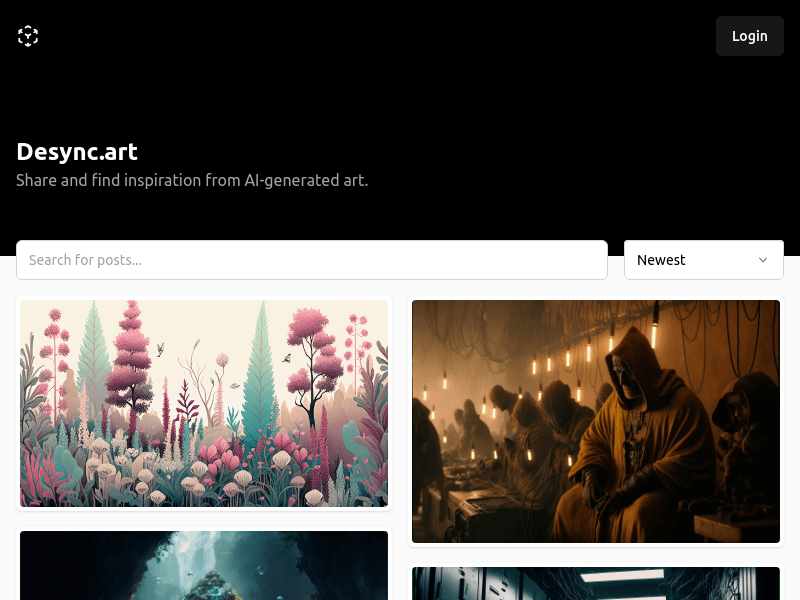
Screenshot archived from the listing page, for preview only.











