Draft'n Run
Open source visual builder for AI agent workflowsBuild and ship AI workflows without code
Highlights
What you can do with it
- Rebuild an underperforming chatbot visually, test it in the sandbox, then deploy it and track the cost and quality of each run
- Meet strict security requirements in defense consulting work by deploying the platform locally
- Build an assistant that helps users navigate a large library of thousands of articles
How to use it
- 1 Open draftnrun.com, register, and log in to your account
- 2 Design the workflow in the visual builder by dragging and dropping components
- 3 Run real-time tests on the workflow inside the interactive sandbox
- 4 Monitor execution with the observability tools and optimize based on the analysis
- 5 Deploy to production, self-hosted or on the platform cloud, then integrate through REST APIs
Who it is for
Pros
- No-code visual building lowers the barrier for non-specialists
- Open source and self-hostable, so you keep ownership of data and avoid lock-in
- Observability, monitoring, and cost analysis are built in rather than bolted on
Limitations
- The free terms and the self-hosted deployment path can change, so verify current limits before committing
- Self-hosting means you take on infrastructure, updates, and security work yourself
- Complex multi-step workflows still need careful design and testing discipline
What Draft'n Run is
Draft'n Run is an open-source platform for designing, deploying, and monitoring AI agent workflows. The site describes it as free to use, and because the project is open source you can also run it on your own infrastructure and keep full ownership of your data. The idea is to remove the technical barrier that usually sits between an AI prototype and a production system. Instead of writing integration code, you assemble multi-step workflows in a visual editor, test them in a sandbox, watch every run in detail, and then ship. It supports AI chatbots and agent style automation, and finished workflows can be wired into existing systems through REST APIs. Enterprise monitoring and security are presented as part of the platform from the start rather than as an add-on.
What you can do with it
- Design complex multi-step AI workflows by dragging and dropping components, with no code required.
- Test workflows in real time in an interactive sandbox so problems surface before deployment.
- Track execution end to end, including request tracing, data lineage, and cost optimization suggestions.
- Build chatbots and agents, then deploy to the platform cloud or your own infrastructure and integrate through REST APIs.
Who it is for
- Developers who want to ship AI features without deep model expertise.
- Product teams that need to adjust workflows as requirements change.
- Software and AI institutions moving prototypes into production on a shorter timeline.
- Enterprise teams deploying agents for internal automation under their own security rules.
What to watch out for
Two things deserve attention. First, the free terms and the self-hosted path can both change over time, so confirm current limits and licensing before you build something the business depends on. Second, self-hosting shifts the operational burden onto you: servers, updates, monitoring, and security all become your responsibility even when the software itself is free. Finally, a visual builder lowers the coding barrier but does not remove the need for design discipline. Complex workflows still need careful testing, and a tidy canvas does not guarantee a reliable automation.
FAQ
Is Draft'n Run free to use?
The site lists it as free to use, and the codebase is open source so you can also self-host it. Check the current terms for any usage limits before you rely on it.
Can I build workflows without coding knowledge?
Yes. The visual builder is designed for drag-and-drop workflow construction, although designing a useful automation still takes planning and testing.
Does it support self-hosting?
Yes. The platform is completely open source and can be self-hosted, which the site presents as a way to avoid vendor lock-in and keep control of your data.
Why it is free
What the official page says: 免费使用免费
Free limits, trial length and features are decided by the official site and can change at any time.
Product preview
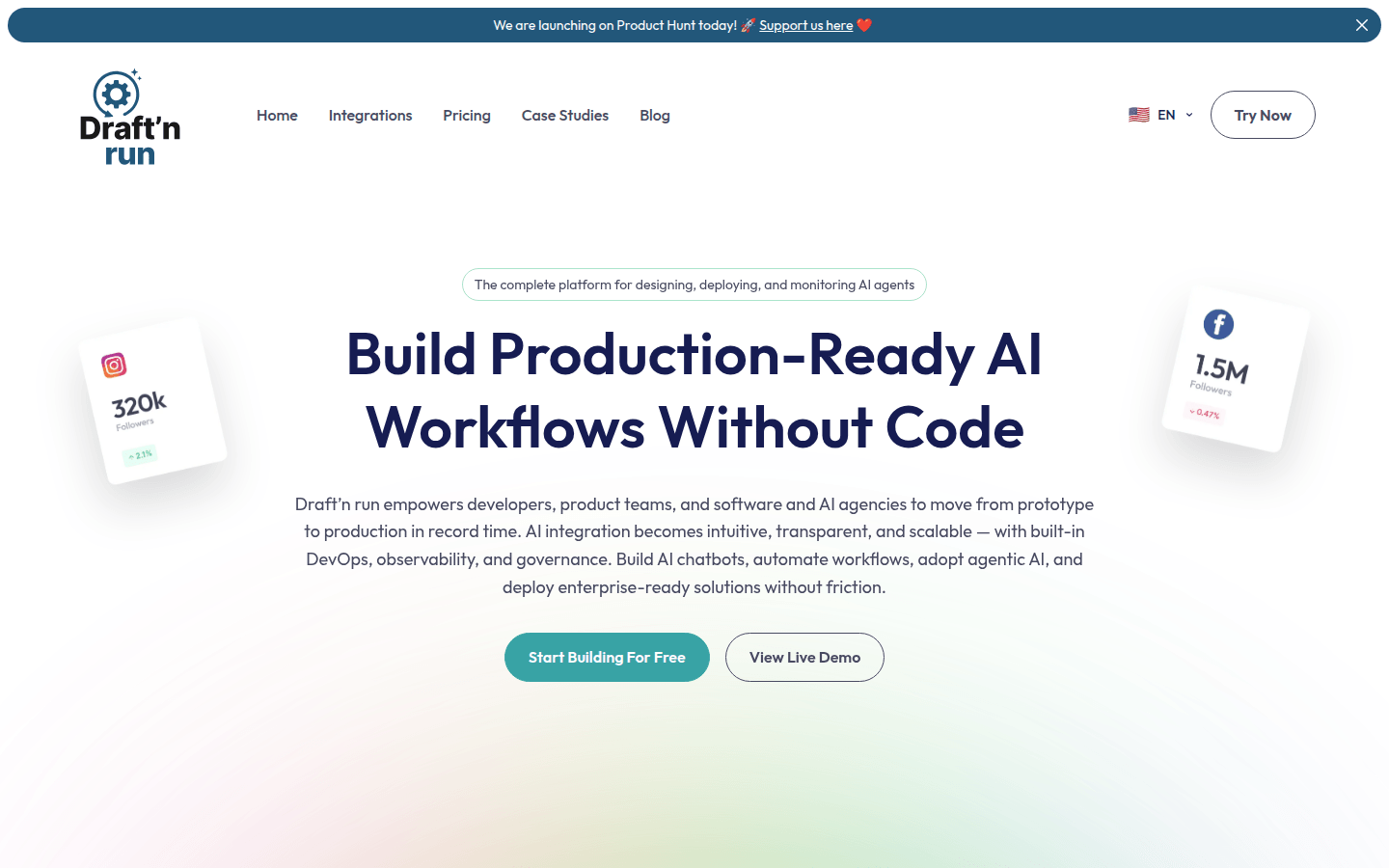
Screenshot archived from the listing page, for preview only.