
Easyclaw
One-click installer for OpenClaw botsSkip the dependency errors
Highlights
What you can do with it
- A developer avoids dependency errors and Node version mismatches during installation
- A non-developer installs a bot on a Mac without following a long manual guide
- A Discord community manager gets every member installed and connected
How to use it
- 1 Download the Easyclaw package for your operating system
- 2 Run the installer and let it detect your system
- 3 Complete the setup prompts, including choosing an AI provider
- 4 Open Easyclaw and let it start OpenClaw, ClawdBot, and MoltBot
- 5 Connect the chat applications you want to bridge
- 6 Add community skills or custom plugins if you need more
Who it is for
Pros
- Installation collapses from many manual steps to one click
- Runs locally, so your data stays on your device
- Bridges several chat applications at once
- You choose the AI provider that fits your budget
Limitations
- It is a community-made tool, so support is not enterprise-grade
- You still need your own account and key with the AI provider you pick
- Platform support details are still evolving, so check before you rely on a specific system
What Easyclaw is
Easyclaw is an installation tool for OpenClaw, ClawdBot, and MoltBot. Those assistants are useful but fiddly to set up by hand, and the typical failure is a dependency error or a version mismatch partway through a manual guide. Easyclaw compresses that process into a single download and run, detecting your operating system and completing the configuration steps itself. It supports macOS, Windows, and Linux, runs the assistants locally so your data stays on your own device, and can bridge chat applications including WhatsApp, Telegram, Discord, and Slack.
What you can do with it
- Install OpenClaw, ClawdBot, and MoltBot without manual dependency handling
- Run the assistants locally with data on your own device
- Connect several chat applications through one setup
- Choose your AI provider and extend behaviour with community skills or plugins
Who it is for
- Non-developers who want a bot running without reading a long guide
- Developers who would rather not debug Node versions again
- Community managers rolling an assistant out to a whole group
What to watch out for
This is a community project rather than a commercial product with a support desk, so if something breaks you are relying on community channels and your own debugging. The tool is free in the sense that no price is stated, but the AI providers it connects to bill separately, and you need your own account and key with whichever one you choose. Platform support is also described as evolving, so confirm that your specific operating system is covered in the current release before you plan a rollout. Start with a small sample to confirm the output meets your expectations before processing the full batch.
FAQ
What does Easyclaw install?
OpenClaw, ClawdBot, and MoltBot, with installation and configuration handled automatically.
Which operating systems are supported?
macOS, Windows, and Linux are listed. Check the current release for the exact status of each.
Do I need to pay for an AI provider?
The tool lets you choose between providers such as Anthropic, OpenAI, Google, or OpenRouter. Any usage with those providers is billed by them.
Why it is free
What the official page says: 免费
Free limits, trial length and features are decided by the official site and can change at any time.
Product preview
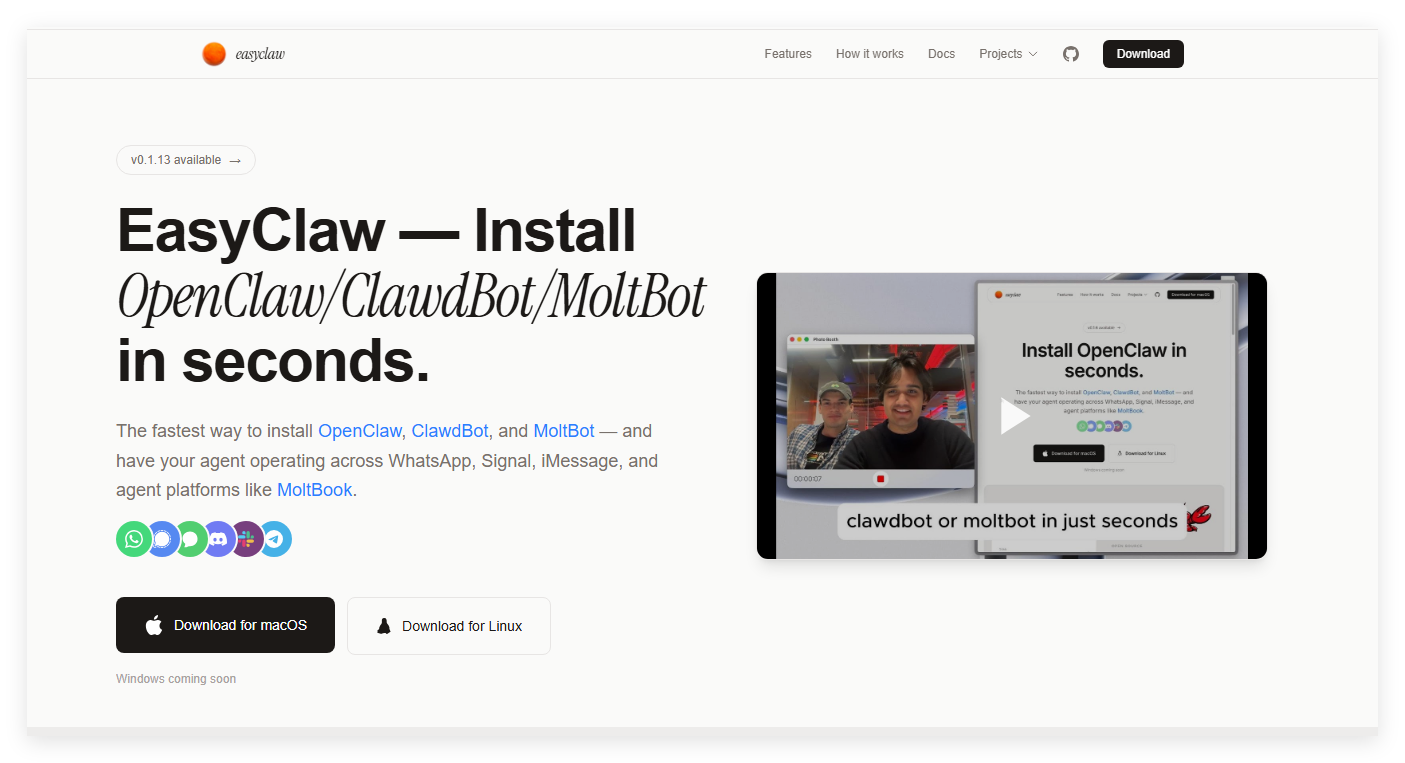
Screenshot archived from the listing page, for preview only.











