Elegant Resume
Free web resume builderBuild a resume and download it as PDF
Highlights
What you can do with it
- A graduate picks a template, adds education and internship details, and downloads a PDF for applications.
- A mid career worker updates last year's work and exports a new resume for a job change.
- An applicant builds an English language resume for applications abroad.
How to use it
- 1 Open the site and choose a resume template.
- 2 Fill in your education, experience and project details.
- 3 Adjust the format until the layout looks right.
- 4 Use the built in ChatGPT help to polish the wording.
- 5 Download the finished resume as PDF or JPEG.
Who it is for
Pros
- Completely free, with unlimited downloads in PDF and JPEG.
- No registration wall before you start.
- Saved data stays in your browser, on Google Drive or on a local file.
- Built in ChatGPT help for wording and polish.
Limitations
- Free access is the current model, and that can change.
- Template and layout choices may not fit every industry or region.
- AI suggestions still need your review, since the final wording is your responsibility.
- If you clear browser data and did not save elsewhere, your draft can be lost.
What ElegantResume is
ElegantResume is a completely free online resume creation website. You choose from a set of templates, then customize the content and the format to match your own situation. There is no registration step, so you can start building straight away. Once a resume exists you can go back and change it at any time, and the finished file can be downloaded as PDF or JPEG with no limit on the number of downloads. Resume data can be stored in the browser, on Google Drive or on a local device, which the site presents as a way to keep your information private. The site also integrates OpenAI's ChatGPT to help improve and polish the wording of your resume.
What you can do with it
- Pick a template and fill in education, work and project details.
- Rearrange and format the content until the layout reads well.
- Ask the built in ChatGPT help to tighten and polish your text.
- Download the resume as PDF or JPEG as often as you need.
- Keep a copy in the browser, on Google Drive or locally so you can edit it later.
Who it is for
- Students and graduates putting together a first resume.
- Job seekers who need to refresh an older resume quickly.
- Applicants who need an English resume for overseas applications.
What to watch out for
The builder is free, and free terms can change, so do not assume the current access will last forever. Template choice is limited to what the site ships, and a single template may not suit every industry, country or hiring format. ChatGPT suggestions are a starting point only; the wording on your resume is your responsibility and you should check every line for accuracy. If you keep your draft only in the browser and then clear your data without exporting, you can lose the work, so save a copy elsewhere once the resume is done.
FAQ
Is ElegantResume really free?
Yes. The site describes itself as completely free and allows unlimited PDF and JPEG downloads.
Do I need to sign up?
No. You can start creating a resume directly without registration.
Where is my resume data kept?
You can keep it in your browser, on Google Drive or on a local device.
Can AI help with the writing?
The site integrates OpenAI's ChatGPT to help improve and polish resume content.
Why it is free
What the official page says: 完全免费免费
Free limits, trial length and features are decided by the official site and can change at any time.
Product preview
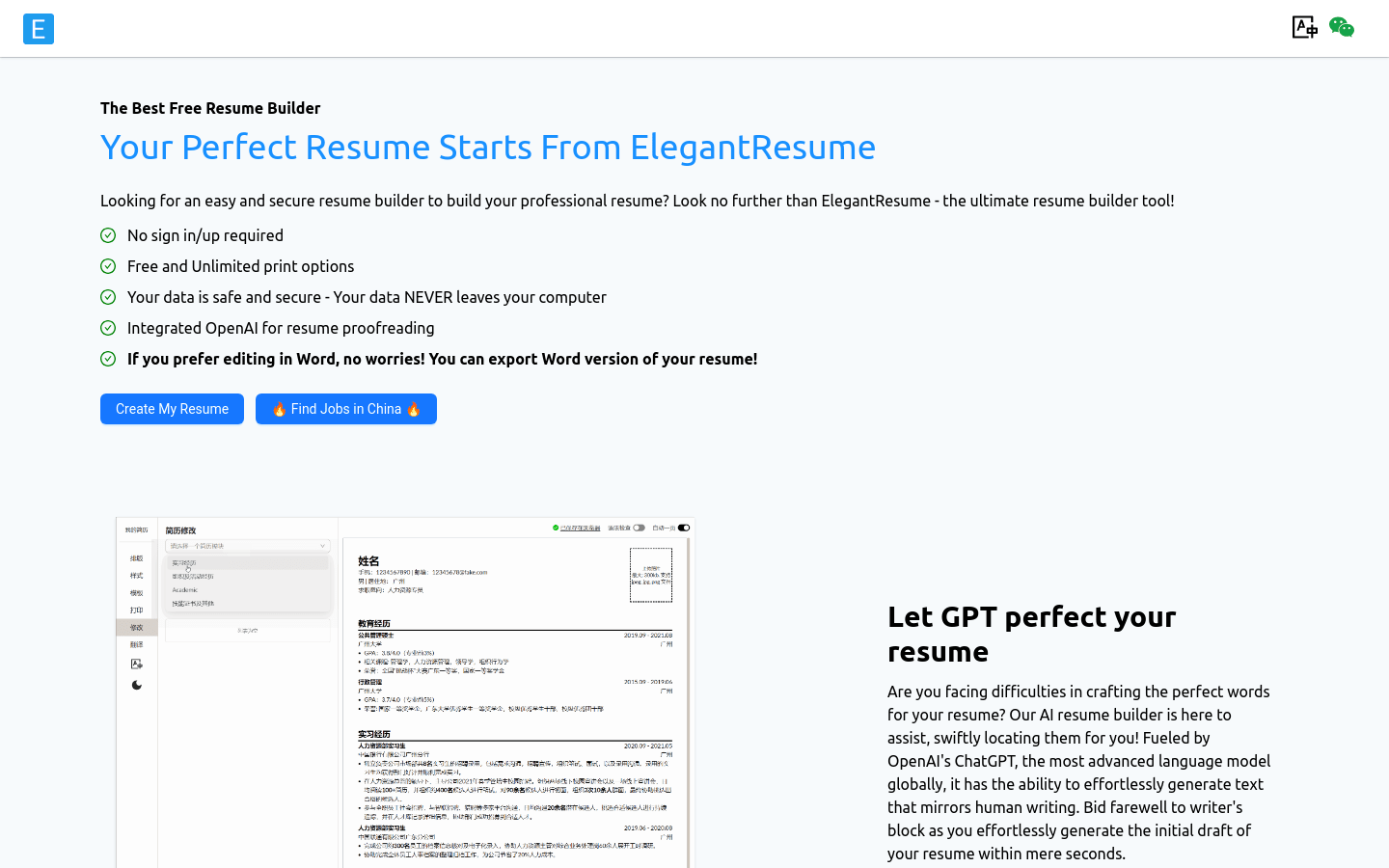
Screenshot archived from the listing page, for preview only.