
Evebyte Studio
Control and automate Android phones from WindowsManage phones and run tasks without coding
Highlights
What you can do with it
- Run the same set of taps and inputs across several phones at once
- Schedule a repetitive phone task to run automatically
- Watch and control a phone screen live from your desktop
How to use it
- 1 Install Evebyte Studio on your Windows PC
- 2 Connect the Android phone devices you want to control
- 3 Create a task script or a batch of tasks
- 4 Adjust the task workflow and schedule as needed
- 5 Run the tasks and watch the phone screens in real time
Who it is for
Pros
- Free trial version available to test
- No coding needed thanks to the graphical interface
- Handles multiple devices with scheduling and live screen view
Limitations
- Windows only, and Android devices need to be set up to connect
- It is a paid subscription after the trial, and plans can change
- Automation can break if an app or screen changes its layout
What Evebyte Studio is
Evebyte Studio is a user friendly Windows program for controlling Android phones from a graphical interface, with no programming required. You can manage multiple devices at once, create individual or batch task scripts, and adjust task workflows whenever you need. It shows your phone screen in real time, automates phone operations, and supports task scheduling and data sync. Pricing is subscription based, with a free trial version and paid versions to choose from. It is built for individuals and teams that want to run repetitive phone tasks efficiently instead of doing everything by hand.
What you can do with it
- Manage and control several Android phones from one Windows app
- Create task scripts without writing any code
- Watch phone screens live and automate taps and inputs
- Schedule tasks and sync data across devices
Who it is for
- People who manage several Android phones at the same time
- Teams that need to automate repetitive phone tasks
- Users who want phone automation without learning to code
What to watch out for
Evebyte Studio runs on Windows and needs your Android devices connected and set up correctly, so it is not a cross platform or zero setup tool. After the free trial it becomes a paid subscription, and plans can change, so confirm current pricing before you depend on it. Automated tasks can also break when an app updates or a screen layout changes, so expect to maintain your scripts rather than set them once and forget them. When quality matters, export a small draft first to confirm the result before producing the final file. Generated suggestions are for reference only, so verify anything that affects professional judgment or important data.
FAQ
What does Evebyte Studio do?
It is Windows software that lets you manage and automate Android phone devices through a graphical interface, without programming knowledge.
Is there a free version?
There is a free trial version, with paid subscription versions for fuller use.
Can I control several phones at once?
Yes. It supports managing multiple phone devices and running individual or batch tasks across them.
Why it is free
What the official page says: free trial
Free limits, trial length and features are decided by the official site and can change at any time.
Product preview
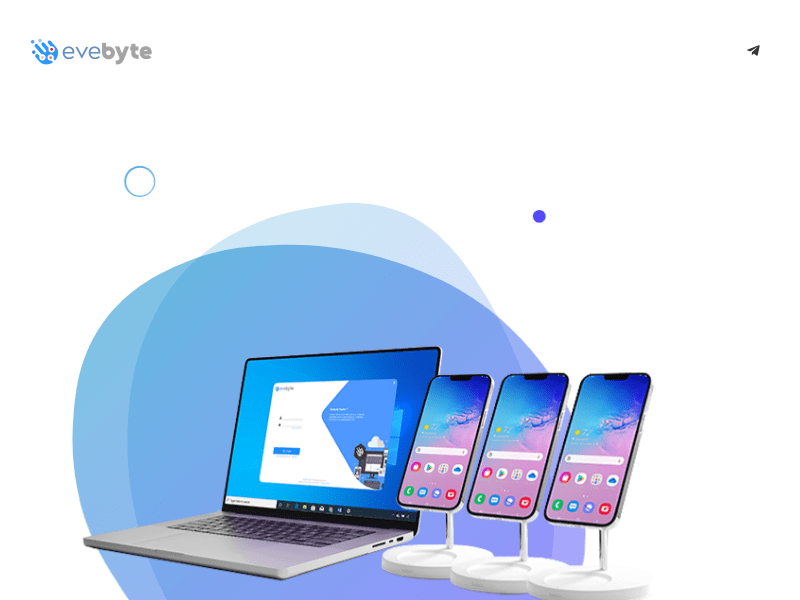
Screenshot archived from the listing page, for preview only.











