
EzEditor AI
Text prompt photo editor with free daily quotaEdit photos by describing the change you want
Highlights
What you can do with it
- A blogger changes clothes in a photo to a trending style
- A photographer shifts the sky to a pink sunset
- An e commerce seller adds decorative elements to product shots
How to use it
- 1 Open the EzEditor AI Magic Editor in your browser.
- 2 Upload a JPG or PNG image up to the size limit.
- 3 Type a clear prompt that describes the edit you want.
- 4 Use credits to generate variants and preview the results.
- 5 Pick your favorite version and download it.
Who it is for
Pros
- Free daily quota plus welcome credits on login
- No masking or professional skills required
- Works in the browser across devices
Limitations
- Free daily quota is limited and more needs payment
- Prompt wording changes results and may need retries
- Complex edits can look less natural than manual work
What EzEditor AI is
EzEditor AI Magic Editor is an AI image editing tool. It offers a free trial, a free daily quota, and a welcome reward of credits when you log in. The editor mixes generative AI with a simple text interface, so there is no need to mask areas by hand. You just describe the change you want, such as changing hair color to golden or adding a vase on a table, and the AI finds the target area and edits it. It can fill in missing parts, replace elements, expand images to new aspect ratios, convert styles, and remove objects, watermarks, or text. Because it runs in the browser, there is no heavy software to install and you can use it on any device.
What you can do with it
- Edit photos with plain text prompts, no manual masking.
- Use generative filling to add objects or complete missing areas.
- Replace elements, expand images, and convert styles.
- Remove objects, watermarks, and text in a few steps.
Who it is for
- Everyday users who want quick, simple photo edits.
- Photographers doing light post processing on the go.
- Designers and social media creators who need fast visuals.
What to watch out for
The free daily quota is limited, and heavier use needs paid credits. Results depend heavily on how you word the prompt, so unclear descriptions can lead to retries and wasted credits. Complex edits may still look less natural than careful manual work, and any important final image should be checked before you publish or sell it. Generated suggestions are for reference only, so verify anything that affects professional judgment or important data.
FAQ
Is there a free option?
Yes, there is a free daily credit quota and a welcome reward of credits when you log in.
Do I need to mask areas?
No, you describe the change in text and the AI detects the target area.
Do I need to install software?
No, it runs in the browser on any device.
Why it is free
What the official page says: free trial
Free limits, trial length and features are decided by the official site and can change at any time.
Product preview
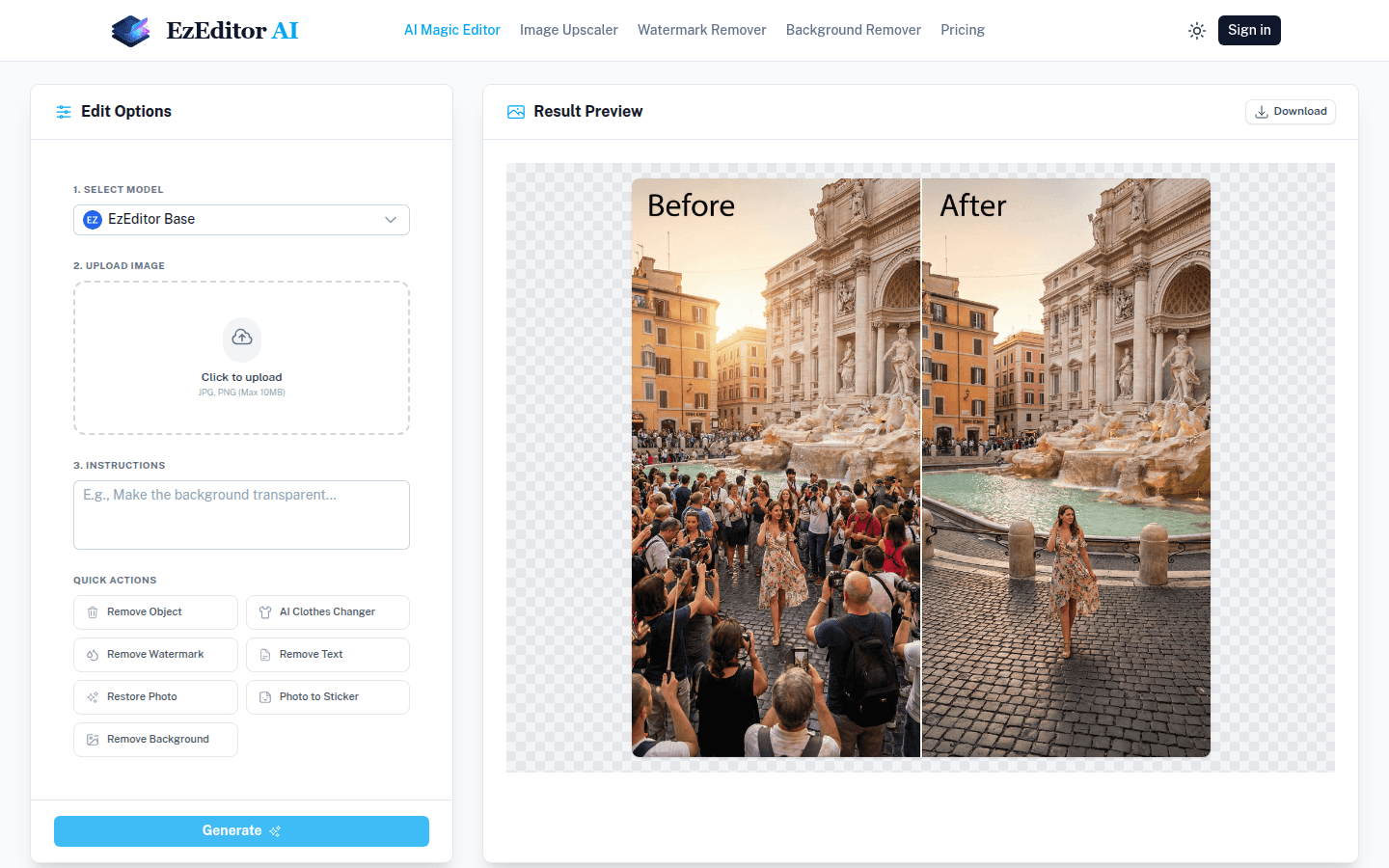
Screenshot archived from the listing page, for preview only.











