
FlipHTML5 AI Ebook Generator
Free online AI ebook maker with layout designTurn ideas or files into designed ebooks
Highlights
What you can do with it
- A writer turns novel notes into a designed ebook ready to publish
- A marketing team builds a product catalogue and brochure without a designer
- A teacher assembles a textbook or teaching guide with extra content
How to use it
- 1 Open the FlipHTML5 AI Ebook Generator site and register if needed
- 2 Select the ebook type, such as storybook, magazine, or catalogue
- 3 Enter a theme and content for AI layout, or upload an existing file
- 4 Preview, edit, then save, export, download, or share the book
Who it is for
Pros
- Free to use right now
- No design skills needed for a presentable result
- Handles both new content and files you already have
Limitations
- A paid premium version may be introduced later, so free access can change
- Output quality depends on the source material and how much you edit
- It runs in the browser, so a stable connection is needed
What FlipHTML5 AI Ebook Generator is
FlipHTML5 AI Ebook Generator is an online tool for building ebooks without a design tool. You pick a document type, either describe what the book should contain or upload a file you already have, and the AI produces a laid out result. Supported types include storybooks, magazines, catalogues, brand manuals, textbooks, novels, brochures, flyers, posters, booklets, and guides. A template library covers use cases such as nonprofit white papers and digital marketing ebooks, and there are separate generators for magazines, novels, photo albums, and recipes. It is currently free to use, and the description notes that a paid premium version may appear for more functions.
What you can do with it
- Create ebooks across many types, from novels and storybooks to catalogues and manuals.
- Let AI design the layout from a theme and content you type in.
- Upload an existing file and have it converted and typeset automatically.
- Start from a template when you want a proven structure.
Who it is for
- Individual creators who want a finished book without learning layout software.
- Corporate marketers who need catalogues and brochures on a deadline.
- Educators and trainers assembling textbooks, guides, and manuals.
- Anyone holding files that need professional typesetting before distribution.
What to watch out for
The current free status is not a permanent promise. The description says a paid premium version may appear, so features that are free today could move behind a paywall, and it is worth exporting anything important rather than leaving it only in the tool. AI layout works best when your content is already organised, so raw notes will need editing before the book reads well. Because everything runs in the browser, a slow connection makes large files painful. Finally, generated designs still need a human pass for spelling, order, and brand consistency before you publish or hand the file to a client.
FAQ
What kinds of ebooks can I make?
Storybooks, magazines, catalogues, brand manuals, textbooks, novels, brochures, flyers, posters, booklets, guides, and photo books.
Is it free?
It is currently available for free use. The description notes a paid premium version may appear for more functions.
Can I upload my own file?
Yes. You can upload an existing file and the tool will convert the format and typeset it.
Why it is free
What the official page says: for free
Free limits, trial length and features are decided by the official site and can change at any time.
Product preview
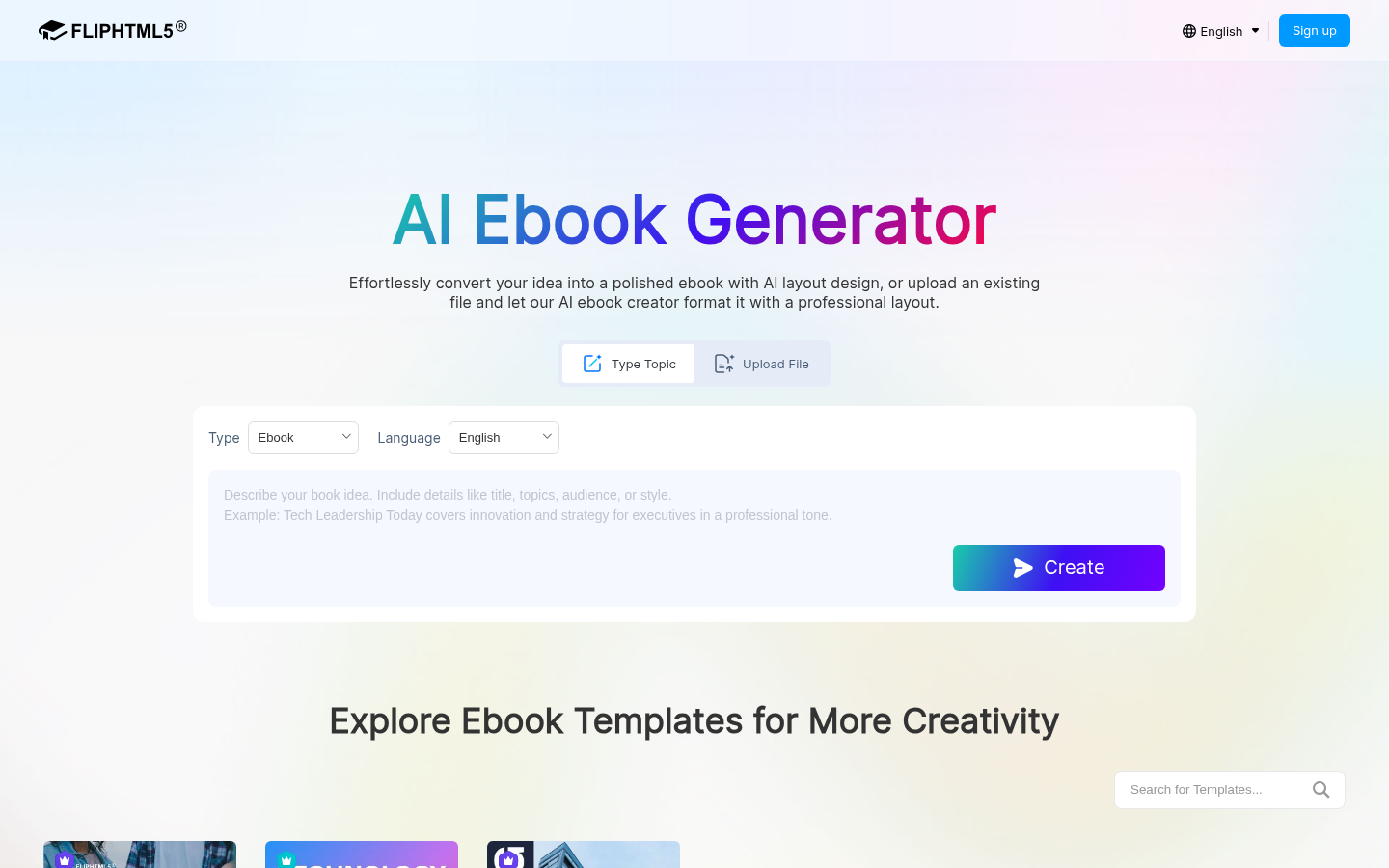
Screenshot archived from the listing page, for preview only.











