FlowMusic
Turn text prompts into royalty-free songsDescribe a song, get it with vocals
Highlights
What you can do with it
- A travel vlogger generates a relaxed folk bed for a destination video
- An advertiser builds an upbeat electronic track for a product spot
- A podcast producer creates a calm background loop for an episode
How to use it
- 1 Open flowmusic.co and pick a style, or mix two or more styles.
- 2 Paste your lyrics, or describe the song and let the model write them.
- 3 Choose male, female, or mixed vocals, or switch to instrumental only.
- 4 Adjust tempo, mood, and instruments, then preview the result.
- 5 Generate another version for alternatives, then download the MP3.
Who it is for
Pros
- No studio gear or music theory needed to get a finished track
- Output is described as royalty-free and usable commercially
- Style, vocal, tempo, and mood controls are all adjustable
Limitations
- Free tier limits and premium pricing are not spelled out in the listing
- AI vocals can sound uneven, especially in longer tracks
- Free rules may change, so check the site before you rely on it
What FlowMusic is
FlowMusic is a free AI music generator hosted at flowmusic.co. It takes a text prompt and returns a finished song with vocals, which you download as a watermark-free MP3. The site describes the product as a generative AI music platform built to lower the barrier of traditional music production, so people without music training can still create tracks. A free version is listed, and a paid premium plan adds more features. The output is described as royalty-free and usable for commercial purposes, which is the main reason it comes up for video and advertising work.
What you can do with it
- Write a short description and get a complete song, or paste your own lyrics and have the model sing them.
- Choose from 15 styles such as pop, lo-fi, electronic, and hip-hop, and blend styles for something less generic.
- Pick male, female, or mixed vocals, or drop the vocal entirely for an instrumental bed.
- Tune tempo, mood, and instrument configuration, then download watermark-free MP3.
Who it is for
- Video bloggers and podcast hosts who need original background music without a licensing headache.
- Advertisers and brand teams producing short spots and social assets on a deadline.
- Hobbyists and complete beginners who want to hear their own words sung back to them.
What to watch out for
The free version is a trial tier, not a permanent promise, and the listing does not say how many generations you get or what the premium plan costs. AI vocals are also uneven: pronunciation, breath, and phrasing can sound off in longer tracks, and you may need several takes before you get one you like. Complex genre blends tend to flatten into something generic, so simple prompts often work better. If the music is going into client or paid work, read the license terms on the site first and keep a copy of what you agreed to.
FAQ
Is FlowMusic free?
The listing mentions a free version alongside a paid premium plan that adds more features. Check the pricing page for current limits.
Can I use the songs commercially?
The description says the generated songs are royalty-free and can be used for commercial purposes. Read the license terms before client work.
Can I use my own lyrics?
Yes. You can paste your own lyrics and the model turns them into a sung track.
Why it is free
What the official page says: free version
Free limits, trial length and features are decided by the official site and can change at any time.
Product preview
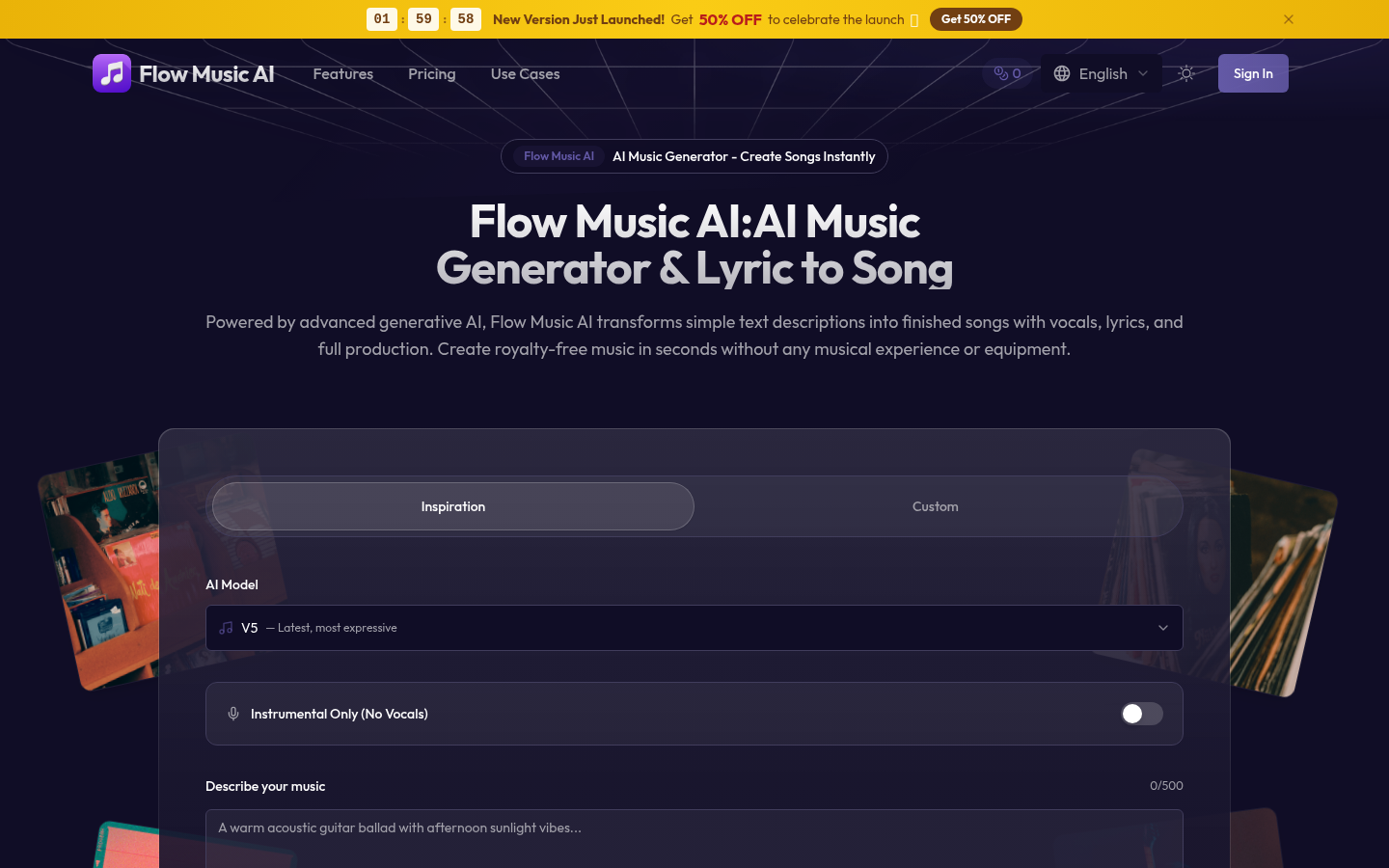
Screenshot archived from the listing page, for preview only.