
FreeMaker
Free AI photo editor driven by text promptsEdit photos by typing what you want changed
Highlights
What you can do with it
- E-commerce sellers clean product backgrounds and change colors
- Social media creators change backgrounds and add creative effects
- General users repair old photos and remove unwanted people
- Marketers build multiple versions of an ad visual quickly
How to use it
- 1 Open freemaker.net and upload a JPG, PNG or WebP file up to 10MB
- 2 Type your instruction, such as remove the background or change red to blue
- 3 Click Generate and wait a few seconds for the result
- 4 Preview, adjust the prompt and regenerate, then download the image
Who it is for
Pros
- Completely free with no registration and no hidden fees
- Text instructions make editing accessible without design skills
- Handles objects, backgrounds, text, styles and enhancement in one place
- Files are deleted automatically within 24 hours
Limitations
- Files are capped at 10MB and limited to JPG, PNG and WebP
- Complex prompts may need several attempts to look right
- Free status and features can change since there is no paid tier to fall back on
- AI blending can look unnatural on detailed edges or busy scenes
What FreeMaker is
FreeMaker is a free online AI photo editor. Instead of layers and masks, you type what you want changed and the AI does the editing. The site says it is completely free, needs no registration and has no hidden fees. It accepts JPG, PNG and WebP files up to 10MB, and typical edits finish in seconds. The tool handles object removal and replacement, background and scene swapping, adding or removing text, logos and watermarks, redrawing people into anime or 3D cartoon styles, enhancing blurry or old photos, and expanding image borders for wider compositions. Uploaded images are automatically deleted within 24 hours, which the site presents as a privacy protection measure for anyone editing personal pictures.
What you can do with it
- Remove unwanted people or objects and replace them with new elements
- Swap backgrounds for desert, indoor or city scenes, or change weather and lighting
- Add, replace or remove text, logos, subtitles and watermarks
- Redraw a person in a different artistic style while keeping their features
- Enhance blurry, old or low-resolution photos and expand the canvas
Who it is for
- E-commerce sellers who need clean product images quickly
- Social media creators making creative effects and personalized material
- Designers who want fast concept art and style tests
- General users repairing old photos, removing objects or beautifying portraits
What to watch out for
The 10MB file limit and the JPG, PNG and WebP restriction rule out larger or more exotic formats. Text-prompt editing is fast but imprecise: complicated requests often need a few tries before the framing, lighting and edges look right, and busy scenes are harder to blend than simple ones. Because the service is free rather than paid, its rules, limits and availability can change at any time, so do not build a critical workflow on it alone. Images disappear after 24 hours, so download anything you want to keep straight away. As with any AI editor, make sure you have the rights to modify and publish the photos you upload, especially for commercial listings.
FAQ
Is FreeMaker really free?
The site describes it as completely free with no hidden fees and no registration required.
What files can I upload?
JPG, PNG and WebP files up to 10MB.
How long are my images stored?
Uploaded images are automatically deleted within 24 hours.
What kind of edits can I ask for?
Object removal, background changes, text and watermark edits, style redrawing, enhancement and image expansion.
Why it is free
What the official page says: completely free
Free limits, trial length and features are decided by the official site and can change at any time.
Product preview
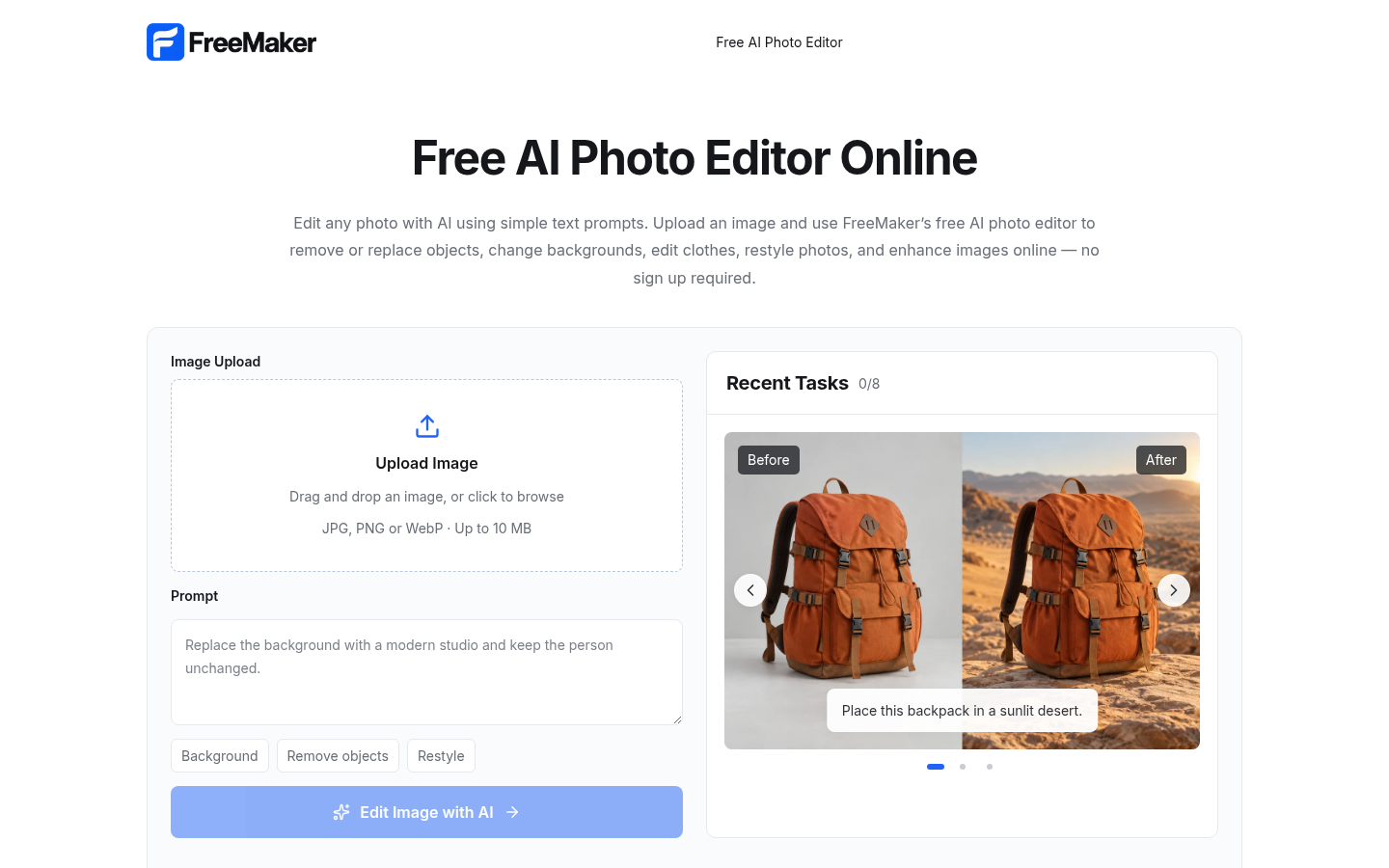
Screenshot archived from the listing page, for preview only.











