
Gemini Omini Video
AI video generatorTurn text or images into short videos
Highlights
What you can do with it
- A social media manager generates short vertical clips to boost engagement.
- An ad company produces styled ad videos for different clients.
- An educator creates explanation videos for students.
How to use it
- 1 Open the Gemini Omini Video website.
- 2 Choose text-to-video or image-to-video and add your input.
- 3 Set the style, resolution, duration, and format.
- 4 Click Generate Video and wait for the clip.
- 5 Preview the result, then download or share it.
Who it is for
Pros
- Two input modes cover both prompts and reference images.
- Flexible formats and durations suit many platforms.
- A free package gives 5 credits per day to test the tool.
Limitations
- The free 5 daily credits and paid package terms may change over time.
- The service is very new, so stability and features may still shift.
- Short clip lengths cap how much story you can tell per generation.
What Gemini Omini Video is
Gemini Omini Video is an AI video generator that works from text or reference images. You can describe a scene in natural language and let the system build a short clip with motion, lighting, and visual detail, or you can upload an image and describe how it should move. The tool offers several styles, from cinematic and anime to realistic and minimalist, and it can output horizontal, vertical, or square video for platforms like YouTube, TikTok, and Instagram. A free package provides 5 credits per day, and paid packages add more credits, higher resolution, and extra support.
What you can do with it
- Turn a written scene into a short video with text-to-video.
- Animate a reference image with image-to-video.
- Pick a style such as cinematic, anime, realistic, or minimalist.
- Choose format and set resolution from 480p to 1080p and duration of 4s, 8s, or 12s.
Who it is for
- Video creators who need fast social clips for TikTok, Instagram, or YouTube.
- Marketers who produce ads, product videos, and campaign content.
- Educators who turn lessons into short explanation videos.
- Game developers who want quick trailers and visual teasers.
What to watch out for
Clips are short, capped at 4s, 8s, or 12s, so you cannot tell a long story in a single generation and will need to stitch segments together in an editor. The service is very new, which means features, pricing, and stability may still change as it develops and grows. The free package gives only 5 credits per day, and both the free credits and the paid package terms may change over time, so check current limits before you plan a large batch of videos around it. Preview each clip before you publish, since AI motion can look slightly off on complex subjects.
FAQ
What inputs does it accept?
It supports text-to-video and image-to-video, so you can type a scene or upload a reference image.
What resolutions and lengths are available?
You can choose 480p, 720p, or 1080p, and clips of 4s, 8s, or 12s.
Is there a free option?
Yes. The free package provides 5 credits per day, with paid packages for more.
Why it is free
What the official page says: 免费免费套餐
Free limits, trial length and features are decided by the official site and can change at any time.
Product preview
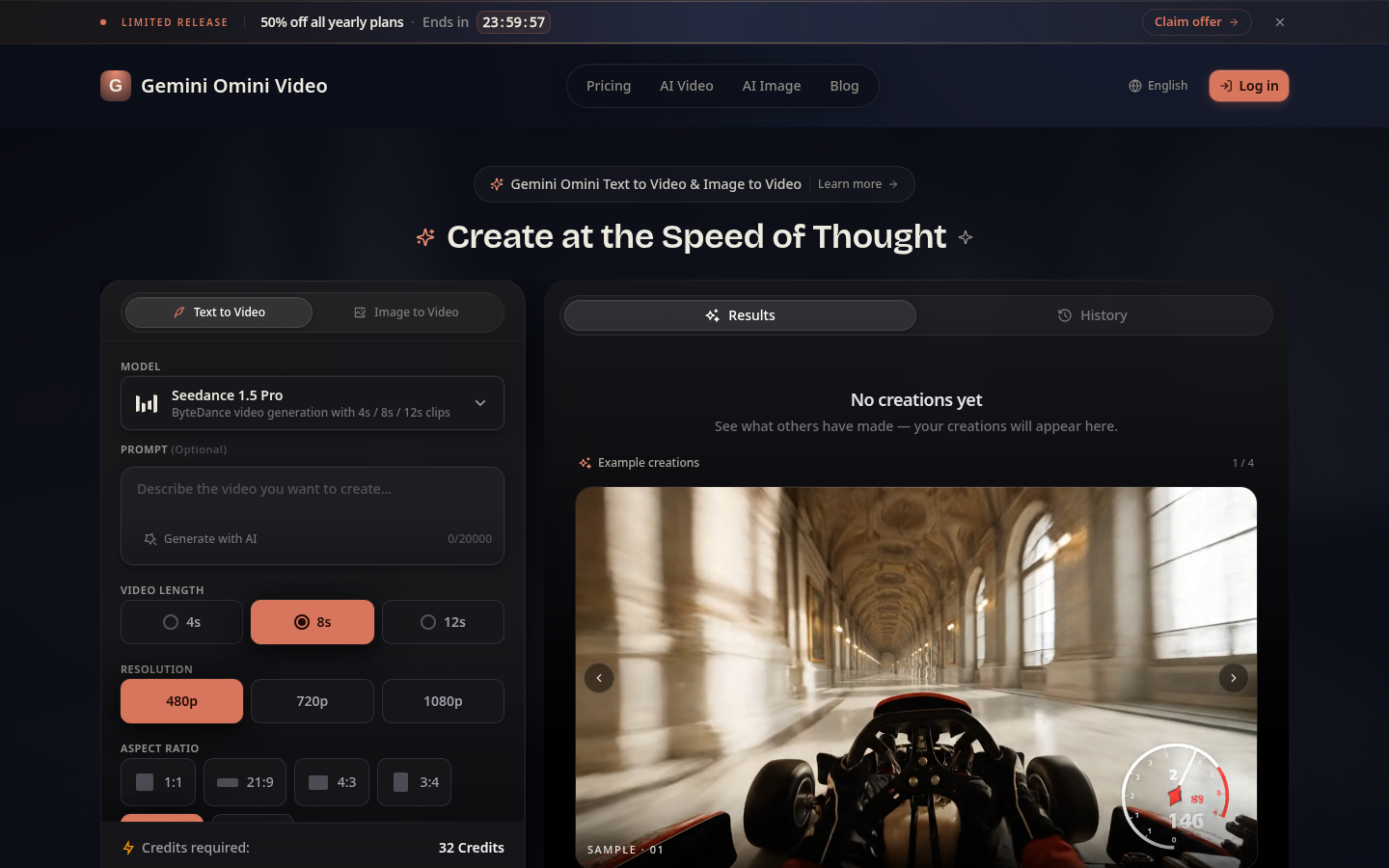
Screenshot archived from the listing page, for preview only.











