
GenMix AI
All in one AI video, image, and voice studio30 plus models for video, image, and voice
Highlights
What you can do with it
- A marketer generates a promotional video for a product launch and a social post.
- A content creator builds a short clip with generated images and a matching voiceover.
- A team produces launch material for a new product to raise its visibility.
How to use it
- 1 Register and sign in at genmix.ai.
- 2 Pick the function you need, such as AI video, AI image, or AI voice.
- 3 Describe in plain language what you want to create.
- 4 Choose a model and set quality, resolution, and duration.
- 5 Click generate, wait for the job to finish, then download or use the result.
Who it is for
Pros
- Video, image, and voice sit in one workspace with one credit balance.
- Model choice is wide, with names such as Sora 2, Kling 2.6, and Veo 3.1 available.
- The site states generated content can be used commercially without extra authorisation fees.
Limitations
- Credits are charged by model, quality, and complexity, so long high resolution jobs cost far more than drafts.
- Free credits for new users are a one off introduction rather than a monthly allowance.
- The commercial use claim is the site's own, so read the current terms and check output before client work.
What GenMix AI is
GenMix AI is an all in one content platform that brings more than 30 models for video, image, and voice generation into one place. You describe what you want in plain language, pick a model, adjust quality, resolution, and duration, and the platform returns the asset. Video generation covers text to video, image to video, and video to video. Image generation works from text or reference images across 14 models and can output 4K. Voice generation turns text into natural speech in multiple styles and languages. New users get a free quota after registration, usage runs on a unified credit system, and the site states generated content can be used commercially without extra authorisation fees.
What you can do with it
- Turn a written idea into a video, or give an existing image or clip new motion.
- Generate 4K images from text or reference images across 14 models.
- Add a voiceover in different styles and languages to a video or presentation.
- Watch generation progress in real time while you work on something else.
Who it is for
- Marketers who need promotional video and images on a deadline.
- Content creators building short form video with voiceover.
- Teams that want several model options from one account and one credit balance.
What to watch out for
Credits are charged by model, quality, and complexity, so a long high resolution video costs far more than a quick draft, and the meter is easy to lose track of. Free credits for new users are a one time introduction, not an ongoing allowance. The commercial use statement is the site's own claim, so read the current terms before you publish client work, and remember that model output can resemble existing material. Quality varies by model and prompt, so plan on generating several versions and editing the one that comes closest.
FAQ
What can GenMix AI generate?
Video from text, images, or other video, images from text or references up to 4K, and voice from text.
Do new users get anything free?
Yes. The site says new users receive a free quota after registration.
How does billing work?
Through a unified credit system, charged by model, quality, and content complexity.
Why it is free
What the official page says: 免费额度免费
Free limits, trial length and features are decided by the official site and can change at any time.
Product preview
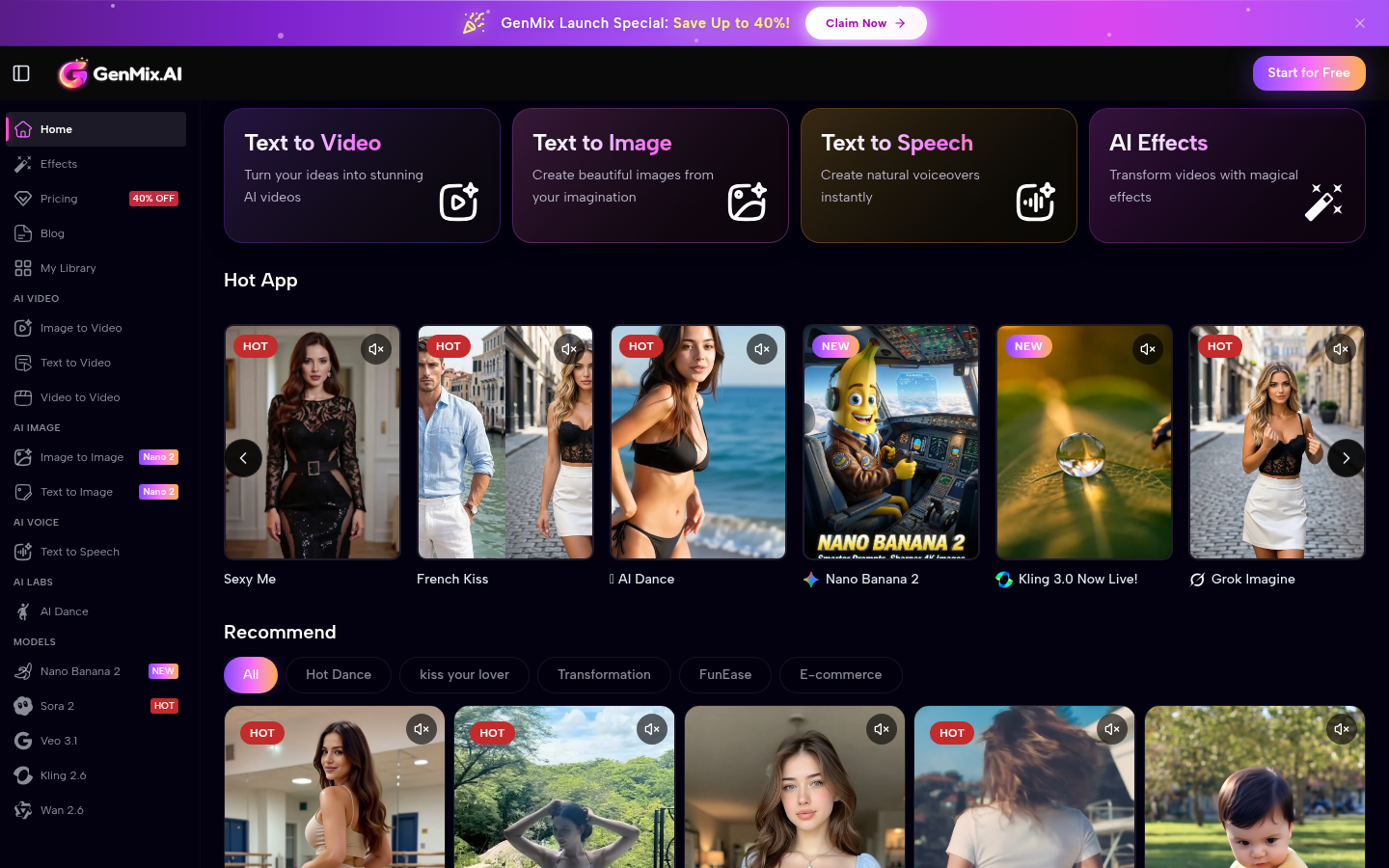
Screenshot archived from the listing page, for preview only.











