
GistReader
AI reader that summarizes articles and turns them into podcasts.Read more in less time with AI summaries and audio versions.
Highlights
What you can do with it
- Skim long articles and news for the main points quickly
- Listen to saved articles as a podcast while commuting
- Keep a clean reading list synced across all your devices
How to use it
- 1 Open GistReader and start a free trial
- 2 Add an article, blog, or news link you want to read
- 3 Read the AI summary or open the full text
- 4 Switch to podcast mode to listen instead
- 5 Pick up on any device since content syncs automatically
Who it is for
Pros
- Fast summaries cut reading time on long pieces
- Podcast mode adds an audio option for any article
- Cross-device sync keeps your reading list together
Limitations
- A free trial is offered, but ongoing use needs a paid plan and pricing can change
- Summaries may miss nuance, so check the source for important details
- Podcast and sync features depend on the service staying available
What GistReader is
GistReader is an AI-powered web reader that turns blogs, news pages, and articles into clean, easy-to-read summaries. Each piece is summarized automatically so you can pull out the key points in seconds instead of reading every word. If you want the full context, you can still open the complete article. A standout feature is podcast mode, which converts an article into a personalized audio version so you can listen while you do other things. Your content and preferences sync across phone, tablet, laptop, and desktop, and a free trial is offered alongside paid plans.
What you can do with it
- Turn long articles into short, clear summaries
- Read in a clean view without ads and clutter
- Convert any saved article into a podcast to listen on the go
- Keep your reading list in sync across every device
Who it is for
GistReader suits busy readers who want the gist of an article without the full length. Commuters and multitaskers who prefer listening can turn saved pieces into podcasts and use travel time well. People who collect articles across a phone, tablet, and laptop benefit from automatic sync that keeps everything in one place. Anyone who feels overwhelmed by a long reading list will find the summaries help them triage what to read fully.
What to watch out for
GistReader provides a free trial, but ongoing use depends on a paid subscription, and plan pricing can change, so check current terms before committing. Because summaries are automated, they can miss nuance or detail, so read the original source before quoting or acting on important points. The podcast and sync features rely on the service staying online, so a lapsed subscription means losing access to saved material. Audio quality also depends on the text-to-speech used, which may not suit every listener.
FAQ
Is GistReader free?
It offers a free trial. Continued use relies on a paid subscription plan, and pricing can change.
Can I listen to articles?
Yes. GistReader can turn an article into a personalized podcast so you can listen anytime.
Does it work on my phone?
Yes. It supports phone, tablet, laptop, and desktop, and syncs your content across them.
Why it is free
What the official page says: free trial
Free limits, trial length and features are decided by the official site and can change at any time.
Product preview
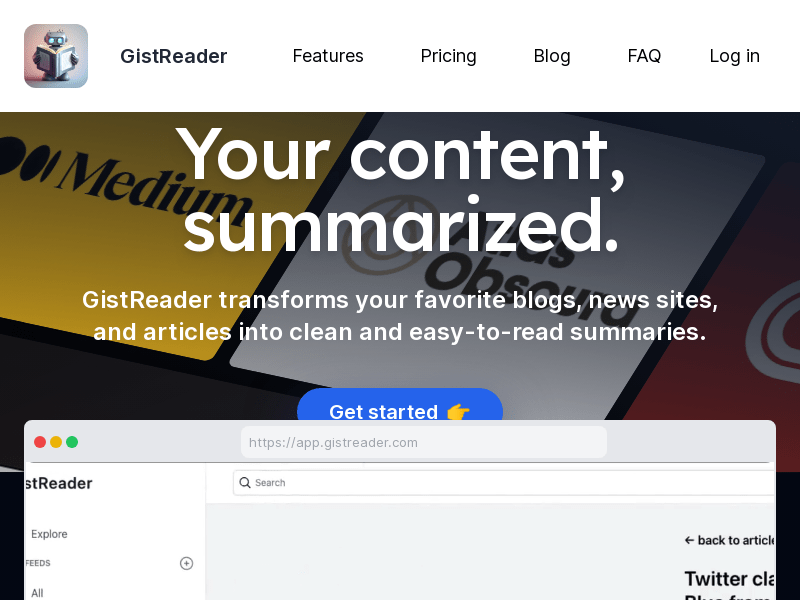
Screenshot archived from the listing page, for preview only.











