
GitSeek
Pull complete code files from any repoExtract real code, paste it into your AI tool
Highlights
What you can do with it
- Finding authentication code across login, registration, and permissions
- Locating a payment integration such as Stripe in an unfamiliar repo
- Understanding React state management and data flow quickly
How to use it
- 1 Open gitseek.dev.
- 2 Paste the repository URL and describe the code you need.
- 3 Click extract and let GitSeek analyze the repository.
- 4 Review the results and select the files you want.
- 5 Copy them into your AI tool and continue analysis there.
Who it is for
Pros
- Free version has full functionality, just with usage limits
- Complete files beat stitched-together snippets
- Architecture visualization speeds up onboarding
Limitations
- Free version has usage frequency limits
- Private repository access means handling GitHub tokens, so be careful
- Extraction accuracy depends on the model behind it
- It finds code, it does not explain whether that code is good
What GitSeek is
GitSeek is a code extraction tool built for the moment when you need real code from a repository and you need it fast. Traditional approaches leave you stitching together snippets and missing files, so GitSeek takes a natural language description instead: you say you need the authentication code, and it locates the complete files that cover it. From there the copy step is the point, because the output is formatted so you can paste it directly into AI tools such as Claude or Cursor and continue analyzing, optimizing, or integrating. It also builds directory trees and architecture diagrams so you understand the shape of the project, not just one function. Private repositories are supported through GitHub token handling, and there are API and MCP options for automation. The free version is fully functional with usage limits, and Pro adds stronger models and higher volume.
What you can do with it
- Describe the code you need and get complete files back
- Copy formatted code into Claude, Cursor, or similar tools in one click
- View directory trees and architecture diagrams for the repo
- Connect private repositories with a GitHub token
- Automate extraction through the API or an MCP server
Who it is for
- Developers onboarding to an unfamiliar codebase
- Teams reusing existing code rather than rewriting it
- Anyone who feeds real repository code into an AI assistant
What to watch out for
The free version has usage frequency limits, so heavy use pushes you toward Pro. Private repository access means dealing with GitHub tokens, and a token is effectively a key to that code, so review the permissions you grant and revoke anything you no longer need. Extraction accuracy depends on the model behind it, and a confident answer can still point at the wrong file, so verify what you get before you build on it. Finally, GitSeek finds code, it does not judge it: whether the extracted code is secure, maintained, or a good fit for your project is still your call, and old code in a repository is often there for a reason.
FAQ
What is free and what is not?
The free version is described as fully functional with usage frequency limits. Pro adds more powerful AI models and higher limits.
Which AI tools does it work with?
It formats and copies code for tools such as Claude and Cursor, and offers API and MCP integration for automation.
Does it support private repositories?
Yes. It handles GitHub tokens to access private repositories, so treat credential handling seriously and review permissions before you connect anything.
How is this different from searching manually?
You describe what you need in plain language and get complete, relevant files plus an architecture view, instead of grepping and assembling fragments yourself.
Why it is free
What the official page says: free version
Free limits, trial length and features are decided by the official site and can change at any time.
Product preview
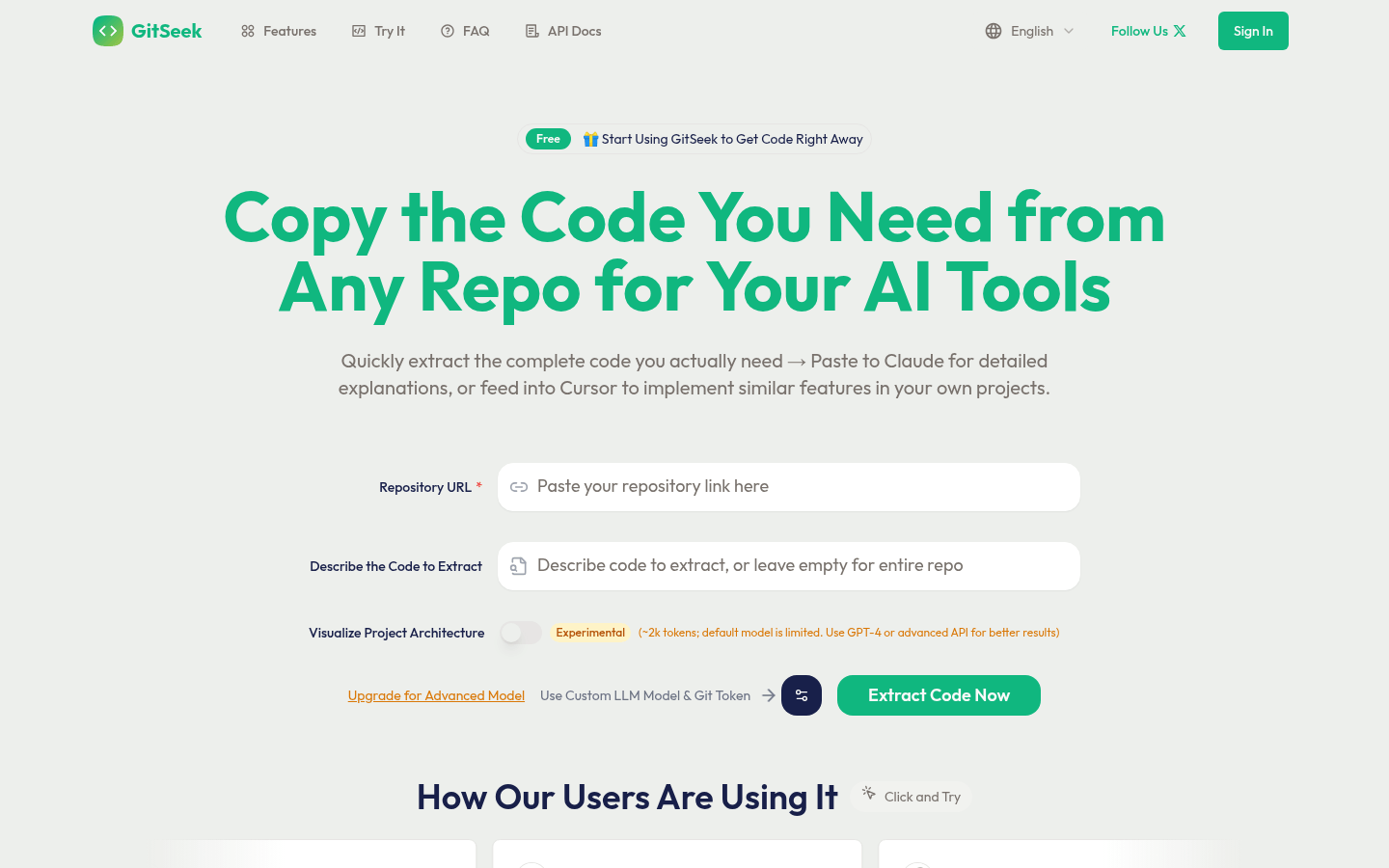
Screenshot archived from the listing page, for preview only.











