Harken
Tool that recovers removed songs from Spotify playlistsFind lost playlist songs and track daily changes on Spotify
Highlights
What you can do with it
- Listeners who want a removed favorite song back
- Curators monitoring how their playlists change over time
- Anyone keeping an eye on collaborative playlist edits
How to use it
- 1 Open Harken and connect your Spotify account
- 2 Add the playlists you want to track
- 3 Let Harken record daily changes
- 4 Use restoration to recover removed songs
- 5 Review playlist analysis as needed
Who it is for
Pros
- Free version tracks up to three playlists
- Helps recover songs you thought were gone
- Daily reports keep you aware of changes
Limitations
- Free tier is limited to three playlists and premium pricing may change
- Depends on Spotify access and its API rules
- Restoration may not work if a song is fully unavailable
What Harken is
Harken is a tool built to recover lost songs on Spotify. If a track you loved has disappeared from one of your playlists, Harken can help you find it again. The service offers playlist restoration, daily change reports, and playlist analysis, so you can see what was added or removed over time. The free version lets you track up to three playlists, while the premium version offers unlimited tracking for a yearly fee. It is designed for listeners and curators who want to keep their playlists stable and know when something changes.
What you can do with it
- Recover songs that were removed from your playlists
- Track daily changes across your Spotify playlists
- Analyze playlist activity over time
- Monitor up to three playlists on the free plan
Who it is for
- Spotify listeners who want removed songs back
- Playlist curators who track how their lists evolve
- Anyone who shares collaborative playlists and wants a record of edits
What to watch out for
The free plan is capped at three playlists, and the premium price can change, so check current terms. Harken depends on Spotify access and its API rules, so changes on Spotify's side can affect what the tool can track or restore. If a song has been removed from Spotify entirely, restoration may not be possible. Treat the daily reports as a helpful log rather than a guarantee of recovery. Behavior may vary across browsers and devices, so test before production use and consult the help docs if errors appear. Features and interface details may change between versions, so review the latest notes on the page before you start.
FAQ
What does Harken do?
It helps you recover songs that were removed from your Spotify playlists.
Is there a free version?
Yes, the free version allows tracking of three playlists, with premium for unlimited tracking.
Does it report playlist changes?
Yes, it provides daily change reports and playlist analysis.
Why it is free
What the official page says: free version
Free limits, trial length and features are decided by the official site and can change at any time.
Product preview
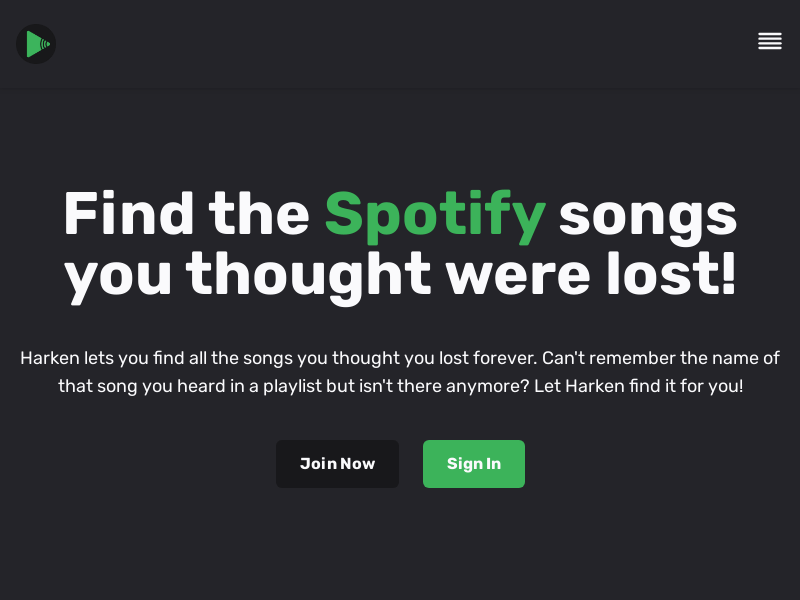
Screenshot archived from the listing page, for preview only.