HiMusic
Unlimited free AI music generatorGenerate music in seconds, no login needed
Highlights
What you can do with it
- Creators needing background music for videos
- Hobbyists experimenting with styles and instruments
- Anyone who wants a quick original track
How to use it
- 1 Open himusic.io in your browser
- 2 Set parameters such as instruments and lyrics
- 3 Generate the track
- 4 Listen, adjust, and regenerate until it fits
Who it is for
Pros
- Free and unlimited generation
- No login required to start
- Simple interface with adjustable parameters
Limitations
- Free access and unlimited use can change
- Output quality varies with the parameters you pick
- Control is limited compared to a full DAW
What HiMusic is
HiMusic is a free AI music generator built on Magenta RT technology. It compresses music creation into seconds: open the site, set a few parameters, and a track comes back. There is no login wall, and generation is described as unlimited, so you can iterate freely instead of counting credits. The interface is deliberately simple, which makes it usable by people with no musical training, while the output aims for professional grade quality.
What you can do with it
- Generate music tracks in seconds without an account
- Adjust instruments, lyrics, and other parameters to shape the style
- Iterate quickly with unlimited generation
- Save time and cost compared to traditional production
Who it is for
- Content creators who need background music fast
- Hobbyists experimenting with sound and style
- Anyone curious about AI generated music without a learning curve
What to watch out for
Free and unlimited is the current promise, but access terms and limits can change, so check the site before you build a workflow around it. Control is limited compared with a full production tool, so fine editing and mixing still happen elsewhere. Quality depends on the parameters you choose, so expect some experimentation, and treat generated tracks as starting points if you plan to use them commercially. When quality matters, export a small draft first to confirm the result before producing the final file. Generated suggestions are for reference only, so verify anything that affects professional judgment or important data. Run one full task end to end first, then expand once you are comfortable with the workflow and the result quality. Behavior may vary across browsers and devices, so test before production use and consult the help docs if errors appear.
FAQ
Is HiMusic really free?
Yes. It is offered as a free AI music generator with unlimited generation.
Do I need an account?
No. Users can generate music without logging in.
Can I control the style?
Yes. Parameters such as instruments and lyrics can be adjusted.
Why it is free
What the official page says: 免费
Free limits, trial length and features are decided by the official site and can change at any time.
Product preview
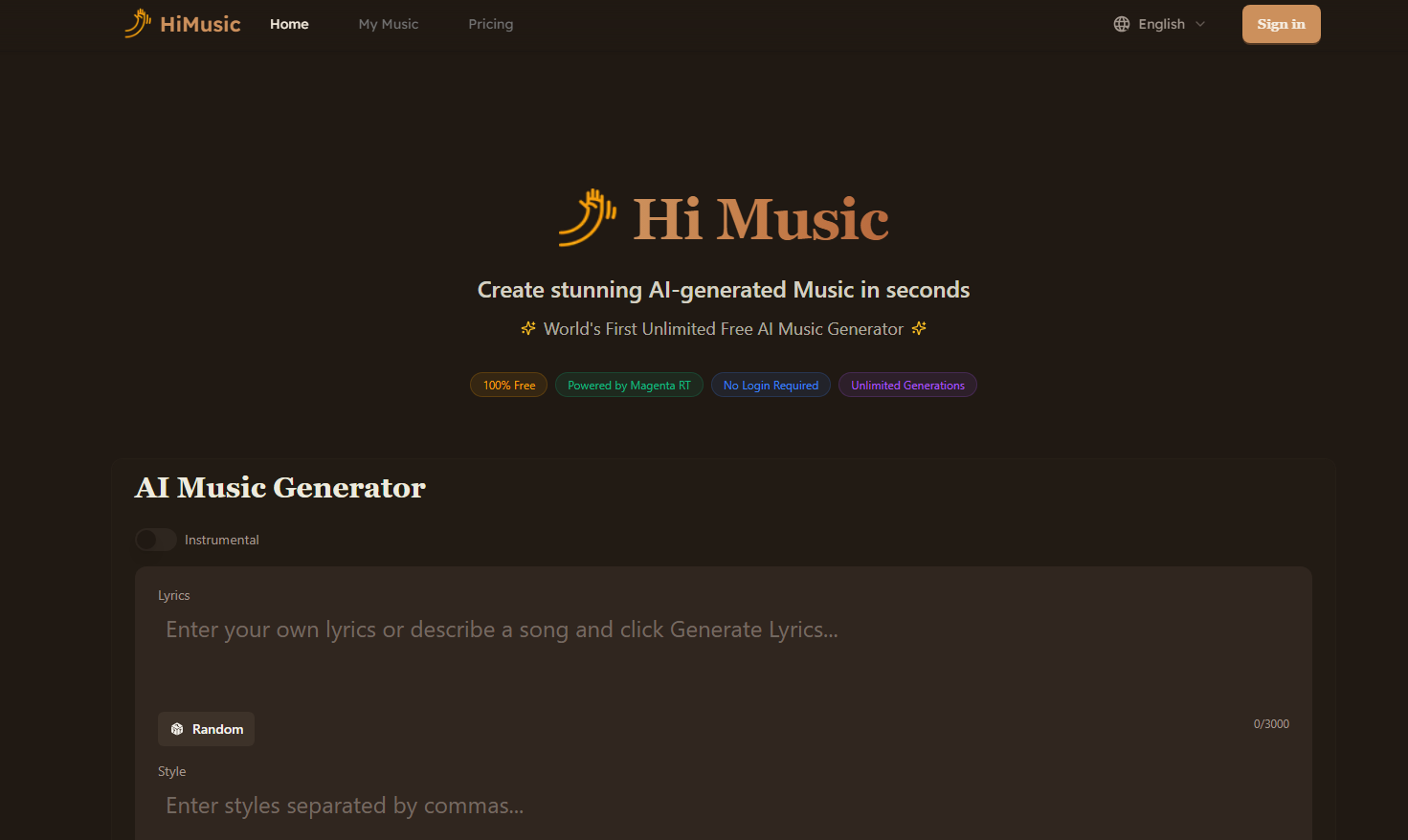
Screenshot archived from the listing page, for preview only.