
HumanTone
Free tool that makes AI text read like human writingTurn AI-generated text into natural writing with six modes
Highlights
What you can do with it
- A writer turns a rough AI draft into smoother, more natural prose before editing it further.
- A blogger rewrites an AI post in creative mode to add a more personal voice.
- A professional tightens an AI business report into a cleaner, more formal style.
How to use it
- 1 Copy text from an AI tool and paste it into the HumanTone input box.
- 2 Pick one of the six modes: standard, academic, casual, professional, creative, or simple.
- 3 Click the humanize button and watch the rewrite stream in real time.
- 4 Review the output and adjust it yourself before you use it.
Who it is for
Pros
- Free version works with no registration or credit card
- Six modes cover academic, casual, professional, and creative tones
- Real-time streaming output as the text is rewritten
Limitations
- Using it to bypass AI detection may break school or platform rules, and the consequences fall on you
- Free use is limited to one run per day and 500 words
- Rewriting can still shift phrasing, so you should verify facts and meaning yourself
What HumanTone is
HumanTone is a browser-based AI text humanization tool. It takes text produced by mainstream AI models such as ChatGPT, Claude, Gemini, and Copilot and rewrites it into a more natural human writing style. The tool offers six modes, including standard, academic, casual, professional, creative, and simple, so you can match the tone to your context. It claims zero meaning drift, meaning it adjusts tone, sentence structure, and word choice while keeping the substance intact, and output streams in real time. For access, the free version works without registration or a credit card and gives one free use per day up to 500 words, while free accounts get more uses. Note that the tool also advertises the ability to bypass AI detection, which is a use that carries real risk and is not something to rely on.
What you can do with it
- Rewrite AI-generated text into a more natural human style
- Choose from six modes to match academic, casual, professional, or creative tones
- Watch the rewrite appear in real time as it processes
Who it is for
- Writers who want AI drafts to read more smoothly
- Content creators who need a more personal voice
- Professionals polishing AI-assisted reports and documents
What to watch out for
The biggest caution is the marketing around bypassing AI detection. Trying to pass AI-written text off as your own human work can violate school or platform rules, and any consequences are entirely your responsibility, so do not treat the tool as a way to beat those checks. Even setting that aside, the free version is limited to one run per day and 500 words, and any rewriting can still shift phrasing, so you should read the output and verify the facts and meaning yourself rather than trusting it blindly. Because it runs in the browser and depends on upstream AI models, availability and the free rules can change, and it is wise to keep your own copy of the original text before you humanize it.
FAQ
Is HumanTone free?
The free version is free to use without registration or a credit card, with one free run per day up to 500 words.
Which AI tools can it humanize?
It works on text from mainstream models such as ChatGPT, Claude, Gemini, and Copilot.
Is it safe to use to bypass AI detection?
No. Trying to pass AI text off as human can violate school or platform rules, and any consequences are your responsibility. Use it to improve readability and then edit the work yourself.
Why it is free
What the official page says: free versionfree account
Free limits, trial length and features are decided by the official site and can change at any time.
Product preview
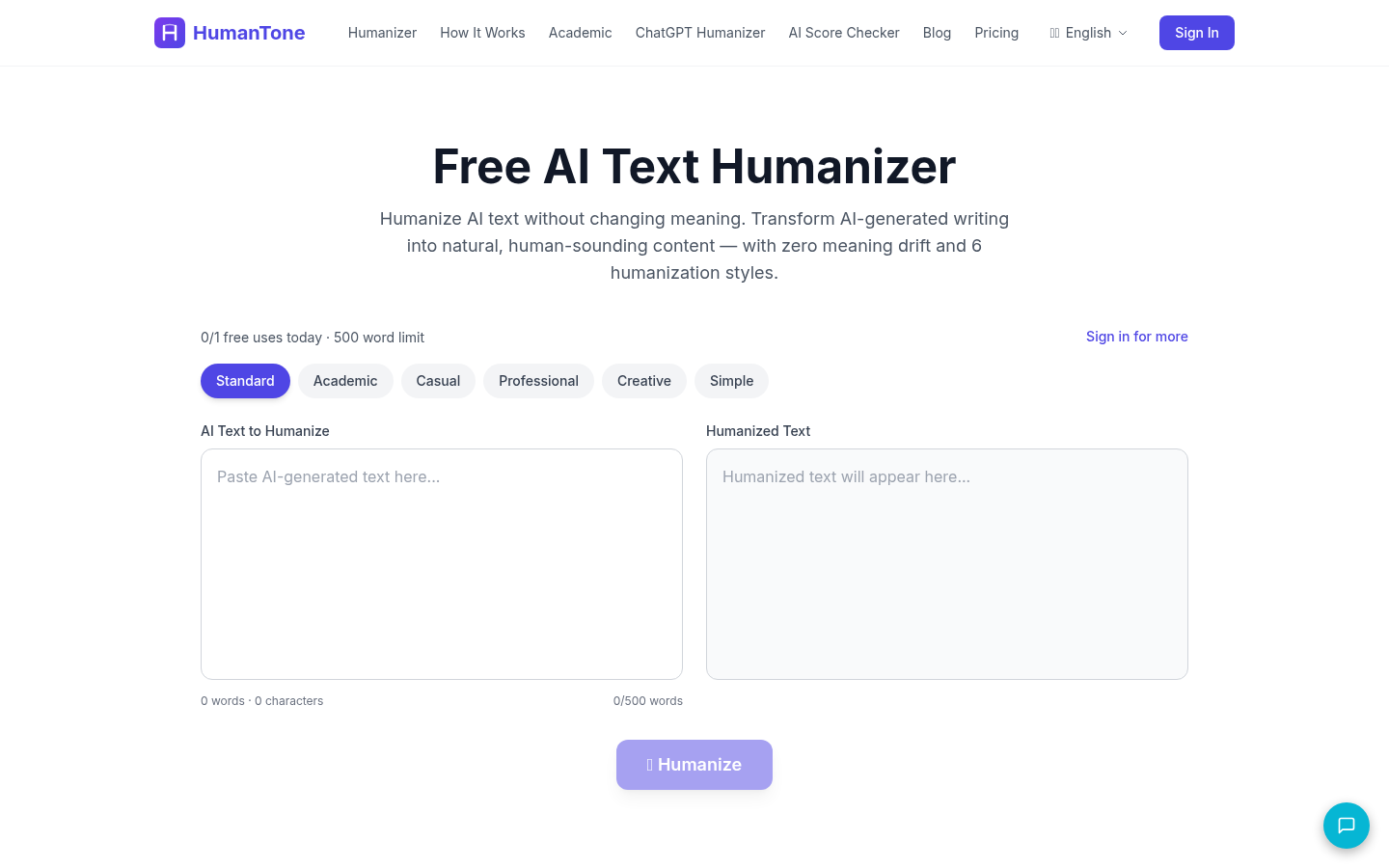
Screenshot archived from the listing page, for preview only.











