Image Outliner
Free online image outline converterPhotos into clean outlines and templates
Highlights
What you can do with it
- Designers turn product photos into outlines for brochures and packaging
- Craft makers generate printable templates and tattoo references
- Teachers create coloring pages and line drawings for classroom use
How to use it
- 1 Open the Image Outliner website in your browser
- 2 Upload a JPG, PNG, or WebP image by dragging or pasting it
- 3 Choose an output style and adjust the outline settings
- 4 Turn on transparent output if you need it, then download the PNG
Who it is for
Pros
- Free local conversion with PNG export and no watermark
- Works without registration for basic output
- Plenty of styles and settings to tune the result
Limitations
- Advanced features such as AI enhancement need credits from a paid plan
- Free credit amounts and limits may change over time
- Better for outline conversion than full photo editing
What Image Outliner is
Image Outliner is an online tool that turns photos, PNG images, and drawings into clear outlines, edge maps, printable templates, sticker-style strokes, and line drawings. The conversion happens locally in your browser, which keeps the workflow fast and lets you export PNG files without registering. There is no watermark on the output. You can upload JPG, PNG, or WebP files, then adjust settings such as outline width, smoothness, edge threshold, and color, and switch on a transparent background when you need it. The basic local tool is free. After logging in, 12 free credits unlock an AI enhancement option for sharper templates and tattoo references, while more advanced batch features sit behind paid credits. It suits designers, craft makers, and teachers alike.
What you can do with it
- Turn an ordinary photo into a clean outline or edge map in seconds.
- Generate printable templates, sticker outlines, and Cricut cutting lines.
- Fine-tune the width, smoothness, threshold, and color of the lines.
- Export a transparent PNG straight from the browser without signing up.
Who it is for
- Graphic and product designers who need line art for brochures and packaging.
- Craft users such as Cricut makers, sticker creators, and tattoo artists.
- Teachers who build coloring pages and classroom visuals from pictures.
What to watch out for
The free local converter covers everyday needs, but the more advanced tools such as AI enhancement rely on credits that come from a paid plan, and those credit rules can change. If your project needs batch SVG or PDF output, expect to pay for it. The tool is also narrow by design: it converts images into outlines rather than offering full photo editing, so tasks like color grading, layering, or retouching need other software. Results still depend on the source image, so a blurry or low-contrast photo will produce a weaker outline, and very detailed artwork may lose fine lines.
FAQ
Do I need an account to use it?
No. The local tool lets you preview and export PNG files without registering. An account is only needed for AI enhancement.
What file types can I upload?
You can upload JPG, PNG, and WebP images. PNG files with a transparent background work well for sticker outlines.
What can I make with it?
Clean outlines, edge maps, printable templates, sticker strokes, thin lines, and Cricut cutting files for design and craft projects.
Why it is free
What the official page says: for freefree version
Free limits, trial length and features are decided by the official site and can change at any time.
Product preview
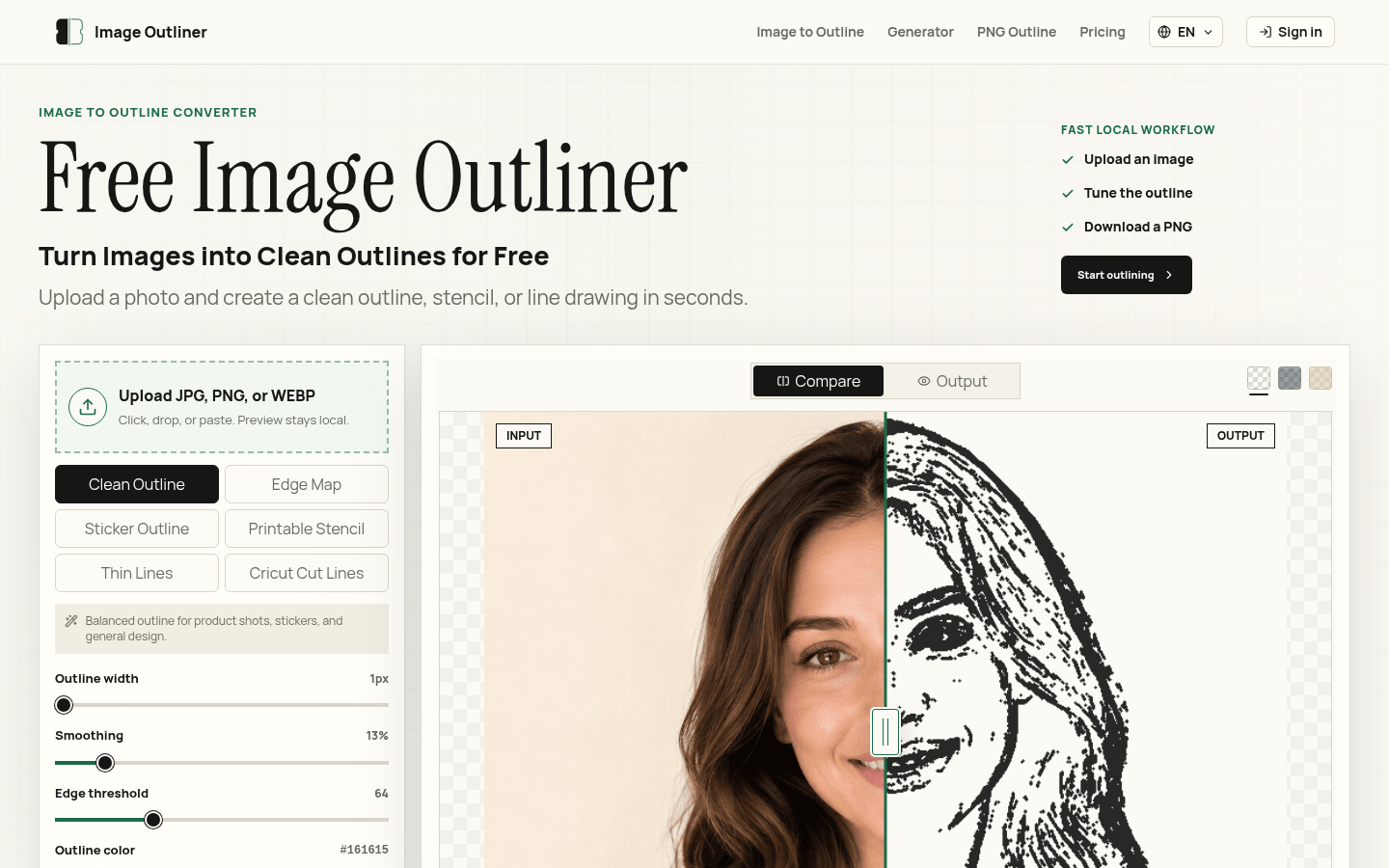
Screenshot archived from the listing page, for preview only.











