
Image Upscaler AI
Free AI image upscalerEnlarge images and boost clarity with AI.
Highlights
What you can do with it
- Enlarge photos for high-quality printing.
- Sharpen design assets that need more resolution.
- Upscale artwork for display or reproduction.
How to use it
- 1 Upload the image you want to enlarge.
- 2 Let the AI process and raise the resolution.
- 3 Download the enlarged, clearer result.
Who it is for
Pros
- Free to use for enlarging images.
- Easy: just upload to get results.
- Improves clarity and detail for many uses.
Limitations
- Free terms may change over time.
- AI upscaling cannot invent detail that is not there.
- Results vary with the quality of the source image.
What Image Upscaler AI is
Image Upscaler AI is a free image enlargement tool. It uses artificial intelligence, advanced algorithms, and deep learning models to raise the resolution and detail of an image, making it clearer and more refined. The workflow is simple: you upload the image you want to enlarge and receive the enlarged result, with no heavy software to install or complex settings to learn. The tool is meant for a range of scenarios, including photography, design, printing, and art, and it aims to help users lift image quality, refine visual effects, and give their work a more professional finish.
What you can do with it
- Enlarge an image using AI instead of manual resizing.
- Increase the resolution and recover finer detail.
- Improve overall clarity and the level of detail in a picture.
- Prepare images for photography, design, printing, or art projects at a larger size.
- Save the enlarged file in a format your printer or editor accepts.
Who it is for
- Photographers who need larger, cleaner files from existing shots.
- Designers working with low-resolution assets that must look sharp.
- Artists preparing work for print or display at a bigger size.
What to watch out for
The free terms may change, so confirm current access before you depend on it for regular work. AI upscaling sharpens and enlarges what is already there, but it cannot truly invent detail that was never captured, so very small sources may look soft. Upscaling is not magic; it estimates what missing pixels should look like, so a heavily compressed file may show artifacts after enlarging. Results also vary with the source image, so test on a copy first and compare before and after at full size. Keep your originals safe and do not overwrite them.
FAQ
Is Image Upscaler AI free?
Yes, it is described as a free image enlargement tool.
How does it work?
Upload an image and AI algorithms raise the resolution and detail, then you get the enlarged result.
What is it good for?
Photography, design, printing, and art, wherever you need a clearer, larger image.
Why it is free
What the official page says: 免费使用免费
Free limits, trial length and features are decided by the official site and can change at any time.
Product preview
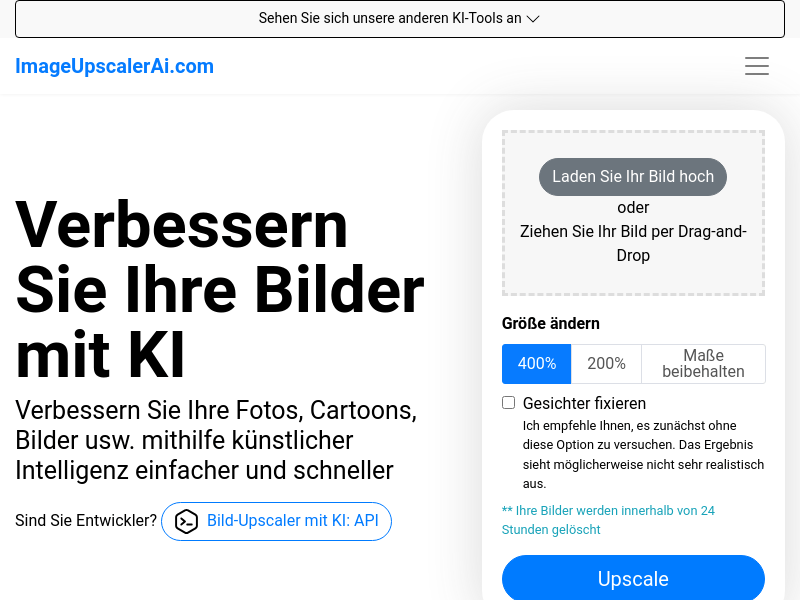
Screenshot archived from the listing page, for preview only.











