
Imagen3D
Image to 3D model converterOne image in, a 3D model out
Highlights
What you can do with it
- Turn game concept art into a testable 3D asset
- Convert a product photo into a printable prototype
- Build 3D objects for an AR or VR scene
How to use it
- 1 Open https://imagen3d.org and upload a PNG, JPG, or WebP image.
- 2 Add extra views if you want better accuracy.
- 3 Choose Fast, Pro, or Ultra quality.
- 4 Click Generate 3D Model and wait for the render.
- 5 Download the model in the format you need.
Who it is for
Pros
- Fast generation with selectable quality levels
- PBR texture output saves a later baking step
- Wide export format support
Limitations
- Pricing is not stated on the page, so costs are unclear
- Uploads are capped at 10MB per image
- Free trial or free version status may change
What Imagen3D is
Imagen3D is an online tool that turns images into 3D models. You upload a single PNG, JPG, or WebP file up to 10MB, or upload several views for better accuracy, and the tool generates a model with clean topology and studio level geometry. Three quality modes are offered: Fast at roughly 20 to 40 seconds, Pro at roughly 30 seconds, and Ultra at roughly 2 to 3 minutes, so you can trade time against detail. It also bakes PBR textures, including Albedo, Normal, Roughness, and Metallic maps, and exports to GLB, OBJ, STL, GLTF, USDZ, and MP4. The page does not state pricing, and a free trial or free version is mentioned as a possibility.
What you can do with it
- Convert a photo or concept image into a 3D model quickly
- Pick Fast, Pro, or Ultra depending on the deadline
- Get PBR texture maps baked from the source image
- Export in the format your pipeline already uses
Who it is for
- Game developers who want concept art as a testable asset
- 3D printing users who need a printable model from a photo
- Animation, VFX, AR, and VR creators building scene assets
What to watch out for
Pricing is not stated on the page, so you cannot plan a budget from the site alone, and any free trial or free version status can change. Uploads are capped at 10MB per image, which rules out high resolution source files. Results depend on the input: a clean, well lit photo with clear edges converts better than a busy or blurry one, and hidden geometry behind the subject has to be guessed. Generated models are a starting point for production work rather than a finished, rig ready asset.
FAQ
What can I upload?
PNG, JPG, or WebP files up to 10MB, either a single image or multiple views.
How long does generation take?
Fast is about 20 to 40 seconds, Pro about 30 seconds, Ultra about 2 to 3 minutes.
Which formats can I export?
GLB, OBJ, STL, GLTF, USDZ, and MP4 are supported.
Why it is free
What the official page says: free versionfree trial
Free limits, trial length and features are decided by the official site and can change at any time.
Product preview
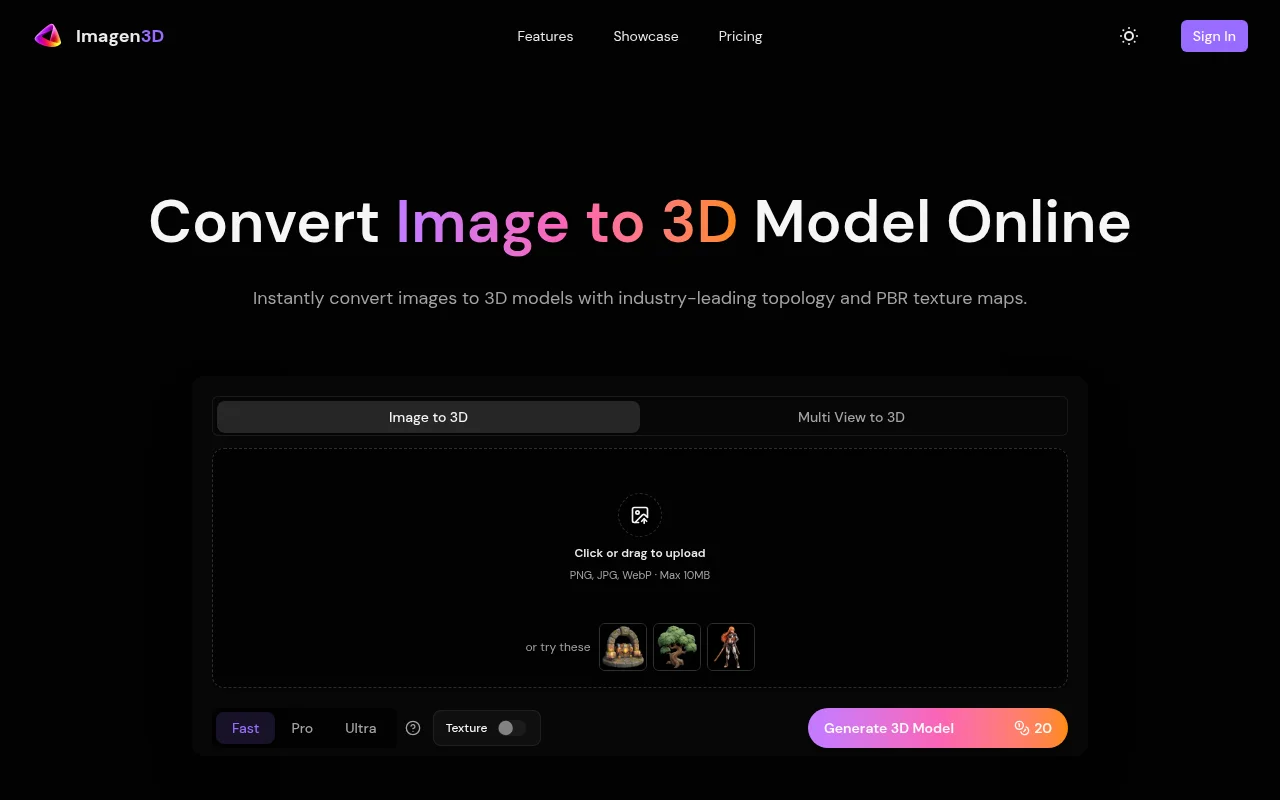
Screenshot archived from the listing page, for preview only.











