
Img Creator AI
Free AI image generator, no signupTurn text into images in seconds, free and unlimited
Highlights
What you can do with it
- Turn a product pitch or promo line into a quick poster concept for a client
- Upload a dim landscape photo and enhance its color and clarity
- Generate character and scene art for a game from written descriptions
How to use it
- 1 Open the Img Creator AI website and go to the image generation page.
- 2 Pick a model, such as the standard or the Pro model.
- 3 Type your prompt, then set the aspect ratio and resolution.
- 4 Optionally upload an image and use image-to-image to build on it.
- 5 Click Generate, wait a few seconds, then download or keep editing.
Who it is for
Pros
- Completely free core with no registration barrier
- Simple text-to-image flow that returns results in seconds
- Built-in editing, background removal, and upscaling save extra tools
Limitations
- The free, no-registration model may change at any time, so features are not guaranteed long term
- Quality and speed depend on the model you pick; the standard model is more limited
- Results vary with prompt wording, so some trial and error is expected
What Img Creator AI is
Img Creator AI is a free online AI image generator that runs in the browser. According to the site, you can use it without registration and without an account, and it presents itself as completely free. You give it a text description and it returns an image, with the site claiming generation in about two seconds and no fixed cap on the number of images. It offers two models: a standard model aimed at everyday creation and a Pro model with more advanced text rendering, tighter editing control, and higher image quality. The positioning is a general-purpose image creation platform, so both working designers and casual hobbyists are expected to find it usable.
What you can do with it
- Convert a written description into an image with the text-to-image tool.
- Edit an existing image with image-to-image, remove a background, or upscale it.
- Set the aspect ratio and resolution for different uses.
- Browse the example gallery and sample prompts for inspiration.
Who it is for
- Designers who want quick concept images and to skip hand drawing.
- Marketers who need product visuals from short copy.
- Ordinary enthusiasts and students turning ideas into pictures.
What to watch out for
The tool leans on a free, no-registration model, and that kind of offer can change. Limits, model access, and the watermark-free downloads described here are not guaranteed to stay the same, so treat current features as a snapshot rather than a permanent promise. Output quality depends heavily on how you word the prompt and which model you choose, so expect to experiment. Because it is a browser service, results also depend on your connection and on the site staying online.
FAQ
Do I need an account to use Img Creator AI?
No. The site states you can generate images without registration.
How many images can I generate?
The site advertises unlimited generation, but free services can change, so check current limits.
Can I edit an existing image instead of starting from text?
Yes, there is an image-to-image option, plus background removal and upscaling.
Why it is free
What the official page says: no registrationcompletely free
Free limits, trial length and features are decided by the official site and can change at any time.
Product preview
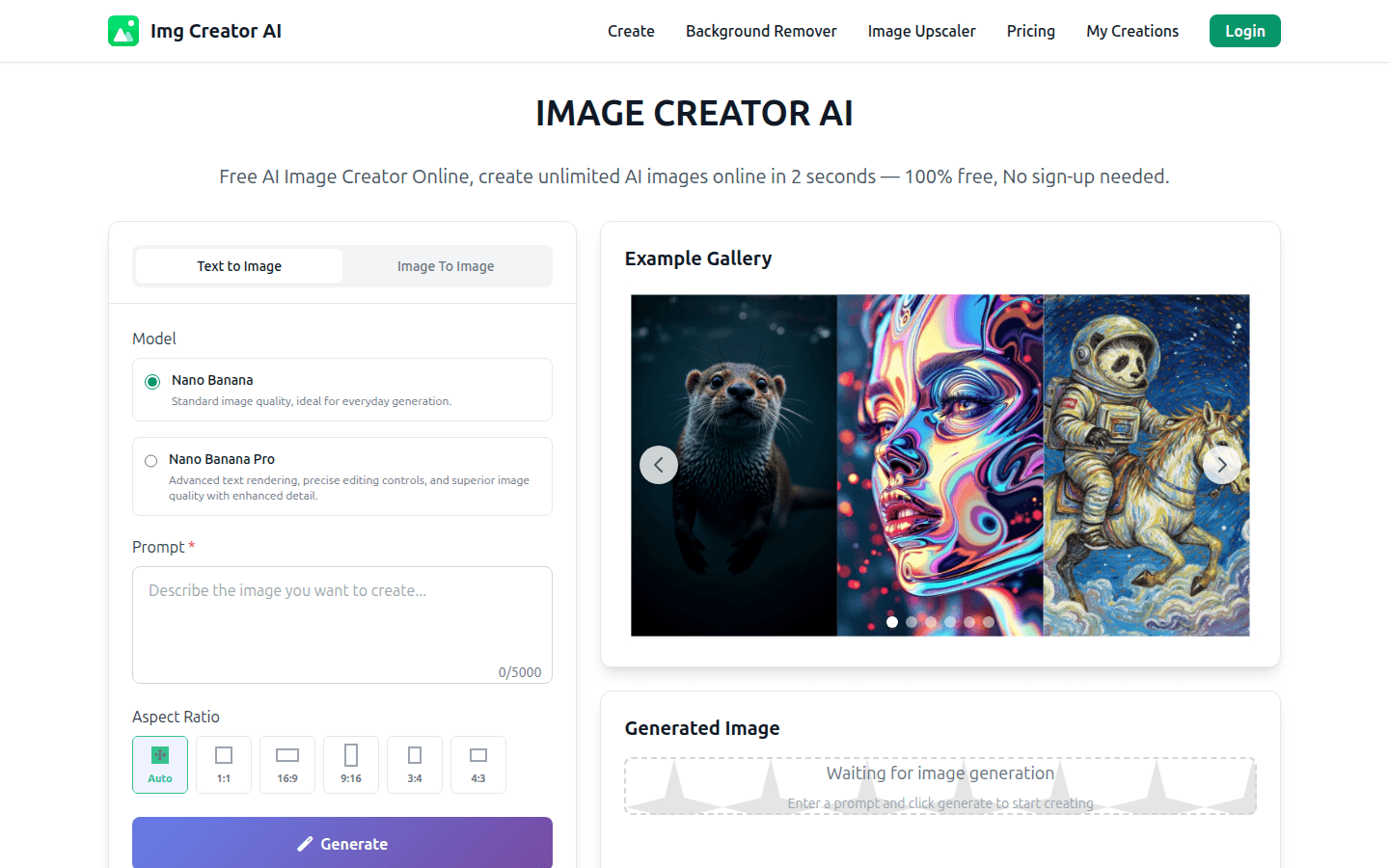
Screenshot archived from the listing page, for preview only.











